
ApiCatcher Blog: API Capture & Debugging Tutorials
Explore API capture, export, and debugging with ApiCatcher.
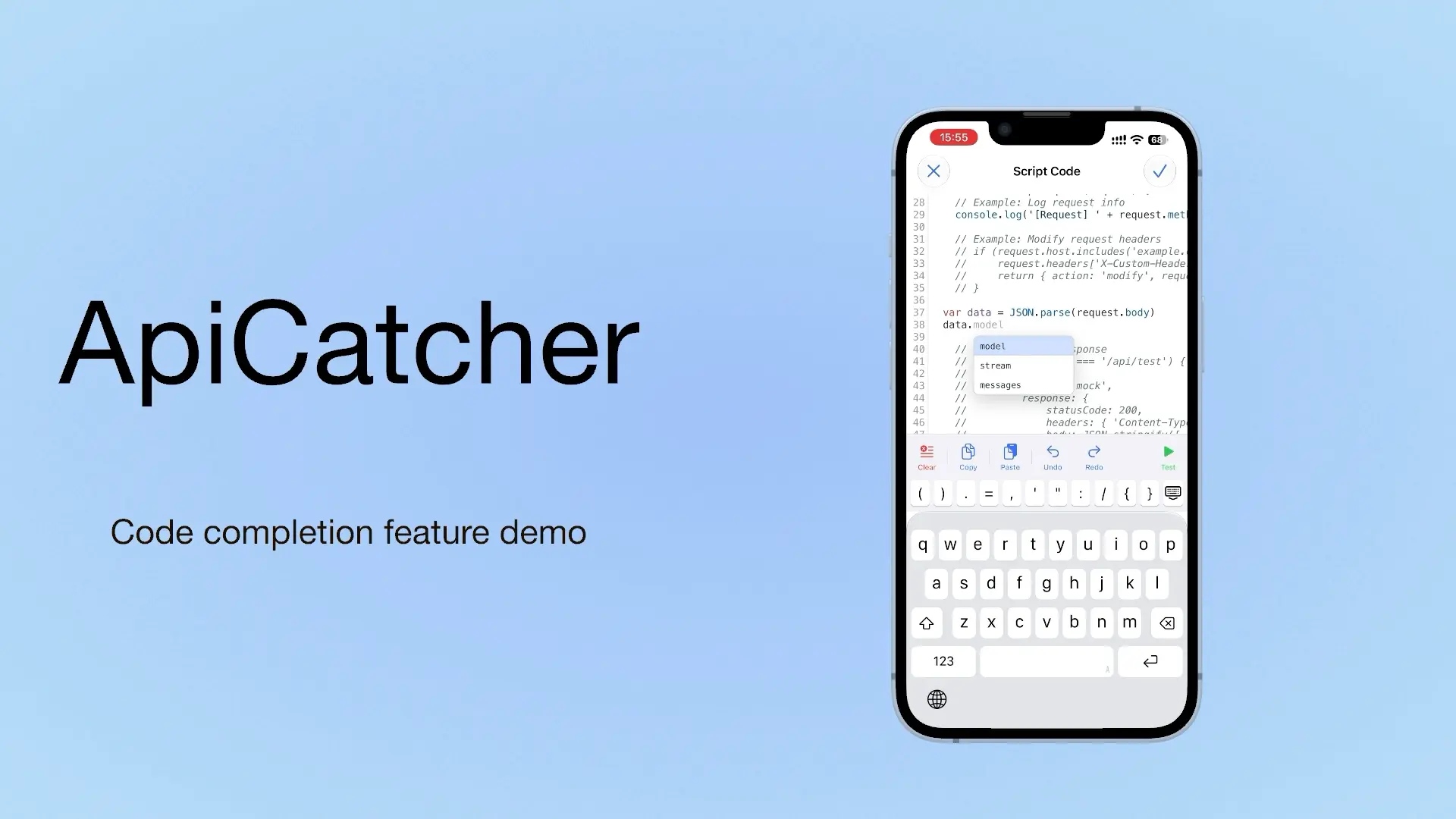
ApiCatcher: an HTTP Capture and Debugging Tool with Code Completion as You Write Script Code
If we can offer a choice, we offer a choice. If we can offer a completion hint, we offer a completion hint. If we can offer a template, we offer a template. Code completion is on iOS only for now. Update to 4.4 to use it.
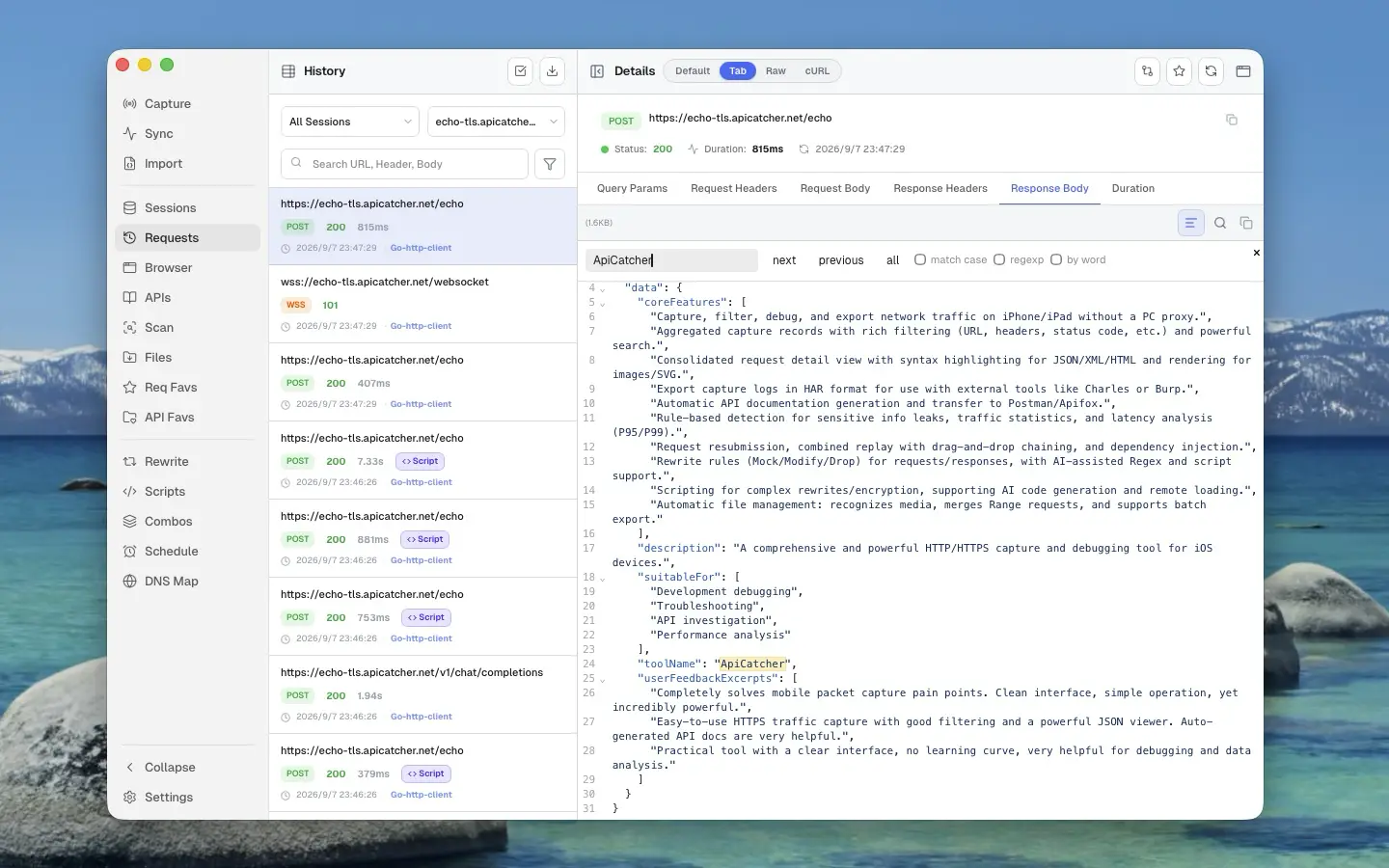
HTTP/HTTPS Capture and Debugging Tools: Charles Proxy vs Proxyman vs ApiCatcher
Charles Proxy, Proxyman, and ApiCatcher side by side — which platforms they cover, how capture feels on a phone, and where breakpoints, rewrite, and replay differ.
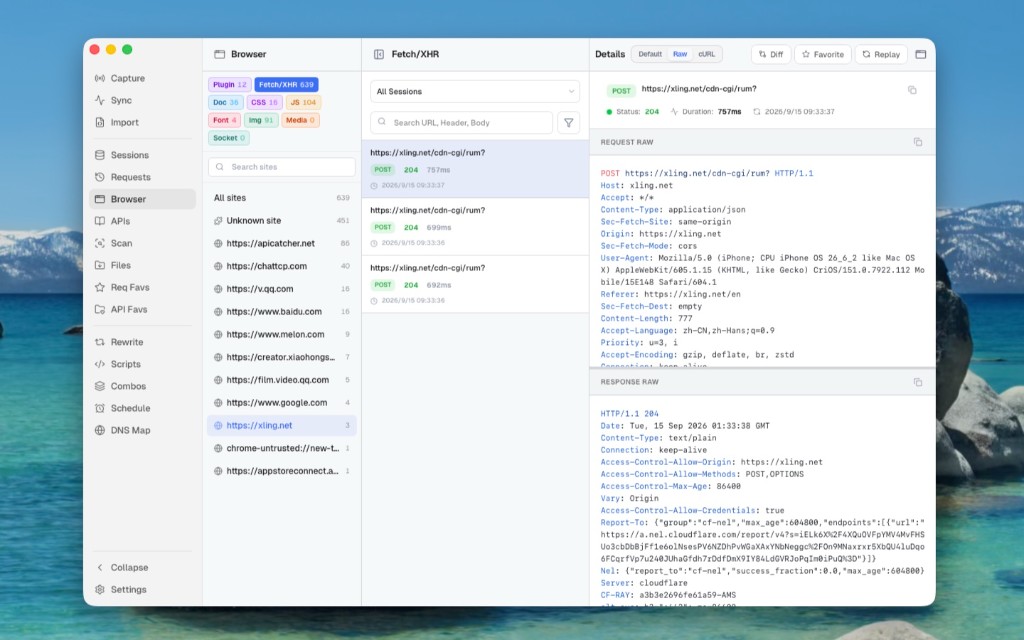
Use ApiCatcher Instead of the Browser’s Network Panel, Same Experience, but Those Requests the Network Panel Can’t See Are All Visible
The Network panel is awkward for login APIs and extension background requests, and a refresh clears the history. Desktop Browser view can show those requests Chrome does not keep.
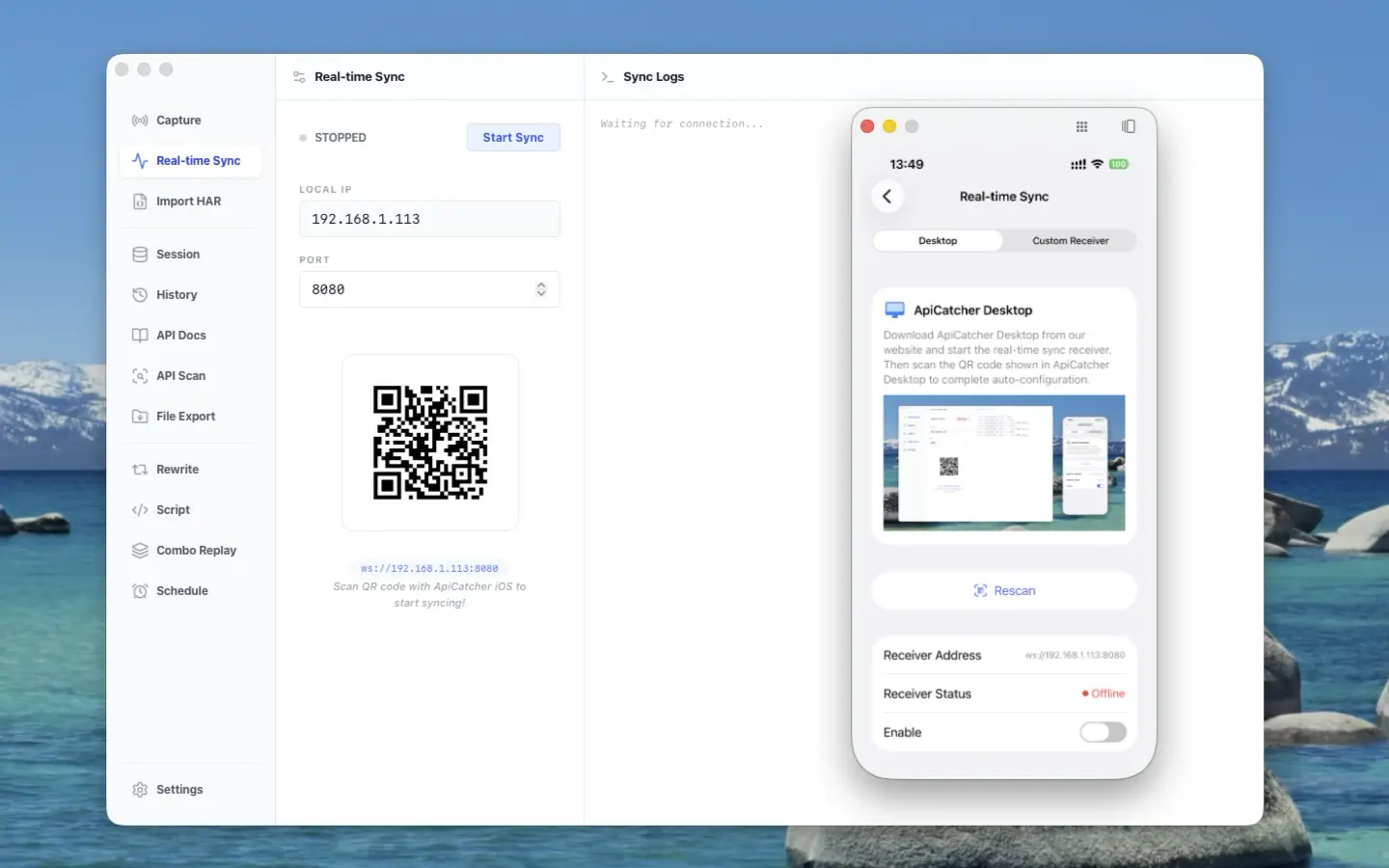
ApiCatcher opens its real-time sync protocol — stream HTTP traffic from iOS / Android to your receiver
ApiCatcher opens its real-time sync protocol: stream HTTP traffic captured on iOS and Android to your receiver, without exporting HAR by hand.
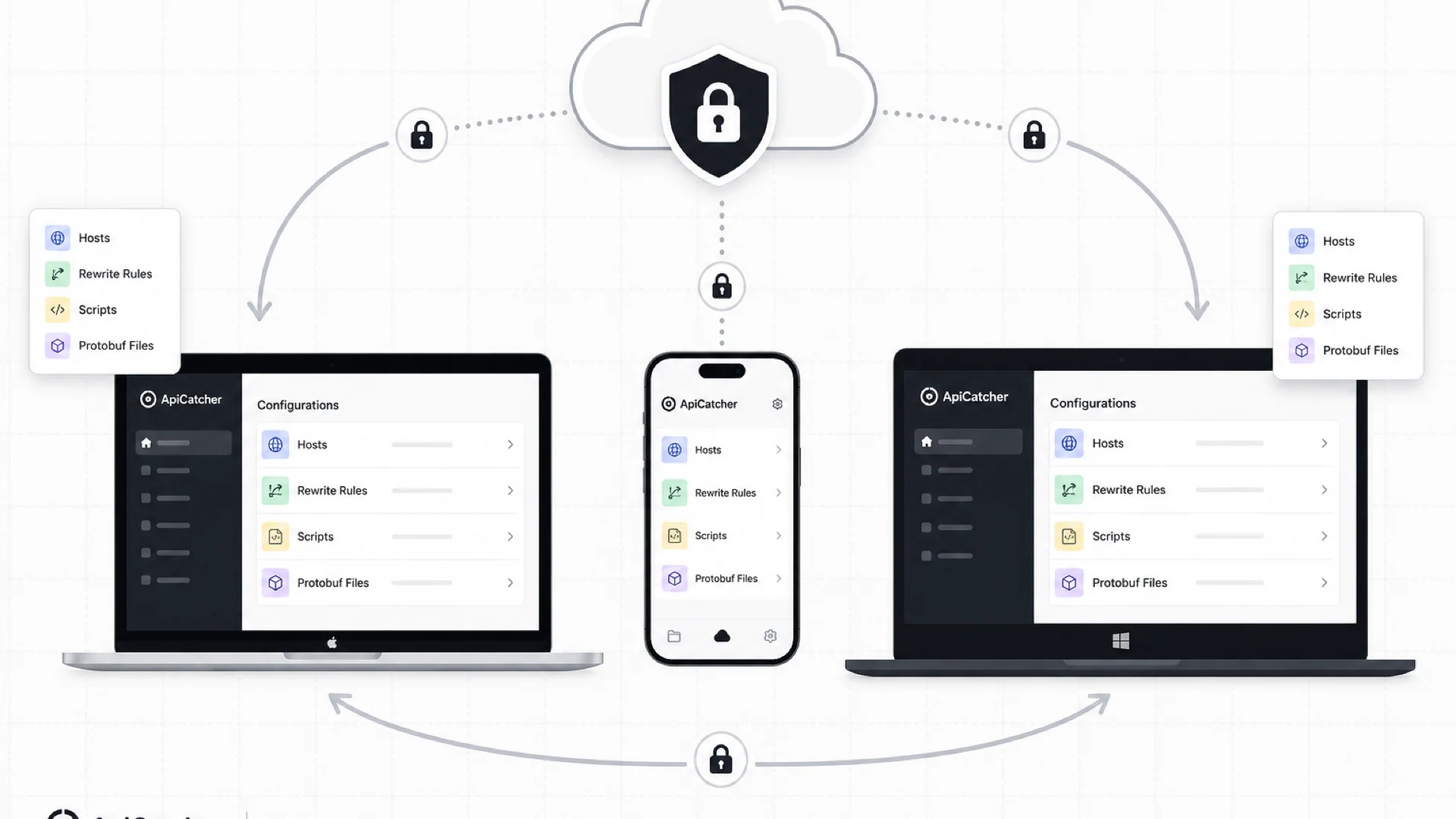
Cloud Sync: Keep Your Rewrite Rules, Scripts, and Config in Sync Across Devices
ApiCatcher Cloud Sync keeps host lists, rewrite rules, scripts, and other config in sync across desktop and mobile — with end-to-end encryption so the server never sees your plaintext data.
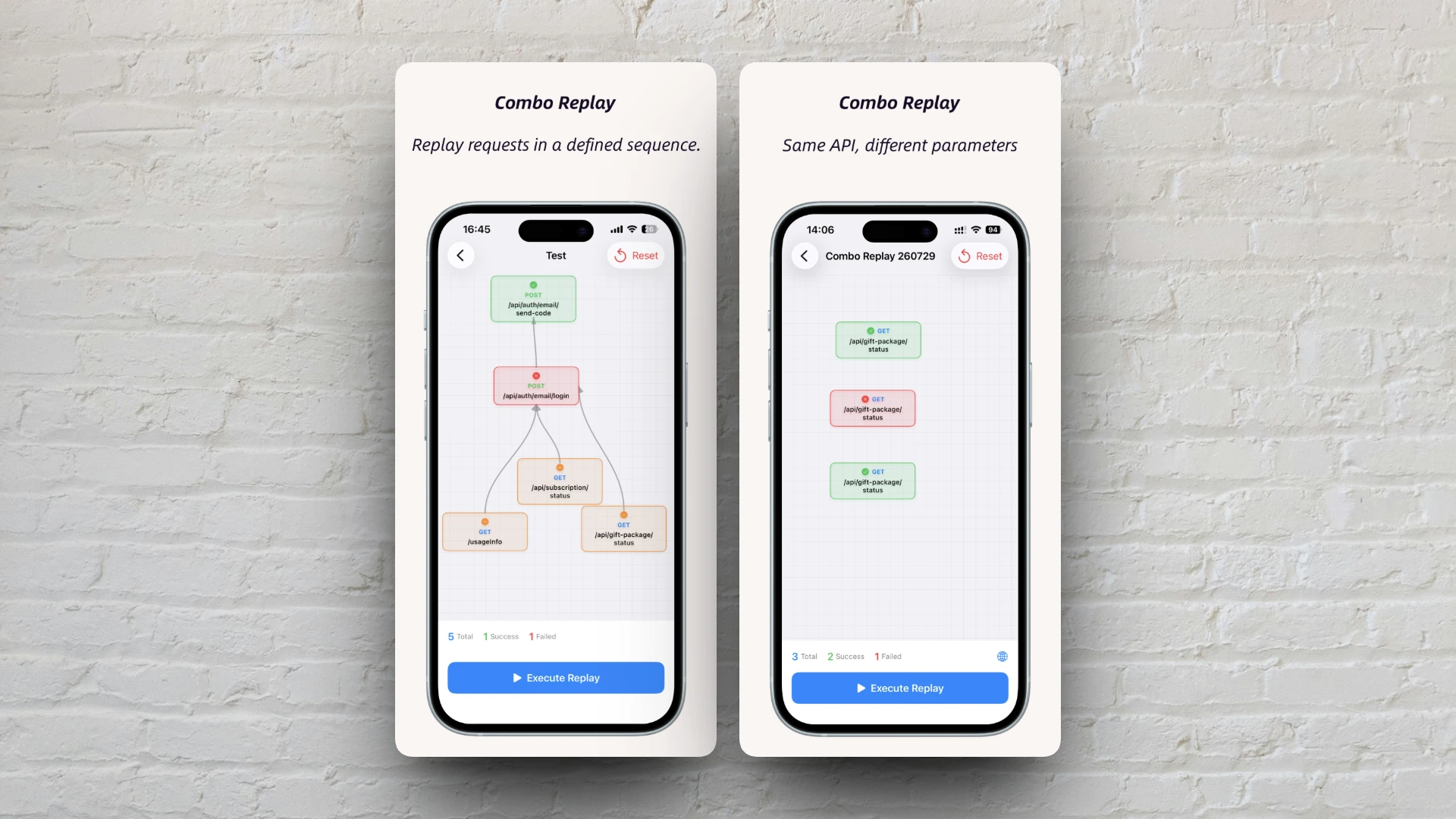
Combo Replay Upgrade: Batch-Test the Same API with Different Parameters
Combo Replay now supports multiple nodes for the same API, per-node preset parameters, and expression injection — run every business scenario and boundary case in one shot.
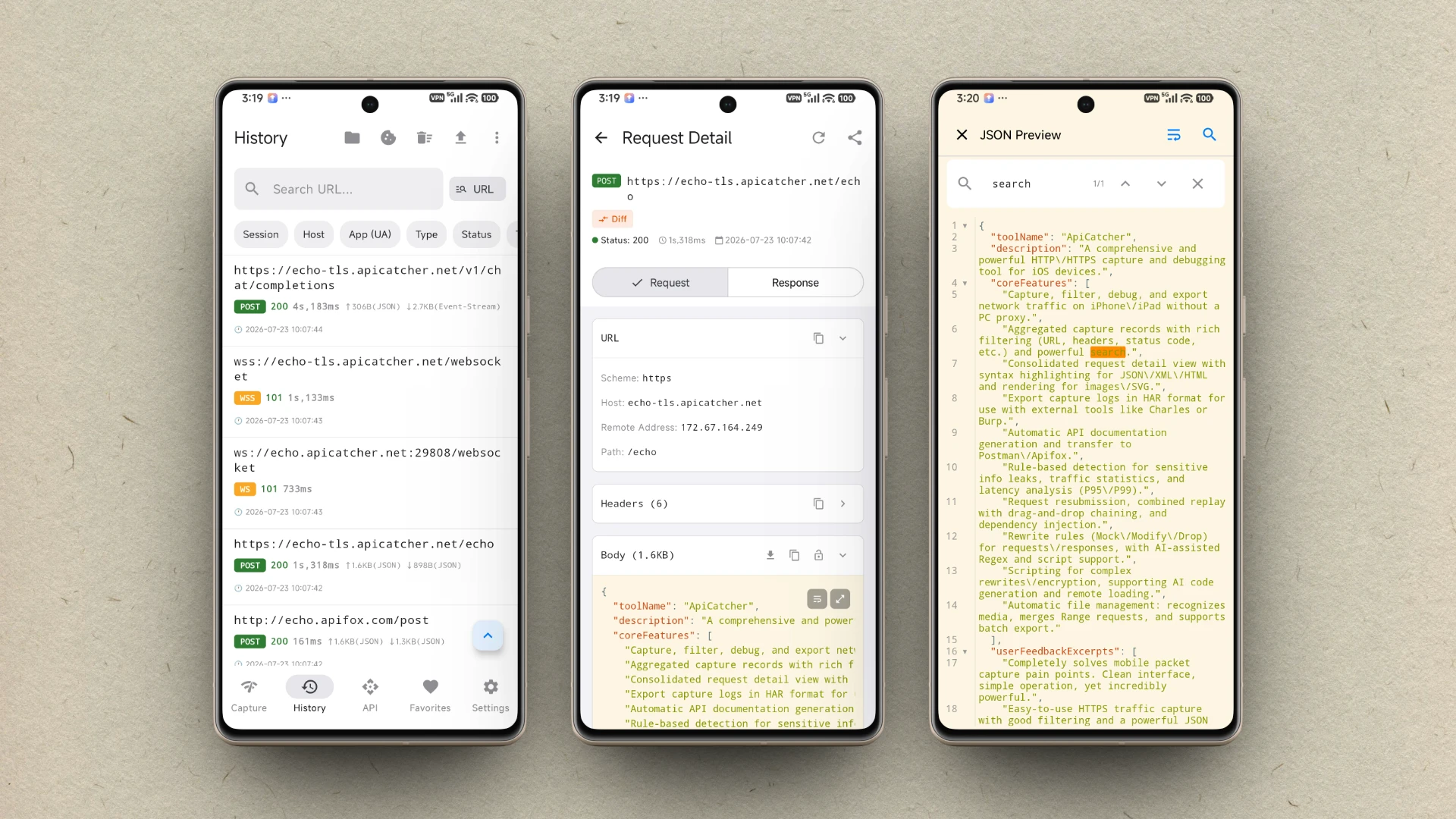
ApiCatcher is now available on Android
ApiCatcher for Android is now on Google Play. Capture HTTP/HTTPS traffic on your phone with one tap — no proxy setup required.
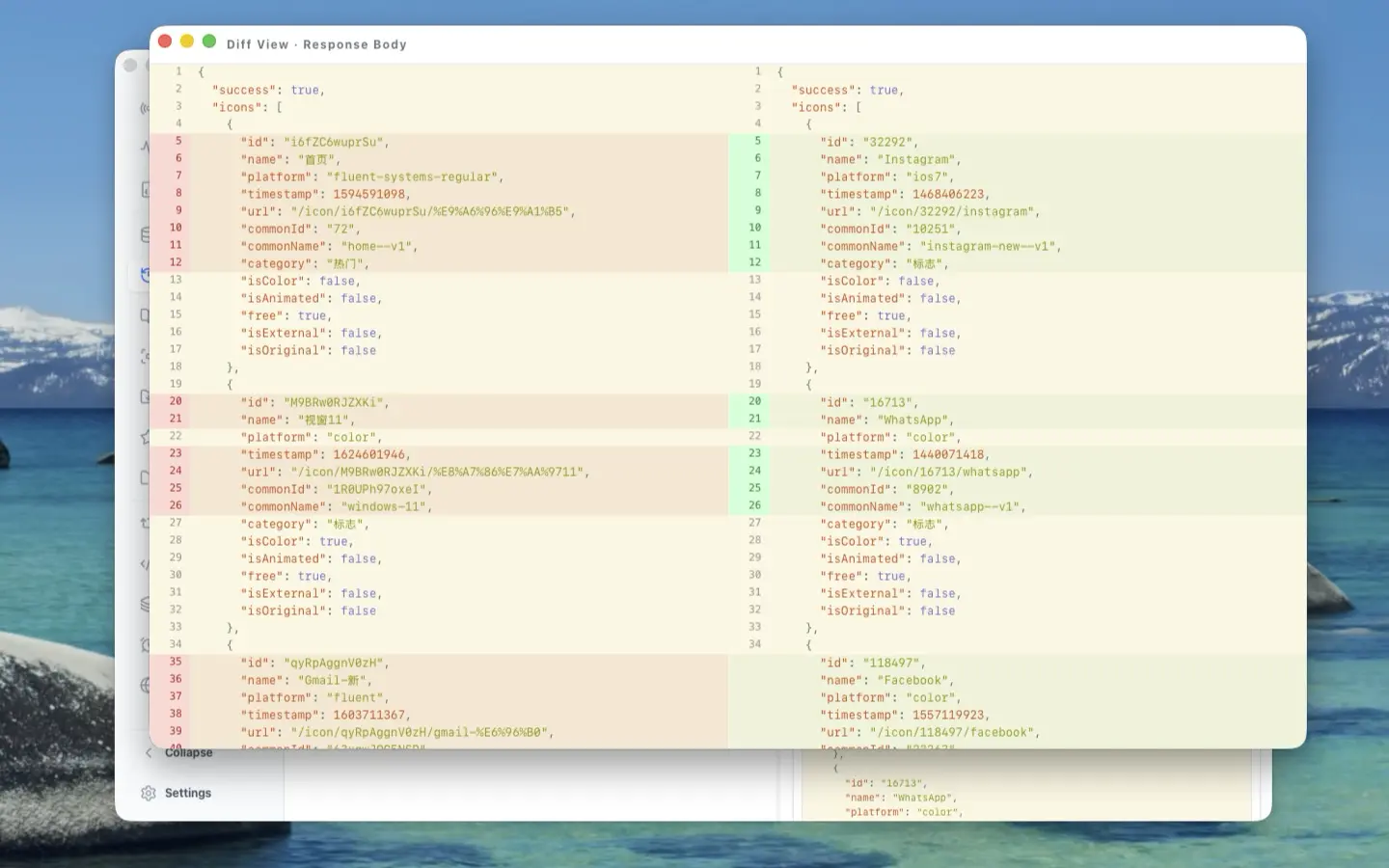
The Craft Behind the UI: A Deep Dive into ApiCatcher Desktop's UX Design
Side-by-side request-response layout, reusable components, full-screen body preview, detached windows for side-by-side comparison, and JSON Diff — here's the UX thinking that went into making ApiCatcher Desktop a joy to use for HTTP debugging.
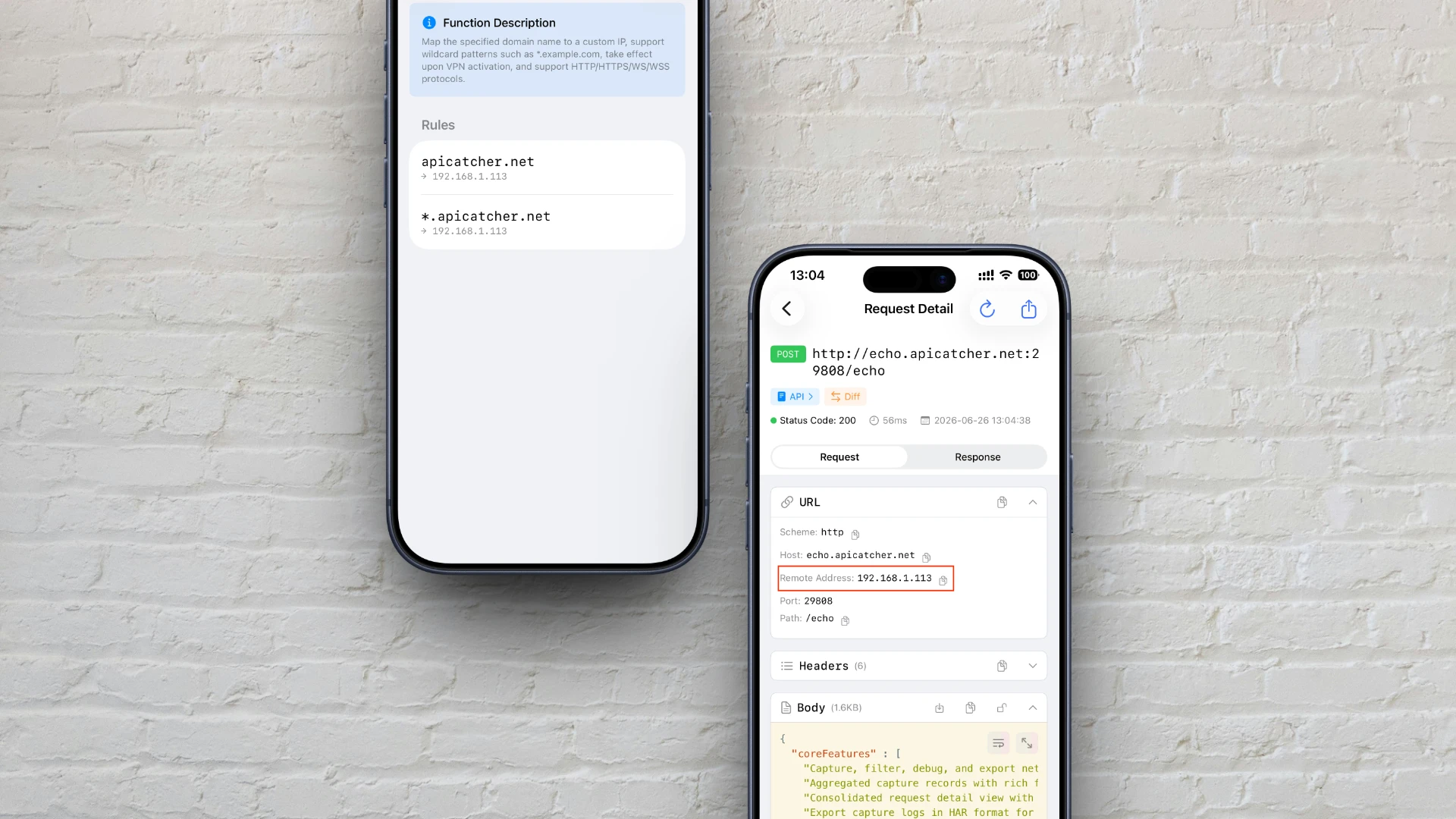
How to Customize Domain Name Resolution on iOS — Like Editing Your Hosts File
Discover how to use ApiCatcher's DNS Mapping to achieve hosts-file-like custom domain resolution on iOS, with a deep dive into the proxy-layer interception and traffic redirection mechanism.

How ApiCatcher Captures Large Files Over HTTP
How ApiCatcher overcomes iOS network extension memory limits by streaming large files directly to disk — the engineering behind capturing large HTTP payloads without dropping requests.
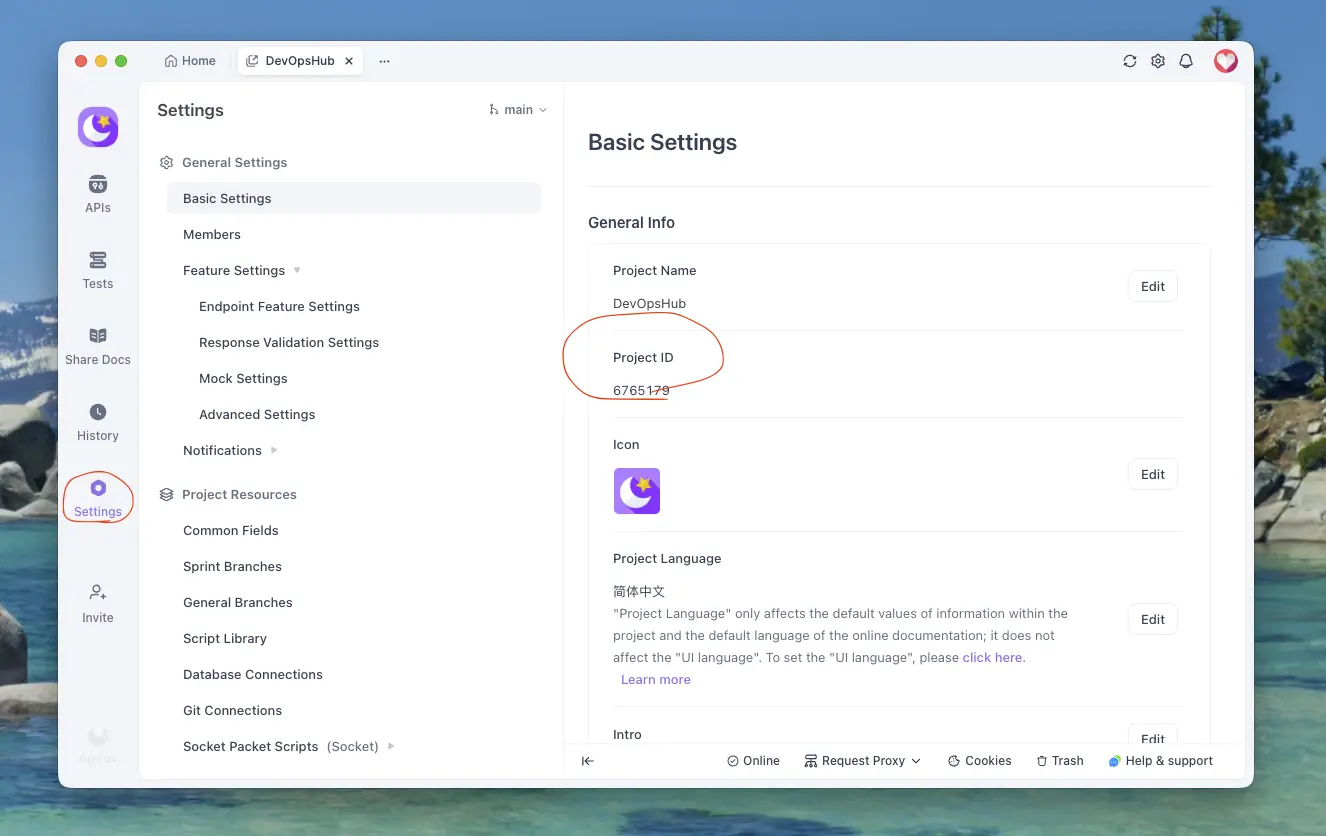
How to Export Captured HTTPS Requests to Apifox
A step-by-step tutorial on exporting HTTPS requests captured in ApiCatcher to Apifox — just a few steps to complete the API documentation export.
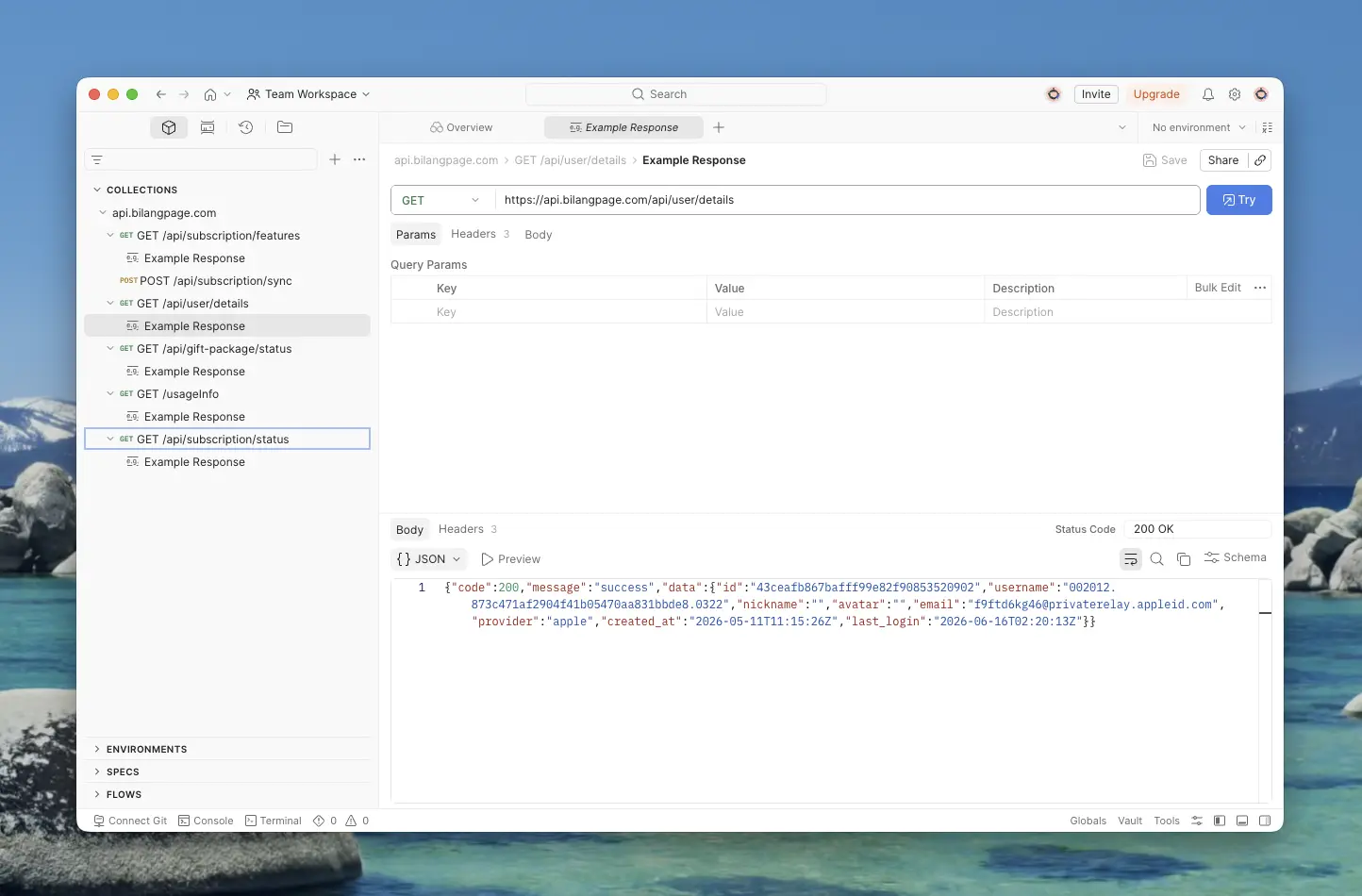
How to Export Captured HTTPS Requests to Postman
A step-by-step tutorial on exporting HTTPS requests captured in ApiCatcher to Postman — including obtaining an API Key, selecting a Workspace and Collection.
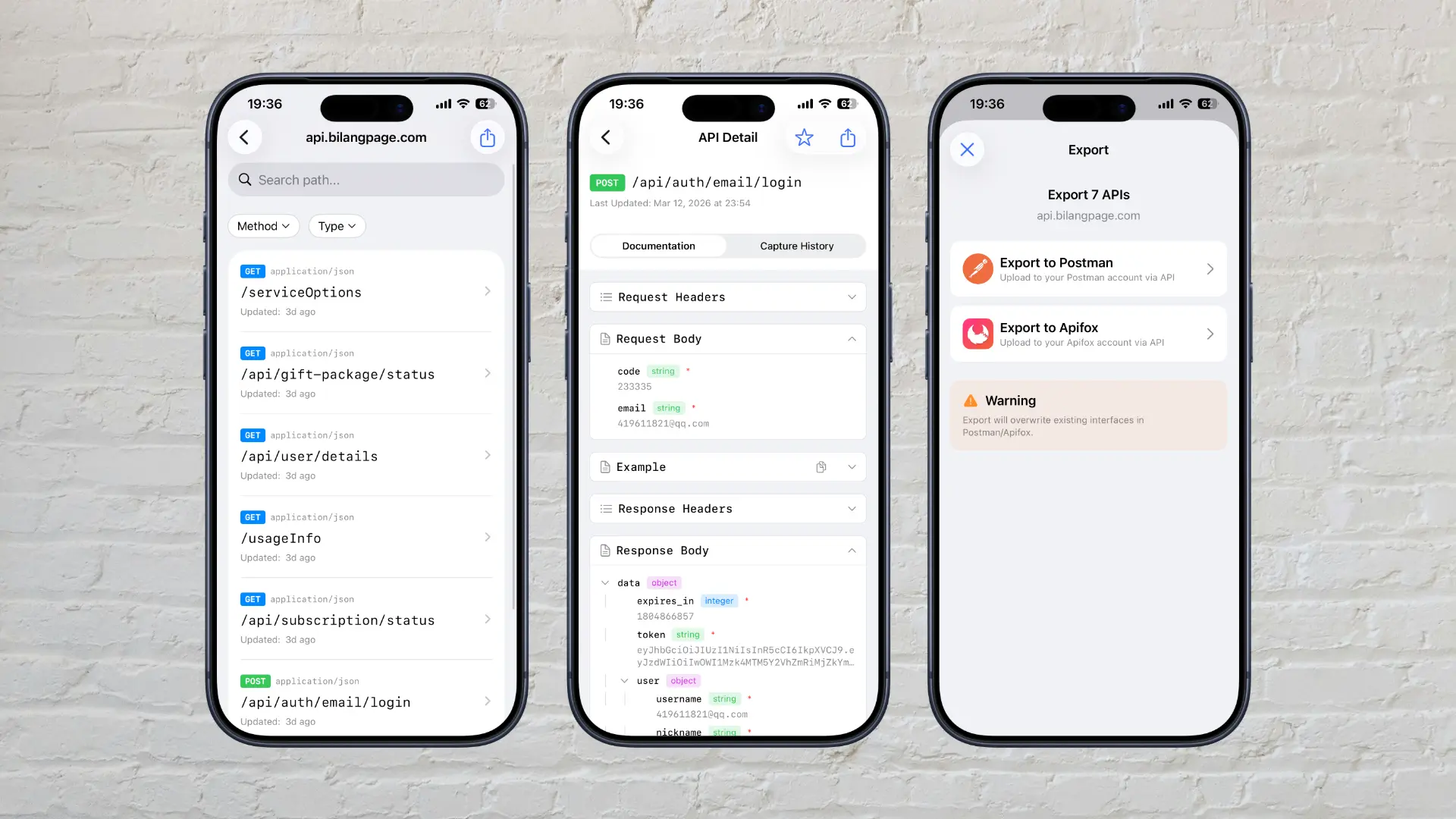
Why Did We Build ApiCatcher?
Why we built ApiCatcher — an HTTPS debugging proxy that automatically generates API documentation and solves the real-world pain of missing docs and difficult debugging.