
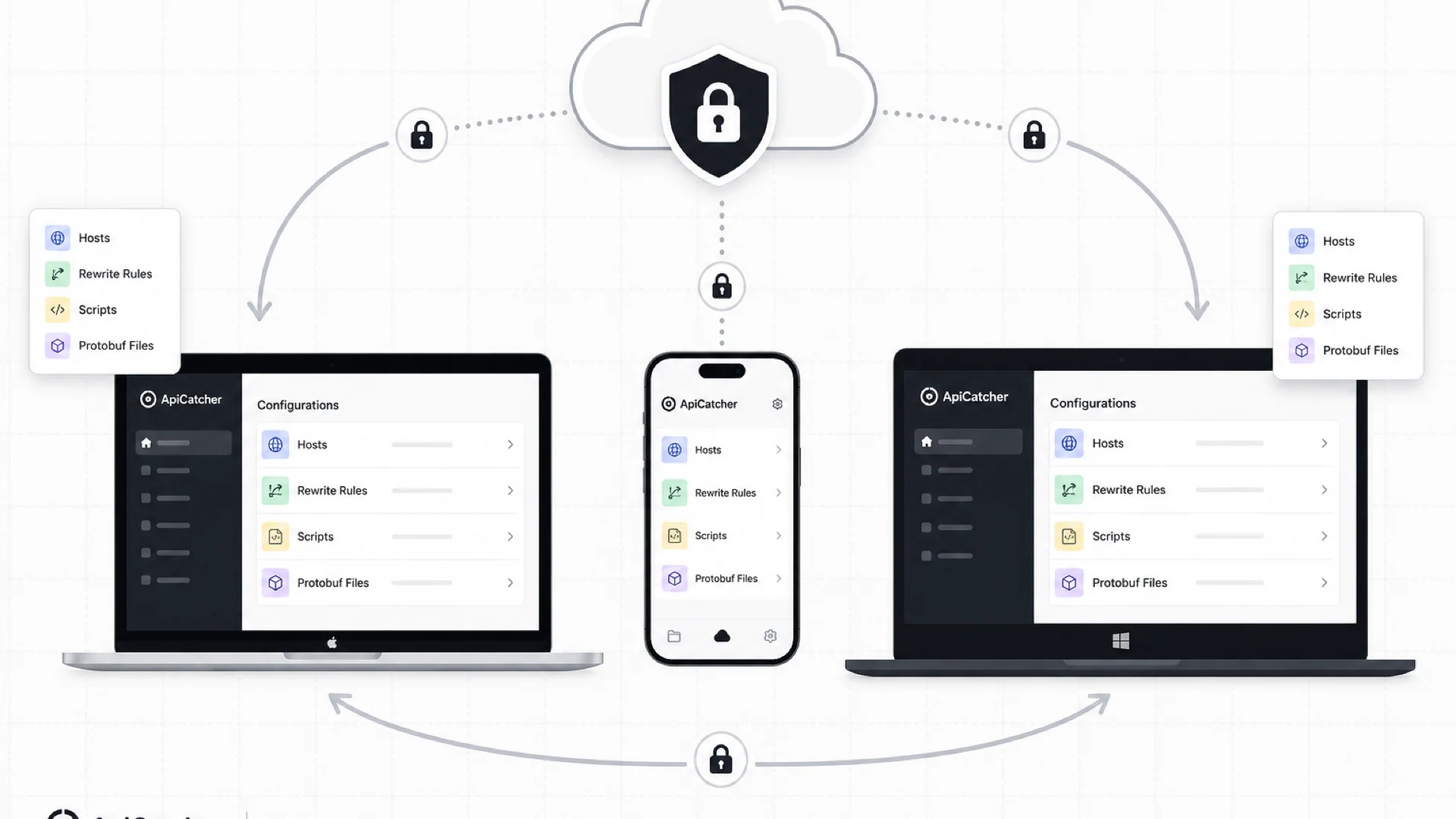
Cloud Sync: Keep Your Rewrite Rules, Scripts, and Config in Sync Across Devices
Since ApiCatcher launched, a recurring request has been straightforward: sync host allow/deny lists, rewrite rules, and scripts between desktop and iOS without the export-import loop. Less busywork, more time actually debugging APIs.
That sounds simple until you think about what those files actually contain. Host lists reveal which services you work on. Rewrite rules and scripts often encode business logic, test scenarios, and internal endpoints. For most users, this is sensitive configuration — not something you'd want sitting on a server in plain text.
We explored several approaches before shipping Cloud Sync. Here's how we got there, and why we landed on end-to-end encryption.
Option 1: Sync over the local network
Our first idea was peer-to-peer sync on the same Wi-Fi. Traffic never leaves your network, which is great for privacy.
The trade-offs showed up quickly. You have to trigger sync manually every time. Miss one session and you risk conflicts when two devices diverge. And the workflow scales poorly — syncing three or four devices means repeating the same steps over and over.
Option 2: Bring your own cloud storage
Next we looked at letting users plug in their own database or object storage, similar to how you supply an AI API key. You own the infrastructure; we stay out of the storage business.
In practice, that adds cost and setup friction for something that usually amounts to a few kilobytes of JSON and script files. Most people don't want to maintain a separate cloud account just to keep rewrite rules aligned between a MacBook and an iPhone.
Option 3: Server-side sync (what we shipped)
Storing encrypted blobs on our servers was the option that actually solved the problem: automatic sync across Windows, macOS, Android, and iOS, no extra storage bill, no manual steps every time you tweak a rule.
The obvious question: how do we protect privacy if data lives on our servers?
End-to-end encryption: the server only sees ciphertext
Cloud Sync uses end-to-end encryption. You choose a passphrase on your device. Config is encrypted locally before upload. Our servers store ciphertext only — not your passphrase, not your plaintext rules.
Without the passphrase, the encrypted data is useless to us or anyone else who might access the storage layer.
Want to verify the design yourself? The Cloud Sync User Guide walks through the encryption model, what gets uploaded, and what never leaves your device.
What does Cloud Sync actually sync?
Cloud Sync is opt-in. Nothing uploads until you turn it on and set a passphrase. Device A encrypts and pushes; other signed-in devices pull ciphertext and decrypt locally with the same passphrase. You'll need to enter the passphrase once on each device you want to sync.
Supported config types:
- Host allow/deny lists
- DNS mapping rules
- Rewrite rules
- Scripts
- Protobuf descriptor files (
.desc) - Combo replay rules
You can also pick which types to sync — there's no requirement to upload everything. Sync only what you need and keep the encrypted footprint small.
One thing Cloud Sync deliberately does not touch: captured traffic. Sessions, request/response bodies, and capture history stay on your device. Only rules and configuration files sync.
Can you delete cloud data?
Yes. Delete synced data from any device at any time. Deleting your account clears cloud data as well.
Whether or not you delete it, your config stays protected as long as your passphrase stays private. Without it, the ciphertext can't be read.
We've updated our Privacy Policy with details on how Cloud Sync data is handled. Worth a read if you want the full picture.
A note on your passphrase
We take data privacy seriously. If you run into issues with Cloud Sync or have ideas on how we can do better, we'd like to hear from you.
Save your encryption passphrase somewhere safe. If you lose it, we cannot recover your encrypted cloud config — there's no back door by design. Your local data on each device is unaffected; you just won't be able to decrypt what's already in the cloud until you reset and re-upload.