
ApiCatcher: an HTTP Capture and Debugging Tool with Code Completion as You Write Script Code
ApiCatcher has always insisted on being an HTTP capture and debugging tool that is easy to use. On desktop and on mobile, we try to keep it that way. We have been working on some details.
Today we are sharing a story about ApiCatcher and an input box.
Debugging HTTP traffic on a mobile device means all kinds of input: typing a URL, typing request headers, typing a request body, searching for a request, typing a script, and so on. A mobile device has a small screen. Typing on it is not as easy as on a computer keyboard. You also cannot quickly switch apps to copy and paste.
If ApiCatcher, like most HTTP debugging tools, offered nothing but a plain input box, it would be hard to use.
That is why the mobile apps of many HTTP capture and debugging tools point you to the desktop to edit scripts, JSON, and the like, and then have you import them back to the phone.
ApiCatcher has tried every way we could think of to fix this, so you can finish the input on the mobile device without relying on a computer.
What we are doing comes down to one sentence: if we can offer a choice, we offer a choice; if we can offer a completion hint, we offer a completion hint; if we can offer a template, we offer a template. Type less. Do not leave people with nothing but a plain input box.
Case 1
When you edit a rewrite rule or a script, you have to set which API the rule or script applies to. Other tools make you type the Host, type the Path, and type the Method. ApiCatcher gives you the options, and you pick from a dropdown. There may be many options, so ApiCatcher also lets you fuzzy-search them.
Case 2
Finding one request among a huge number of them: how search works decides whether a core feature of a capture tool is easy to use. ApiCatcher provides filters for capture session, Host, Scheme, User-Agent, Content-Type, Method, status-code range, time range, and more. All of these are dropdowns, not one input box after another.
Case 3
When you write a rewrite rule that mocks a response, modifies a request, or modifies a response, ApiCatcher generates a Body template from the scope you selected, the target API. You only need to edit on top of that template, instead of facing a blank Body input box.
Case 4
When you write a rewrite rule, you may need a regex replace expression. When you write a scheduled task, you may need a cron expression. A lot of us simply cannot remember how to write regex or cron. ApiCatcher has AI built in. There is an AI button next to the input box. Tap it to bring up AI and let AI write the expression. You do not even need to copy and paste.
Case 5
When you write JSON, to speed up input, ApiCatcher adds keys above the keyboard for common JSON symbols, so you can quickly enter ,, :, {, }, [, ], ;, and similar characters.
Case 6
Writing a script is a lot of work, and writing a script on a mobile device is painful. So on mobile, ApiCatcher can generate the script with AI. A script from the built-in AI only needs the wrong parts fixed a little before you can use it, which means writing more than 80% less code.
Case 7
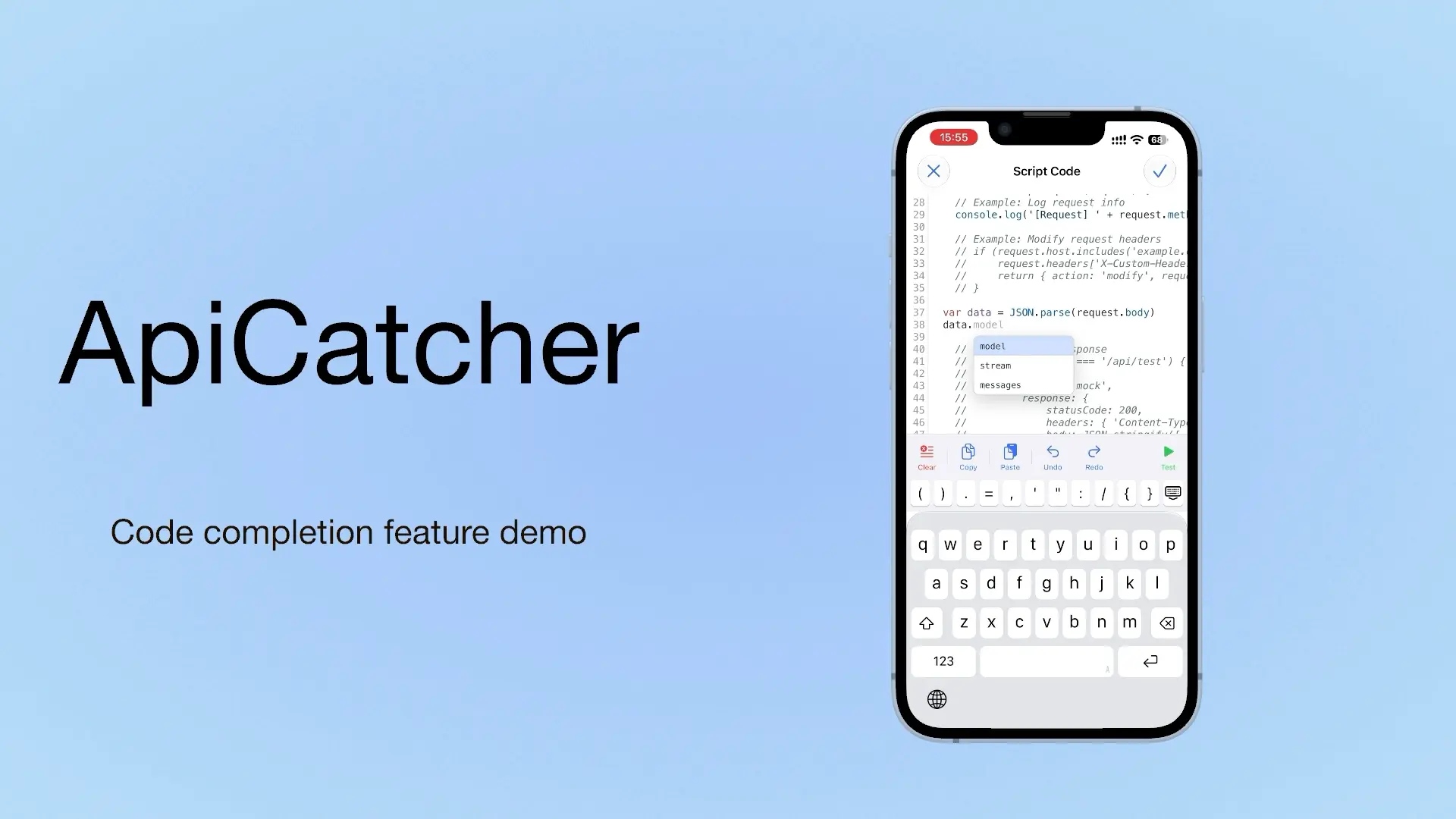
Case 7 is the feature added in ApiCatcher 4.4: input completion. It works the way completion works when you write code in the IntelliJ IDEA editor. We turned the script's built-in functions, the data structure of the request or response Body, the data structure of the return value, and more, into completion hints. That greatly speeds up writing scripts. Script writing that used to require a computer can now be done directly on the phone.
Besides the basic completion, turning on AI completion gives you better suggestions. AI looks at the input context and offers a completion that fits. We also considered privacy, so this feature is off by default. You configure an API key, then turn it on yourself.
All of the cases above show the effort ApiCatcher has put into the user experience. We still insist on the same thing: an HTTP capture and debugging tool that is easy to use.
Code completion is available only in the iOS app for now. Update to 4.4 and you can use it.