
How to Export Captured HTTPS Requests to Apifox
ApiCatcher automatically generates API documentation in real time based on HTTP requests during packet capture, and it can automatically update the docs by merging response fields from multiple captures.
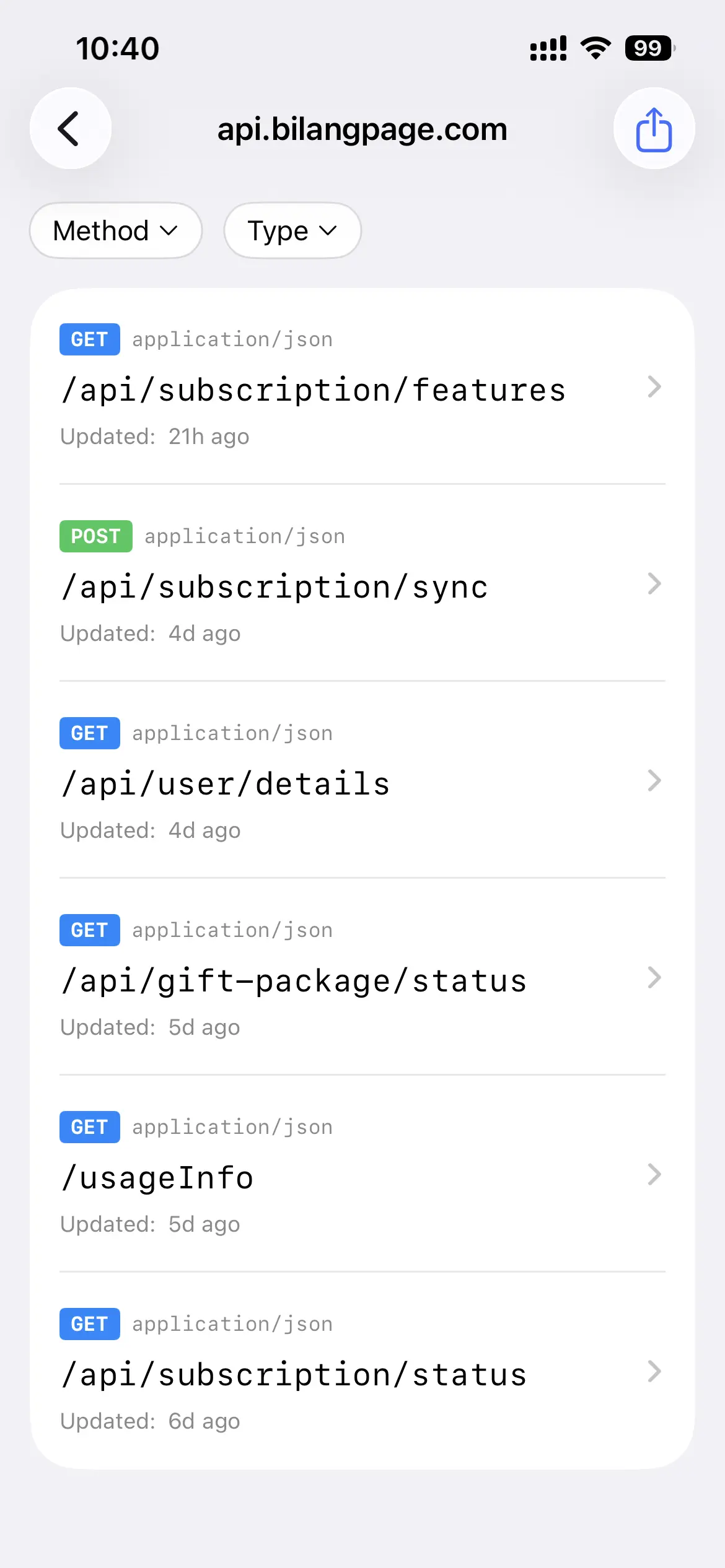
ApiCatcher only generates API docs for HTTP/HTTPS requests where the Content-Type of the request or response is JSON or Form-Data, and groups them by Host.
ApiCatcher supports batch exporting API docs to Apifox by Host, as well as exporting individual APIs.
Export Steps
In ApiCatcher, go to the Host API list page and tap the export button in the top-right corner (for batch export), or go to an API detail page and tap the export button in the top-right corner (for single API export).
In the popup, select "Export to Apifox."
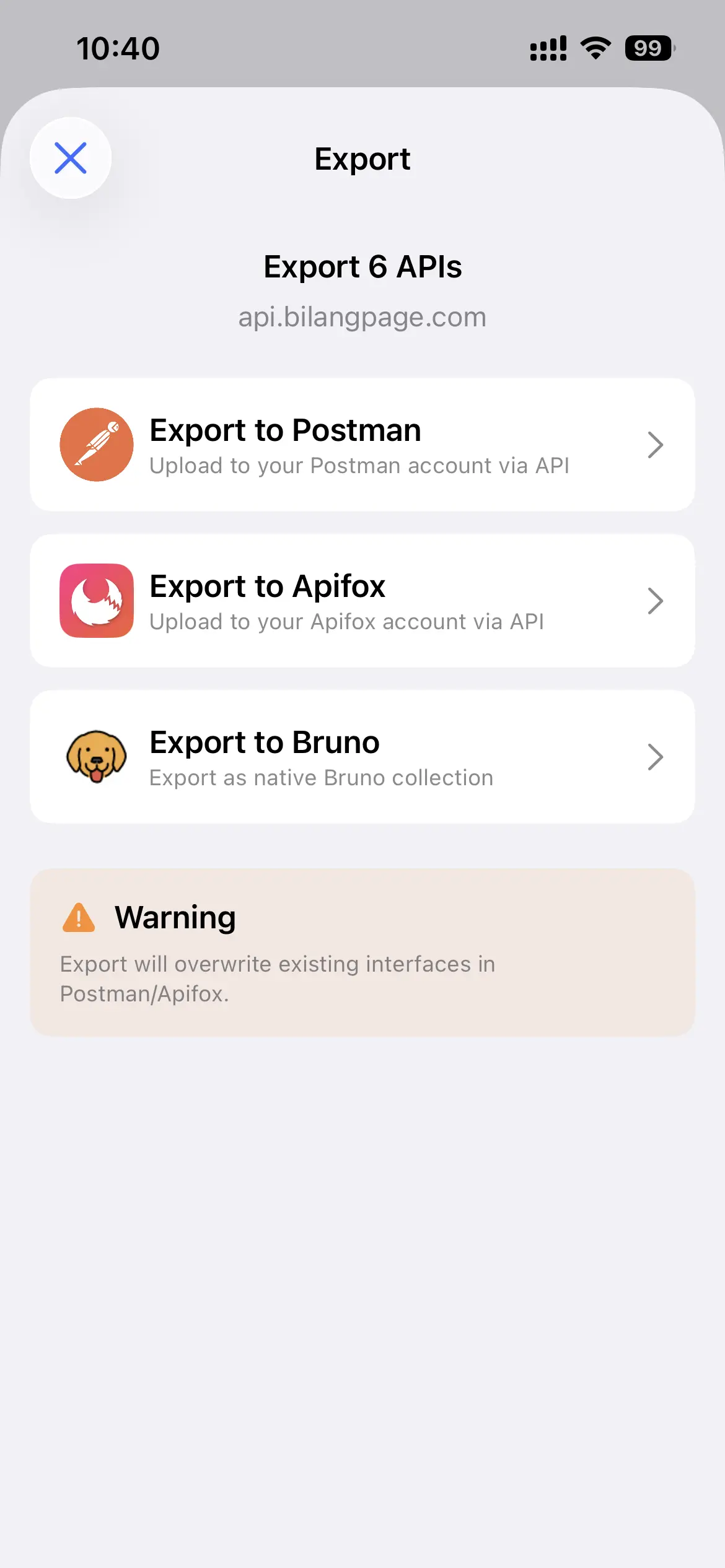
Step 1: Get Your Apifox API Key
Visit: API Access Token
Follow the steps in the documentation to generate an API Key.
Enter this API Key into ApiCatcher — it will remember the key so you don't need to enter it every time.
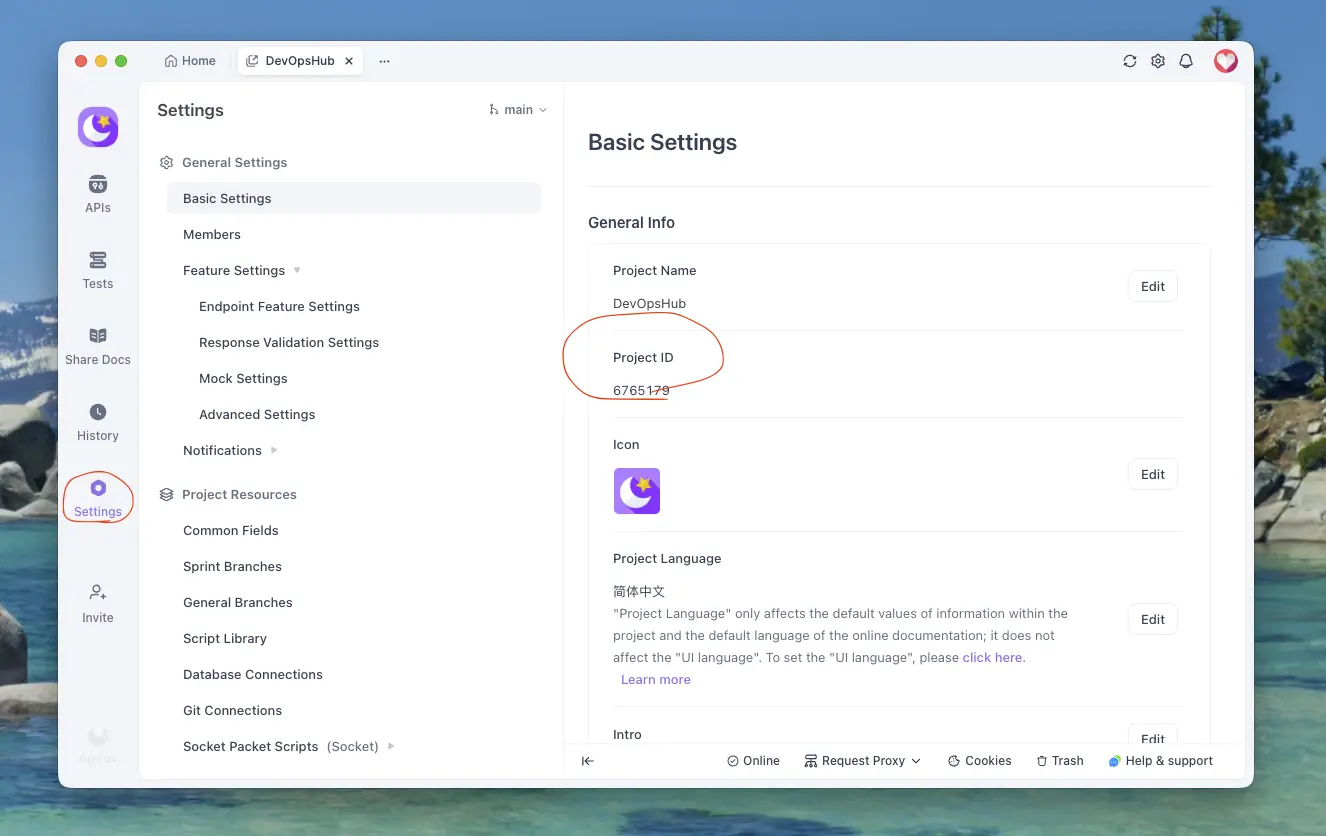
Step 2: Get the Project ID of the Target Project
Open Apifox, navigate to the target project, go to Project Settings, and find the Project ID under Basic Settings.
Step 3: Get the Target Directory ID (Optional)
This step is optional. If you want to export the API to a specific directory within the Apifox project, find the ID of that directory first. Leave it blank to export to the project root.
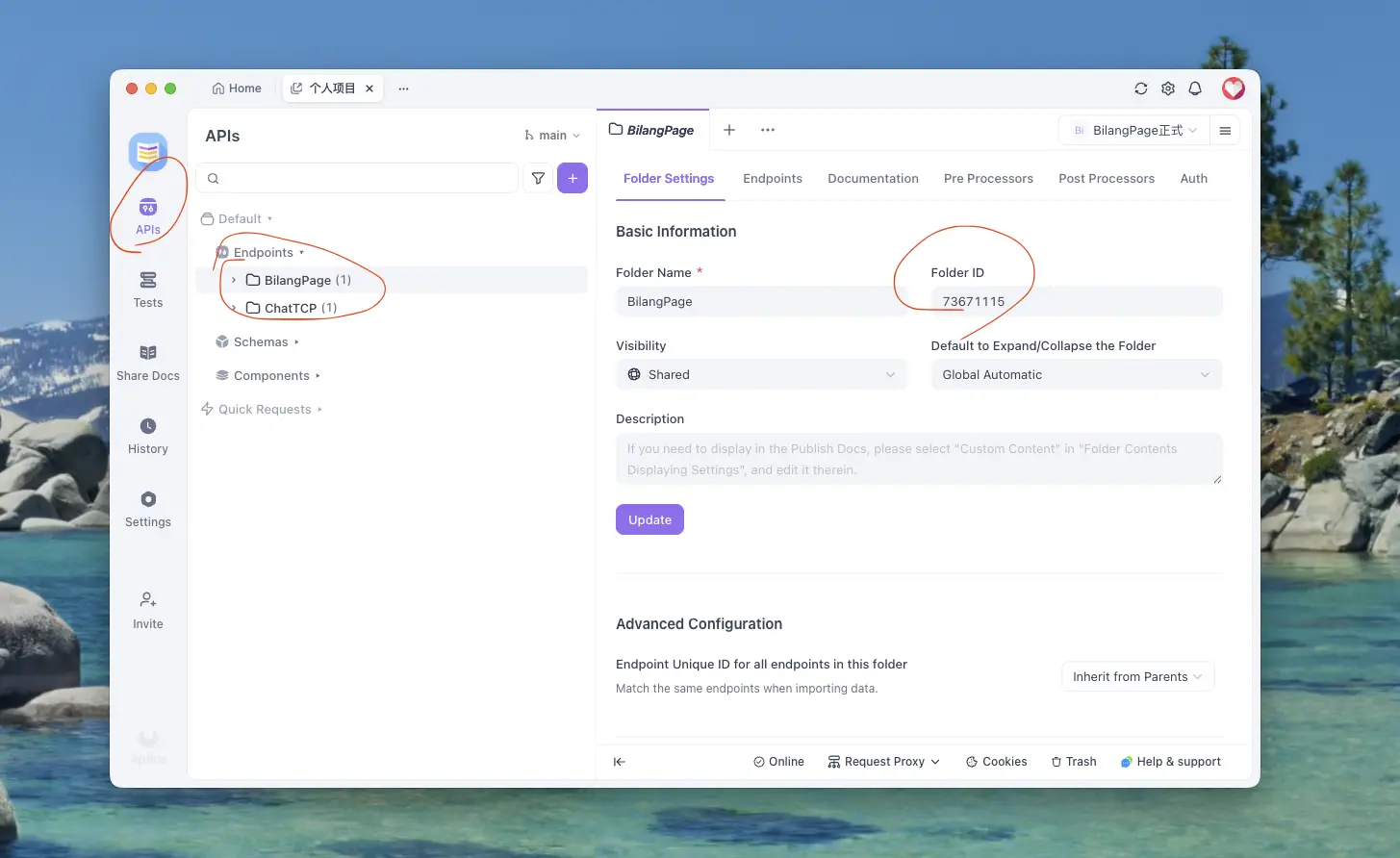
Navigate to the project, switch to "APIs," click the target directory, and find the "Directory ID" under "Directory Settings" on the right.
Step 3: Export
Tap the export button in the top-right corner. Once the export is complete, a success or failure notification will appear at the bottom.