
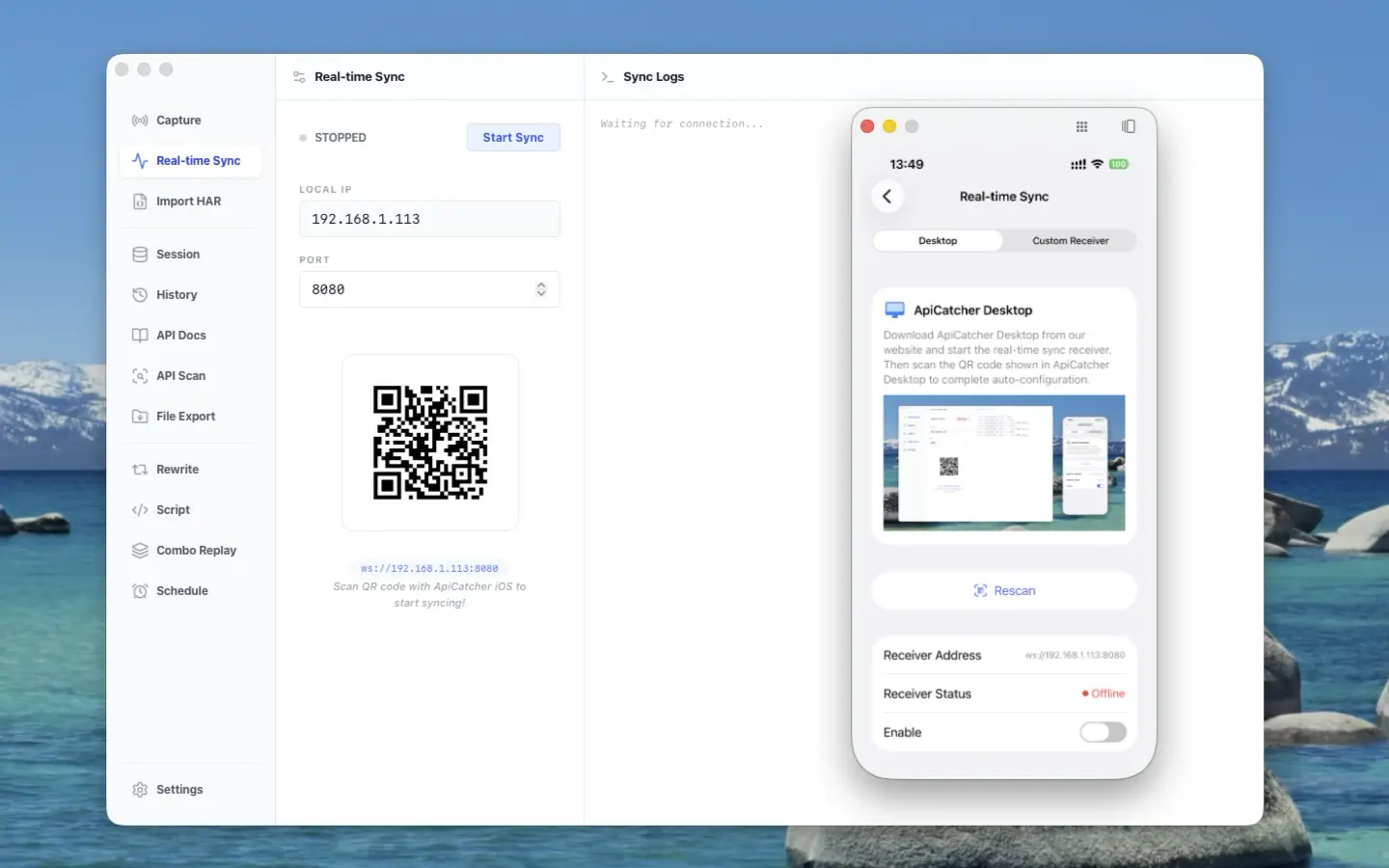
ApiCatcher opens its real-time sync protocol — stream HTTP traffic from iOS / Android to your receiver
ApiCatcher captures an app’s HTTP/HTTPS traffic on iOS and Android with a VPN. You do not have to point the phone at a desktop proxy.
Until now the capture lived on the device. To feed your own systems — security checks, analysis — you exported a HAR, copied it to a computer, and lost both realtime and automation.
You can push the traffic out now. Write a receiver against the Real-time Sync Protocol, and packets go to your service over WebSocket. Desktop and the Burp extension use the same protocol.
How traffic gets from the phone to the receiver
Once the VPN intercepts HTTP/HTTPS, the capture process pushes events as the request is still in flight. It does not wait for the request to finish, and it does not build a full record on the phone first.
Target app sends a request
    ↓
ApiCatcher VPN decrypts and captures request/response
    ↓
Split into JSON frames (streamed)
    ↓
WebSocket  ws://LAN-IP:port
    ↓
Your receiver reassembles by requestId
The receiver is a WebSocket server; the app is the client. Only cleartext LAN ws:// is supported. What you get is a stream of JSON frames, not one file at the end of the session.
One request becomes:
req_start → req_body* → res_start → res_body* → req_end
req_start arrives first, with only URL, method, and request headers. Each body chunk is about 16–32 KB (req_body / res_body, Base64). Large files are split so the VPN process does not load the whole body into memory. Response headers come as res_start. req_end closes the request, with an error if any, plus send / wait / receive timings in milliseconds.
Concurrent requests share the connection and are told apart by requestId. The receiver joins chunks by that id and treats the request as complete only after req_end. The app reconnects if the socket drops.
A frame looks like this:
{
  "type": "http",
  "requestId": "550e8400-e29b-41d4-a716-446655440000",
  "event": "req_start",
  "timestamp": 1711268370123,
  "payload": {
    "url": "https://api.example.com/data",
    "method": "POST",
    "httpVersion": "HTTP/1.1",
    "headers": [{"name": "User-Agent", "value": "ApiCatcher/1.0"}]
  }
}
If you do not want to parse chunks yourself, use the Java SDK. When a request is fully assembled, you get a HAR 1.2 entry callback.
Spec: https://github.com/apicatcher/apicatcher-realtime-sync-protocol/blob/main/README.md
These workflows can run automatically with real-time sync
Today they all start the same way: export a HAR, copy it to a computer, feed a tool. Someone has to export every round, so the pipeline cannot run on its own. With real-time sync, requests land on your receiver and analysis, doc updates, and reports can run without a person exporting files.
Generate OpenAPI or import Postman from capture
OpenAPI specs and Postman collections usually come from a HAR export, then tools like har-to-openapi or har2api. After a release the export is stale. With real-time sync, your receiver compares incoming requests to the existing API and updates the docs when fields change, so the spec stays in step with the interfaces.
HAR to k6 / JMeter load-test scripts
k6 and JMeter scripts are often converted from HAR, for example Grafana’s HAR → k6. When APIs change, the script is wrong and you export again. The receiver can emit scripts from the requests the phone actually sent, so the next load run uses the current paths and parameters.
Detect whether an app sends device data to ad SDKs
TrackHAR and ReportHAR consume a HAR after capture: whether device IDs or location went to an ad or analytics SDK. You wait until the test pass is over and the file is exported. The receiver can scan headers, query, and body as frames arrive. A new SDK does not mean “capture again, then analyze offline.”
Scan tokens and cookies in HAR files
websec-scanner checks security headers and cookies. Gitleaks treats exported *.har files as a secret source. New traffic that was never exported is never scanned, and a file full of tokens gets passed around. The receiver can scan as data arrives and alert when a secret shows up in a request, without writing a HAR first.
Build mocks from captured traffic
rekit mockapi stands up a local mock from a HAR. After the API changes, the fixtures are old. The receiver can persist assembled requests as mocks so the next integration run matches what was just captured.
How to implement a receiver and parse fields: Real-time Sync Guide.
FAQ
Do I have to proxy the phone through a computer to capture on iOS / Android?
No. ApiCatcher captures HTTP/HTTPS with a VPN on the device. The computer does not need Charles or Proxyman as a system proxy.
How do I stream phone captures to my own server?
Run a WebSocket server, enter the ws:// URL in the app, and enable real-time sync. Frames follow the Real-time Sync Protocol. After reassembly you have a complete HTTP request.
How do I stop exporting HAR by hand every time?
Real-time sync sends streaming frames. With the Java SDK, each finished request callbacks a HAR 1.2 entry. OpenAPI conversion, load-test scripts, and secret scanning can run from there.
How is this different from exporting HAR from Charles or mitmproxy?
Charles, Proxyman, and mitmproxy can export HAR, but someone has to click export every round. Real-time sync pushes while you capture, so it can sit in your own pipeline.
Links
- Protocol spec: https://github.com/apicatcher/apicatcher-realtime-sync-protocol/blob/main/README.md
- Protocol repo: https://github.com/apicatcher/apicatcher-realtime-sync-protocol
- Java receiver SDK: https://github.com/apicatcher/apicatcher-sync-sdk-java
- Website: https://apicatcher.net