
The Craft Behind the UI: A Deep Dive into ApiCatcher Desktop's UX Design
We built ApiCatcher to be the kind of HTTPS debugging proxy that makes you think "this just works." It runs on iOS, macOS, and Windows.
When we started designing the desktop version, we obsessed over the small UX touches — the details you might not notice consciously, but that add up to a much smoother workflow. Here's a behind-the-scenes look at what we did to make inspecting requests feel effortless.
We chose to show request and response information side by side in a single view — no tab switching required. You get the full picture at a glance, with everything right where you expect it. On iOS, tabs are the right call because screen space is tight. On desktop, the opposite is true: ditching tabs lets you take full advantage of that generous display real estate.
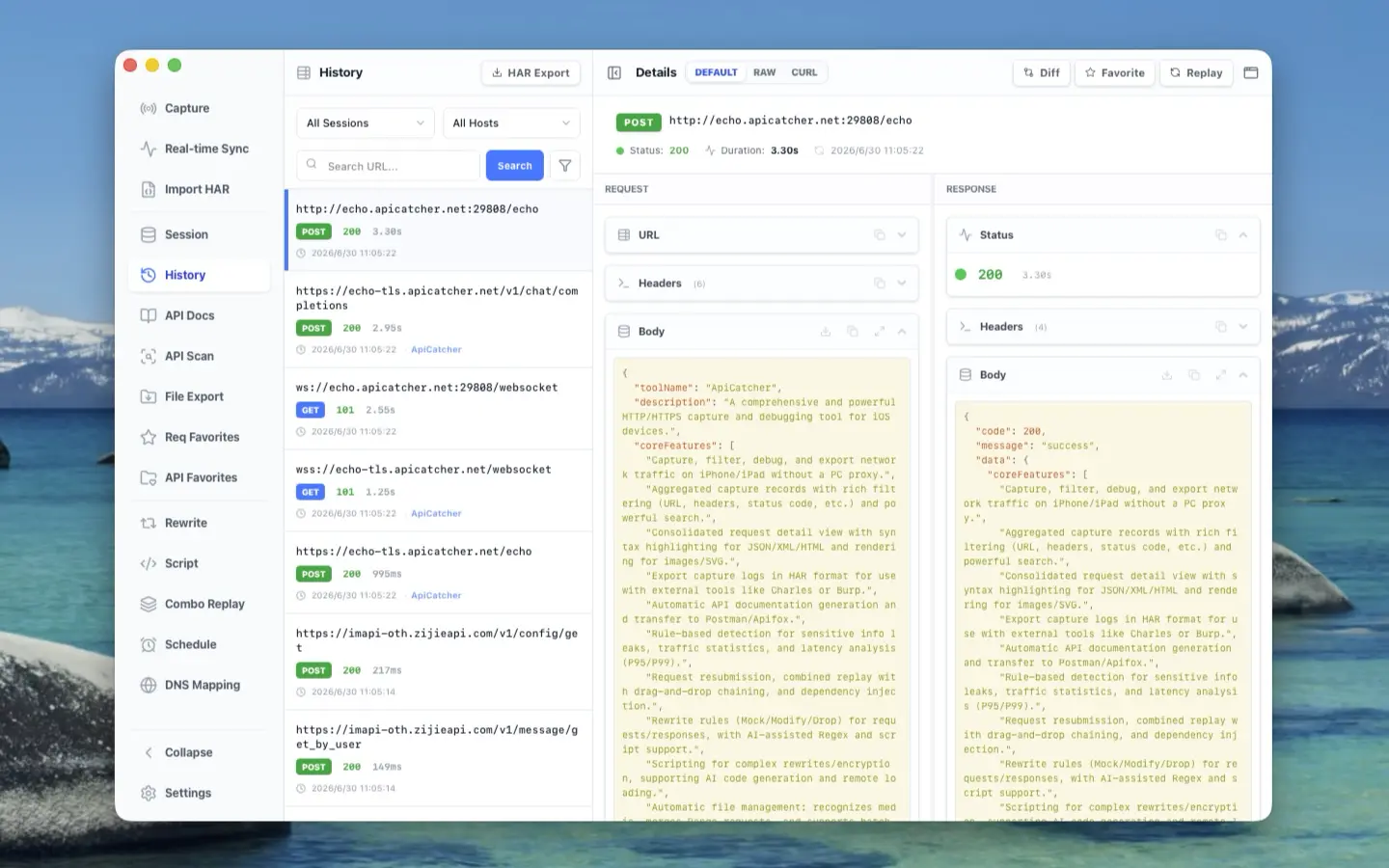
We built the request detail view as a shared component that powers the history page, favorites, and API docs alike. Every card inside it — like the one that renders request/response bodies — is its own self-contained building block. This keeps the codebase clean and extensible, but more importantly, it gives you a consistent experience wherever you are. Whether you're poking through history, revisiting a favorited request, or browsing API documentation, the detail view behaves exactly the same. The body viewer looks and feels identical whether you're inspecting a captured request or setting up a replay. Small pieces snap into bigger pieces, and bigger pieces become full pages — think LEGO for UI.
Now, you might be wondering: won't cramming request and response side by side make the body panel too narrow for reading JSON? We thought of that too.
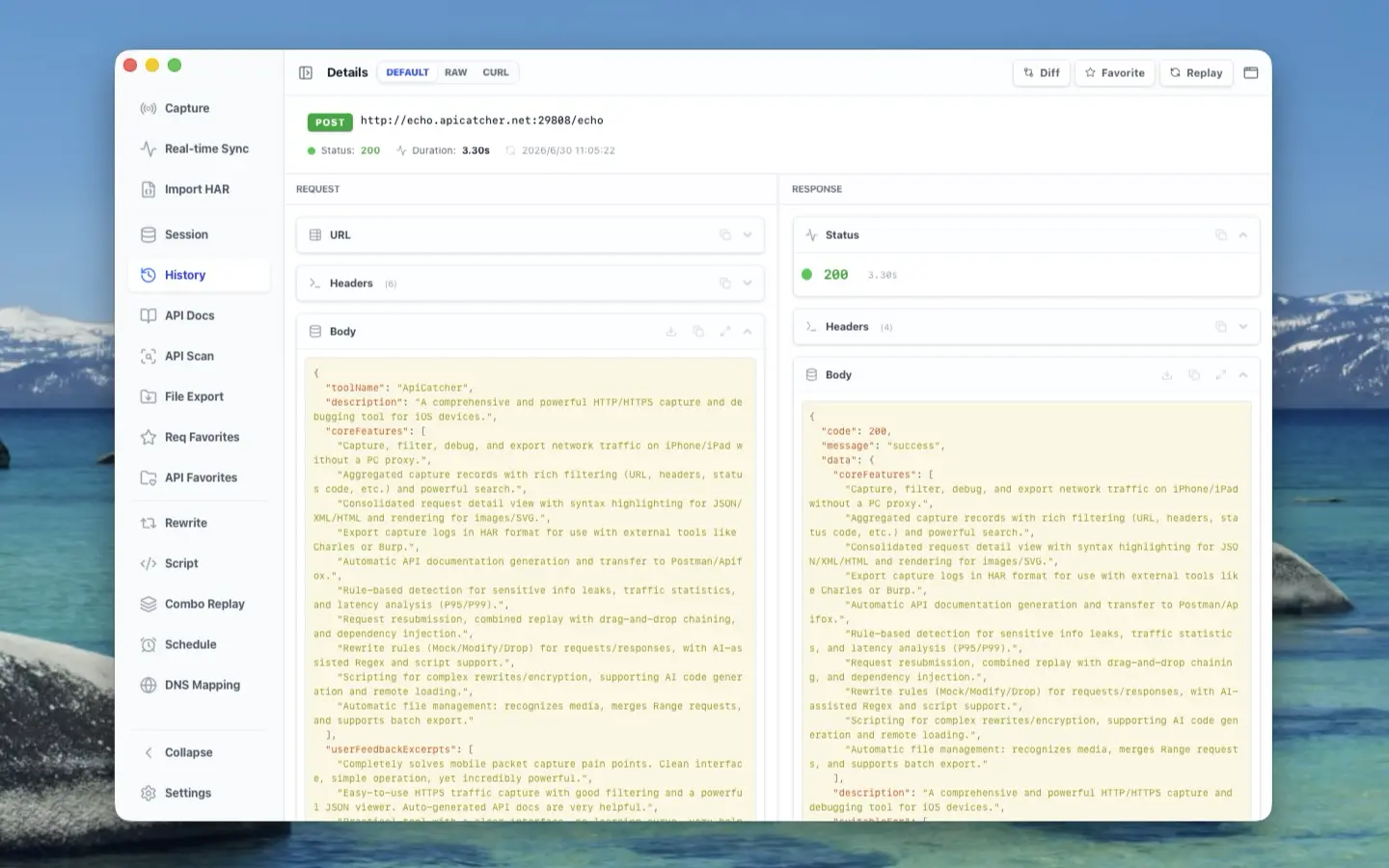
- The left side of the detail header has a toggle that collapses the request history sidebar, giving the detail view more breathing room.
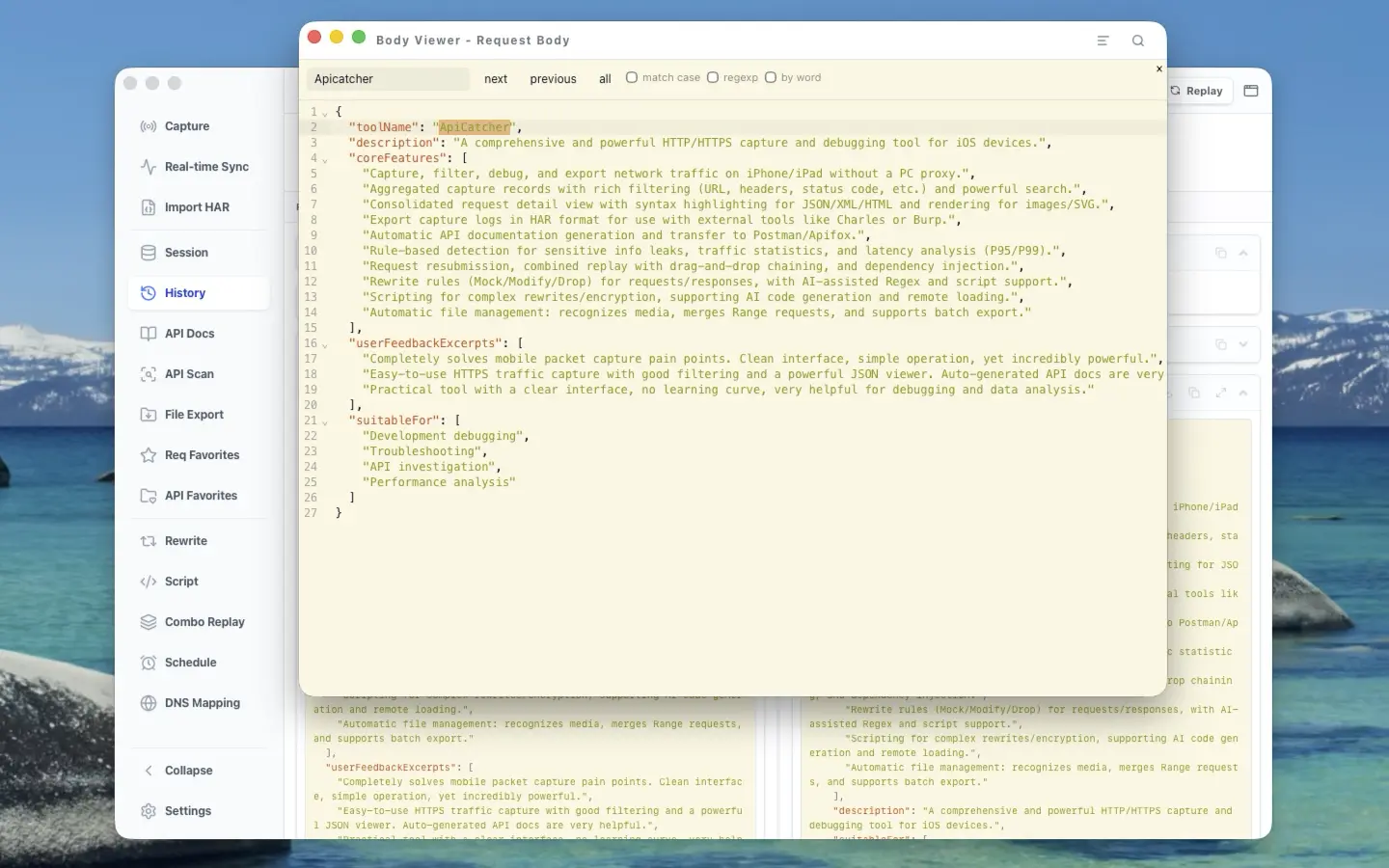
- Still not enough? Each body card packs a full-screen button that pops the content into its own dedicated window.
Inside that full-screen body viewer:
- Toggle word wrap to eliminate horizontal scrolling, or leave it off if you prefer the raw look.
- Line numbers are shown, and you can fold any JSON path to keep things tidy.
- Search across the entire body with highlighting — every match lights up.
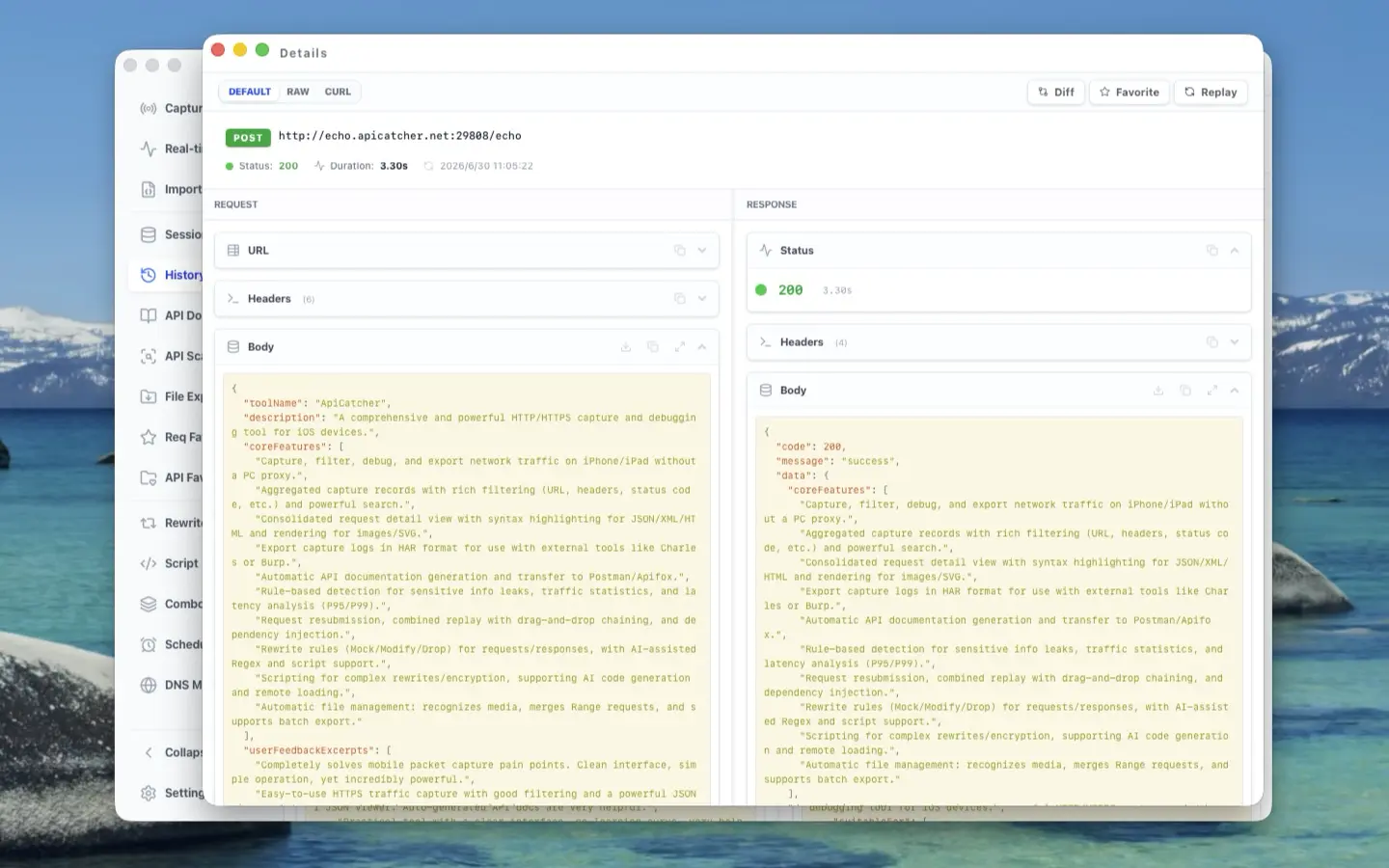
Need to compare requests? The top-right corner of each detail view has a "detach" icon. Click it, and the current request opens in a standalone window — open as many as you need.
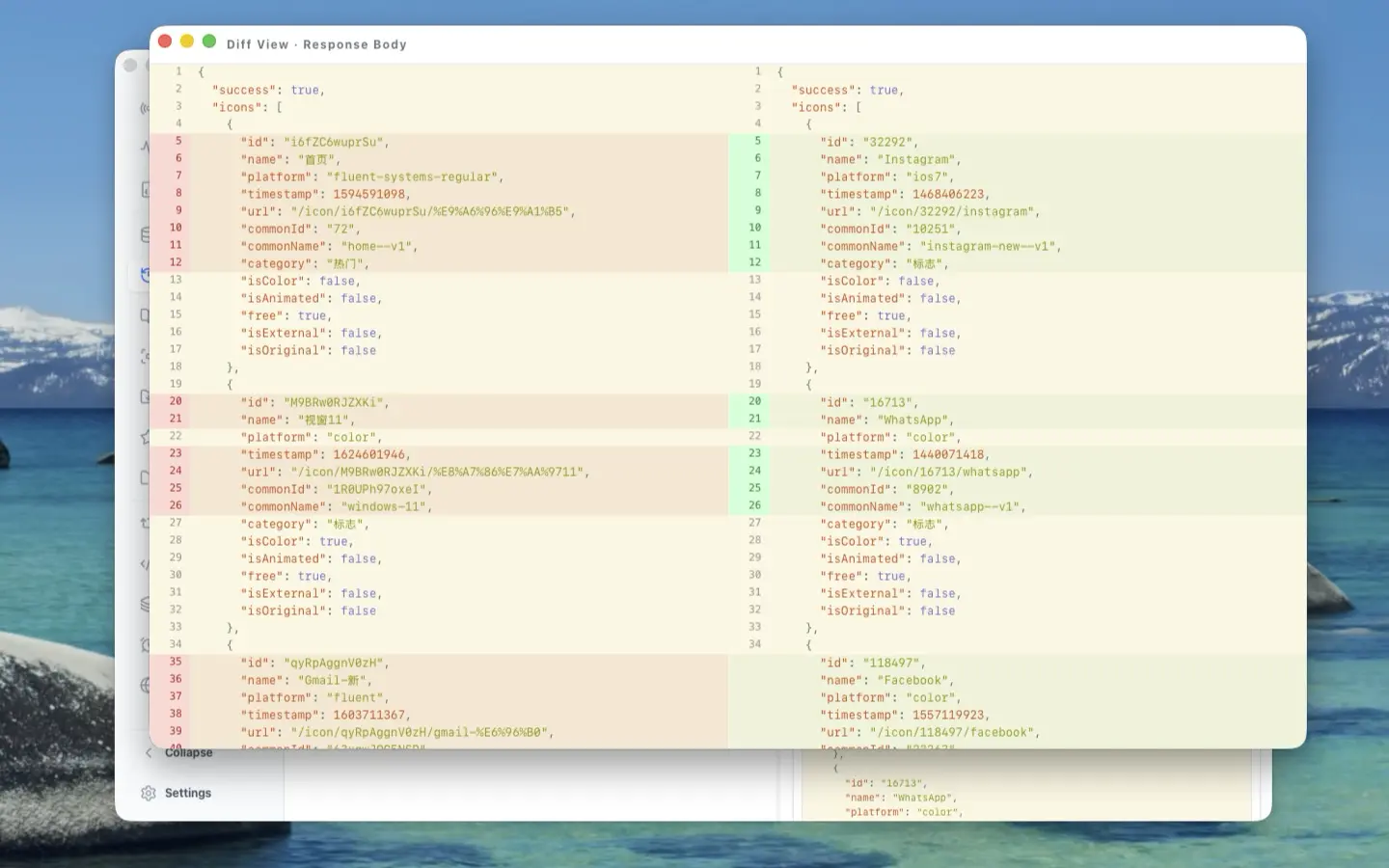
And when you want to diff two request bodies or response bodies side by side, that's a single click away with the JSON Diff button. A diff window pops up instantly.
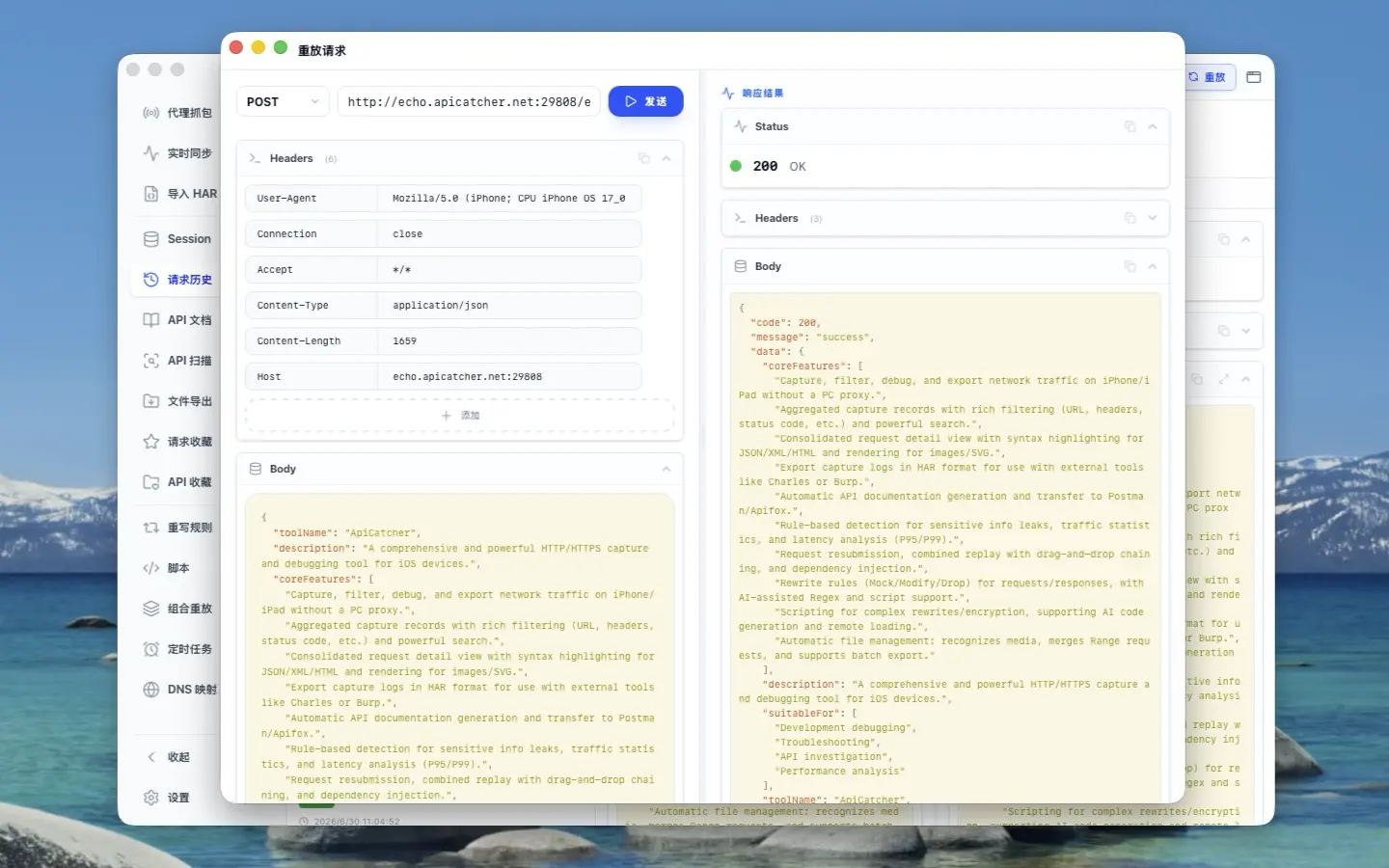
Here's a workflow trick people often overlook: you can click the "Replay" button multiple times to open several replay windows simultaneously. Why would you want that? Because tweaking parameters back and forth to test different inputs is tedious. Instead, open a few windows, set different parameters in each, and fire off the requests. You can compare all the results at once — no need to scribble notes or keep switching configurations.
This is fundamentally different from saving presets and cycling through them. When you switch presets, the previous test output disappears immediately. With multiple windows, the results stay right where they are.
So that's the thinking behind ApiCatcher Desktop's request inspection experience. I'll be upfront: since the desktop app is built with cross-platform technology rather than going fully native, the polish isn't quite where I want it to be — and honestly, that bugs me. If enough developers pick up ApiCatcher and show us there's a real audience, we'll seriously consider rebuilding the desktop client natively for a much smoother feel.
We hope you like what we've built. And if you see room for improvement, we're all ears — drop us your feedback and help us make ApiCatcher even better.