Protobuf Decode
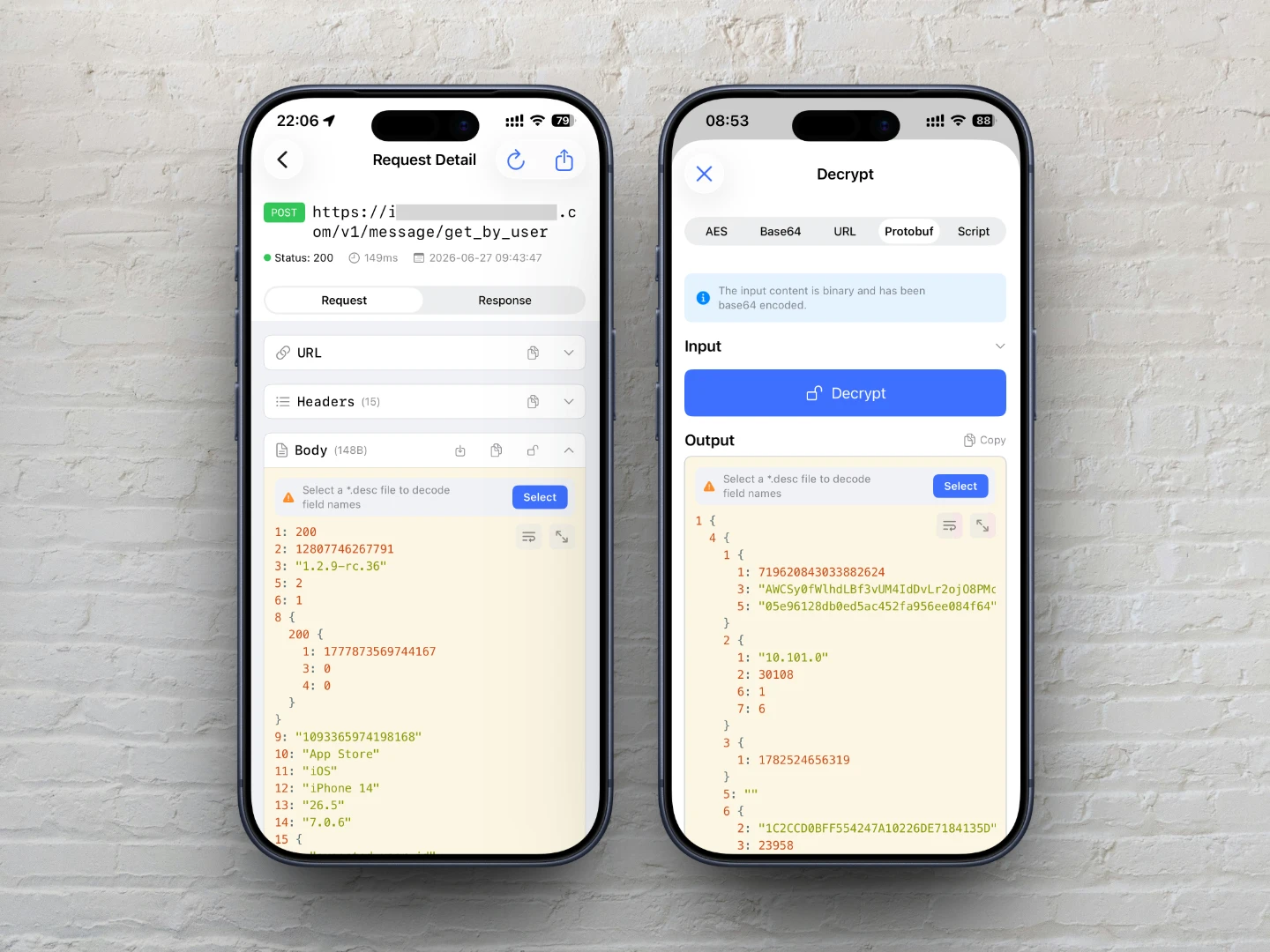
ApiCatcher supports decoding Protobuf-encoded binary data from HTTP/HTTPS requests and responses into plain text for easy viewing and analysis.
By default, ApiCatcher automatically detects whether the request/response Content-Type header matches common Protobuf content types such as application/protobuf or application/x-protobuf. If matched, it will attempt to decode.
private static func isProtobufContentType(_ contentType: String) -> Bool {
    let ct = contentType.lowercased().trimmingCharacters(in: .whitespacesAndNewlines)
    let mimeType = ct.components(separatedBy: ";").first?.trimmingCharacters(in: .whitespaces) ?? ct
    return mimeType == "application/protobuf"
        || mimeType == "application/x-protobuf"
        || mimeType == "application/x-google-protobuf"
        || mimeType == "application/grpc"
        || mimeType == "application/grpc+proto"
        || mimeType == "application/protobuf+json"
        || mimeType == "x-protobuf"
}
If the Content-Type does not match any of the above types, ApiCatcher will not attempt to decode automatically. However, you can use the decoding tool to decode manually — click the "Unlock" icon on the Body card, switch to "Protobuf," and click the "Decode" button.
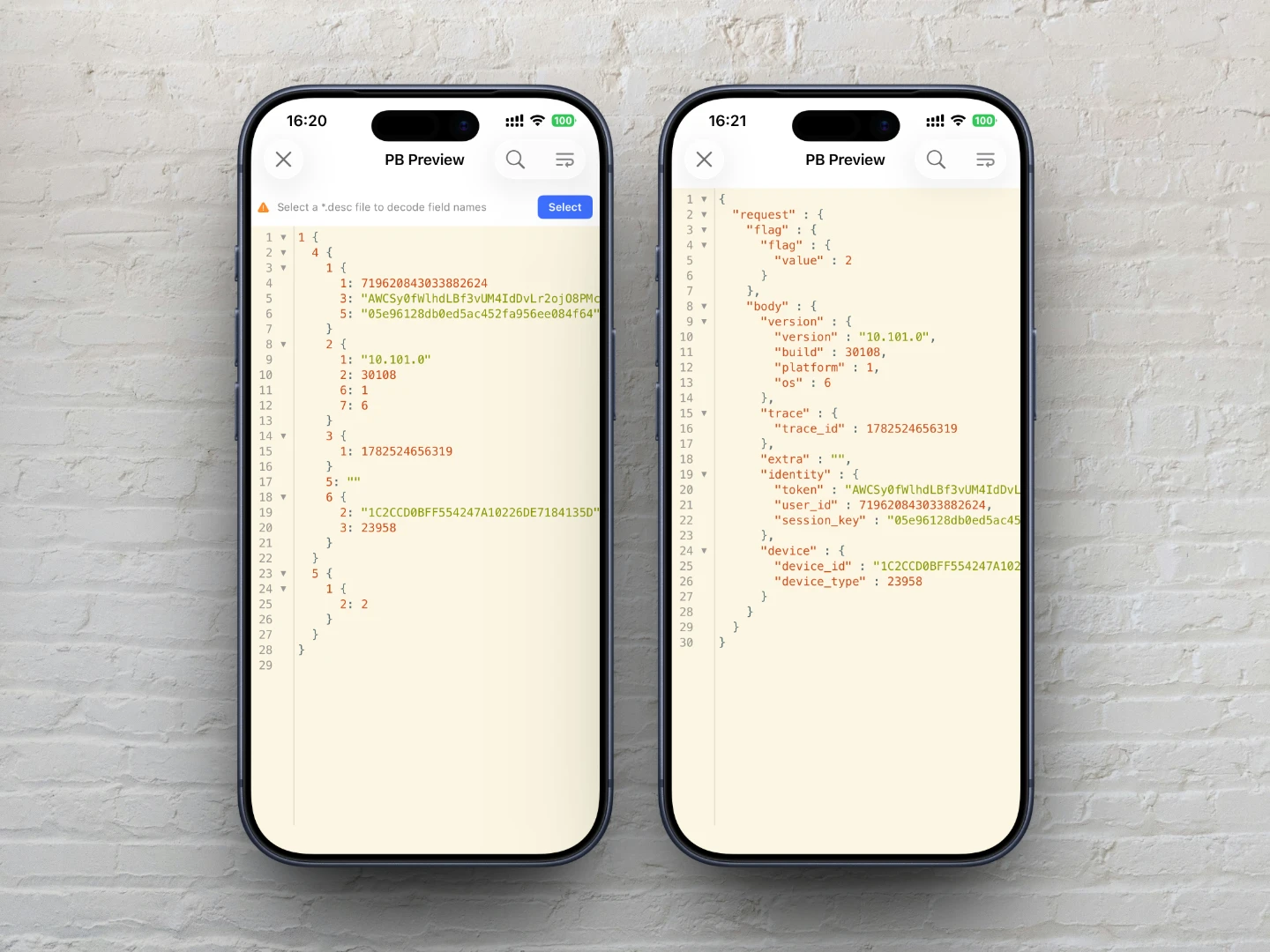
The default decode result has poor readability because there are no field names. If you have a *.desc file, you can import it to decode field names. If the *.desc file is correct, the decode result will be converted to JSON format, which is much more readable.
Here is a comparison of decode results with and without a *.desc file:
Import Protobuf Descriptor Files (*.desc)
What is a *.desc file?
A *.desc file is the binary serialized result of a Protobuf File Descriptor, containing all message structures, enums, service definitions, and other metadata defined in Proto files. It is essential for parsing Protobuf binary data.
If you only have *.proto files, you need to convert them to a *.desc file before you can use it for Protobuf decoding.
How to generate a *.desc file?
If you have a set of *.proto files, you can use the protoc command-line tool to generate one or more *.desc files. Steps:
1. Install the protobuf command-line tool:
brew install protobuf
2. Prepare proto files:
Create an input folder and copy all *.proto files into it.
3. Run the generation command:
protoc --descriptor_set_out=output.desc \
  --include_imports \
  -I=/path/to/input \
  /path/to/input/*.proto
Parameter descriptions:
| Parameter | Description |
|---|---|
--descriptor_set_out=output.desc | Specifies the output descriptor file path |
--include_imports | Includes all dependent import files, ensuring the result is self-contained without additional dependencies |
-I=/path/to/input | Specifies the proto file search path (prefix for import paths) |
/path/to/input/*.proto | The proto files to compile (supports wildcards) |
After execution, an output.desc file will be generated in the current directory. Transfer it to your phone and import it into ApiCatcher for later use.
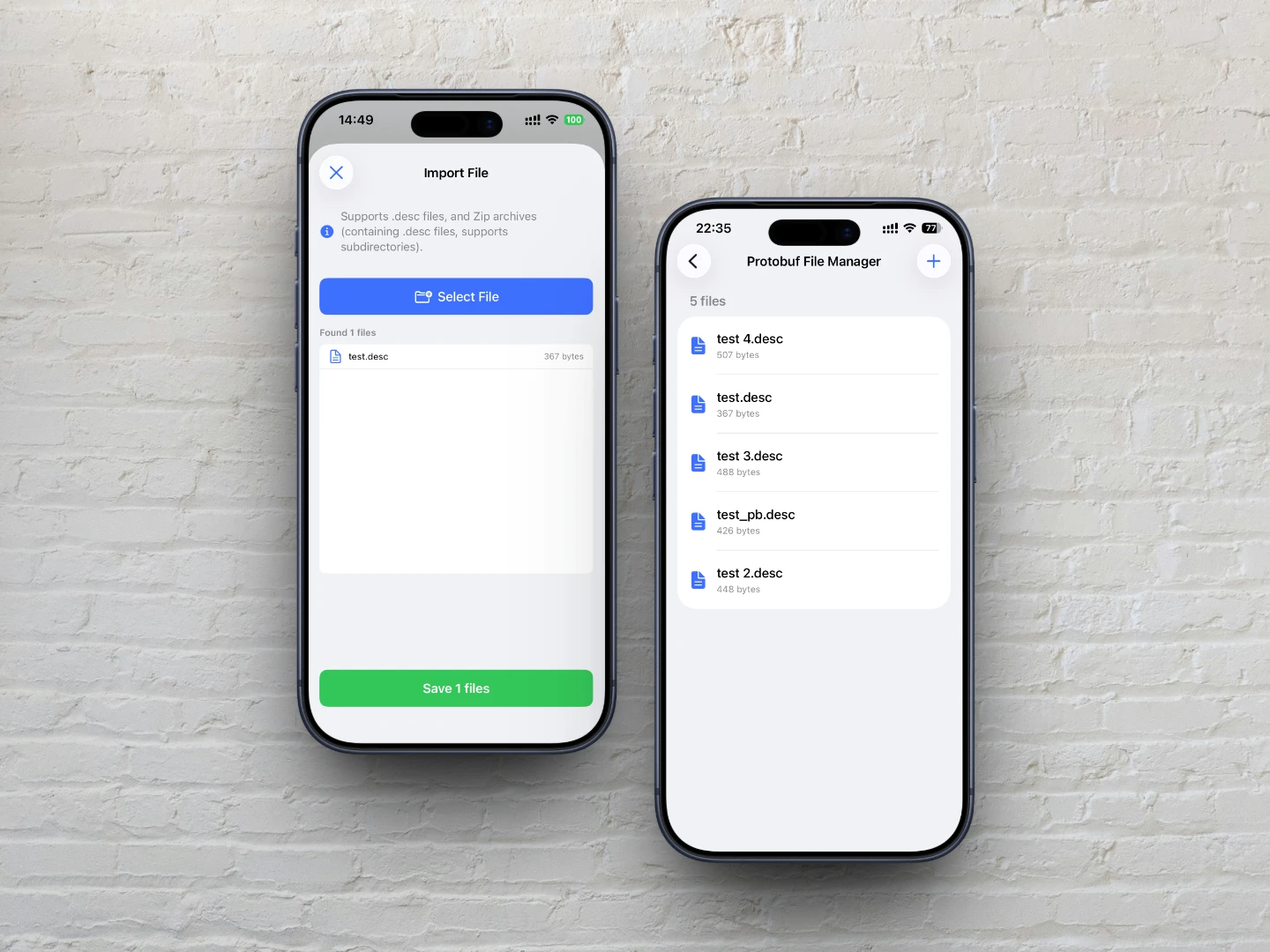
When the request Body can be decoded as Protobuf, the card will show a hint: "Select a *.desc file to decode field names" and provide a selection button.
Click the selection button to choose an imported *.desc file, and the field names will be decoded. You can also import a file at this point.
Imported files are cached locally and can be managed in "Settings → Protobuf File Manager."