
ApiCatcher is now available on Android
ApiCatcher for Android is now available on Google Play. With this release, ApiCatcher runs on all four platforms: iOS, Android, macOS, and Windows.
How It Works
The iOS app intercepts traffic at the system level via Network Extension — start capture with one tap, no proxy configuration required. Android follows the same design philosophy, but uses Android's VpnService API under the hood.
When capture starts, ApiCatcher creates a VpnService and a TUN virtual network interface to intercept all IP packets on the device. The tun2proxy library (written in Rust) parses TCP packets at the network layer and transparently forwards HTTP/HTTPS connections to a local proxy at 127.0.0.1:8888. A Netty-based MITM proxy records plain HTTP traffic directly; for HTTPS, it decrypts traffic through CONNECT tunnels and dynamically issued certificates. Apps never know a proxy is involved — there's no need to touch Wi-Fi or cellular proxy settings.
Core Features
The Android app matches the iOS app's core capabilities — it's not just a packet sniffer.
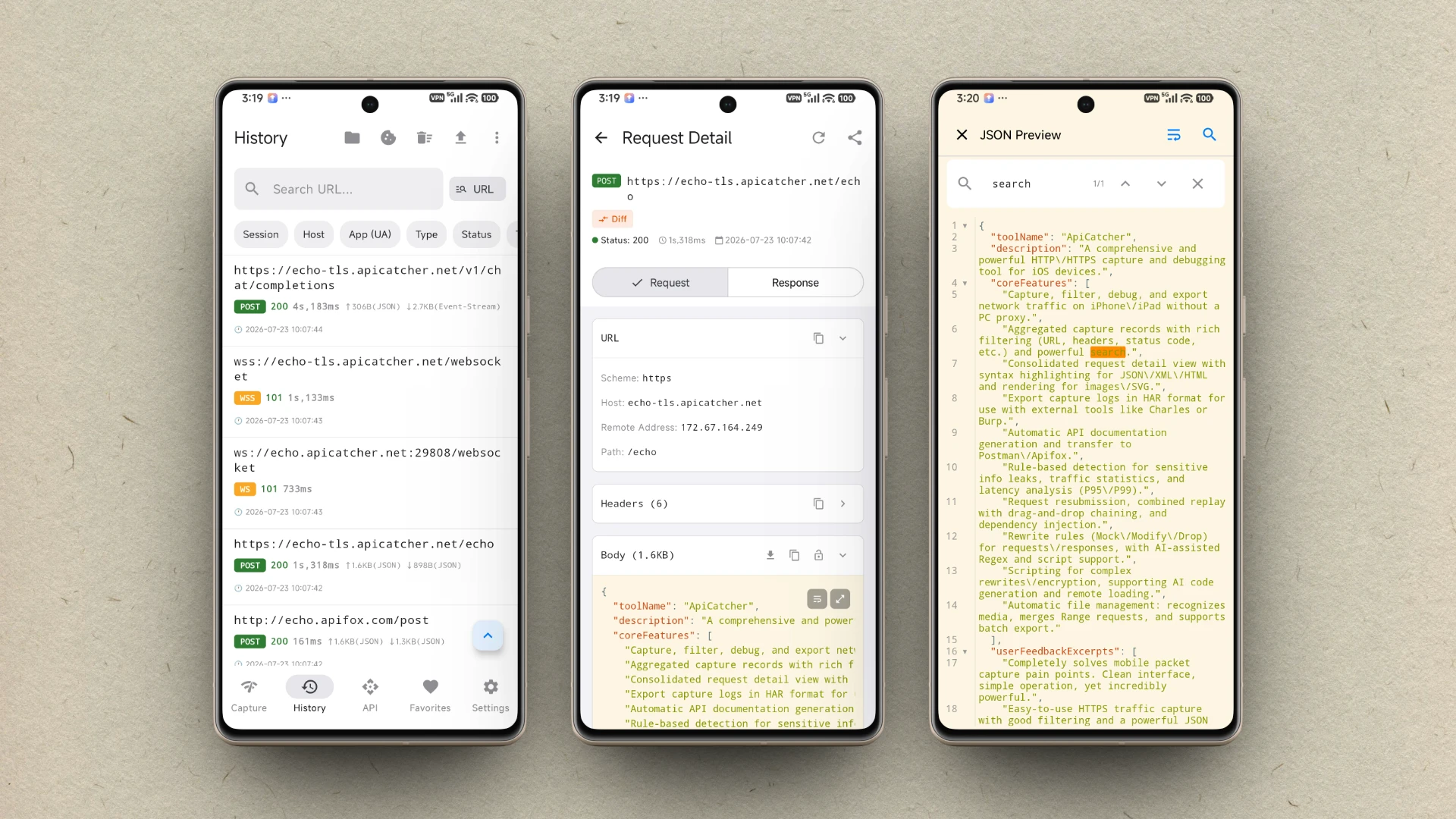
HTTPS and WebSocket (WS/WSS) capture come built in. WebSocket frames are displayed in a chat-style message list, making it easy to inspect each frame sent or received. Host allow/deny lists let you filter out traffic you don't care about, so third-party apps won't clutter your capture log.
For API debugging, rewrite rules support mock responses, request/response modification, regex-based replacement, request redirection, request/response dropping, and delayed responses. Scripts handle more complex logic when rules aren't enough. You can replay a single request instantly, or build composite replay flows that run multiple requests in dependency order with parameter injection between steps.
ApiCatcher automatically generates API documentation as you capture traffic, merging response fields when the same endpoint is hit multiple times. Docs export to Postman or Apifox, with capture history included as test cases. You can also export HAR files and extract image, video, and audio assets from captured traffic.
DNS mapping, API scanning, Protobuf decoding, and scheduled replay are supported as well.
The UI follows the same design as the iOS app for a familiar experience. JSON and XML responses get syntax highlighting with multiple themes to choose from — the code editor uses the same theme. You can search JSON, fold paths, and diff two JSON bodies side by side. A hex view is available for binary content, and the app can render images (including SVG), play video, and play audio inline.
Getting Started
Capturing HTTPS on Android requires installing and trusting a CA certificate first. Unlike iOS, Android 7 and above only allows CA certificates in the user credential store — not the system store. To capture HTTPS traffic from your own app, you'll need to configure it to trust user-installed certificates in your project code.
For CA installation steps, HTTPS capture limitations, and developer setup instructions, see the ApiCatcher for Android page.
ApiCatcher for Android requires Android 11 (API 30) or later.