
ApiCatcher — iOS HTTP/HTTPS Capture & Debugging Tool
Focused on creating intuitive and easy-to-use HTTP/HTTPS capture and debugging tools for iOS. No PC proxy required, capture packets directly on your iPhone or iPad.
- ✓No dependence on desktop proxies.
- ✓Simple UI and interaction, no manual required.
- ✓AI-assisted writing of Regex, Cron expressions, and scripts to effectively improve efficiency.
- ✓Full-featured to meet various scenario requirements.
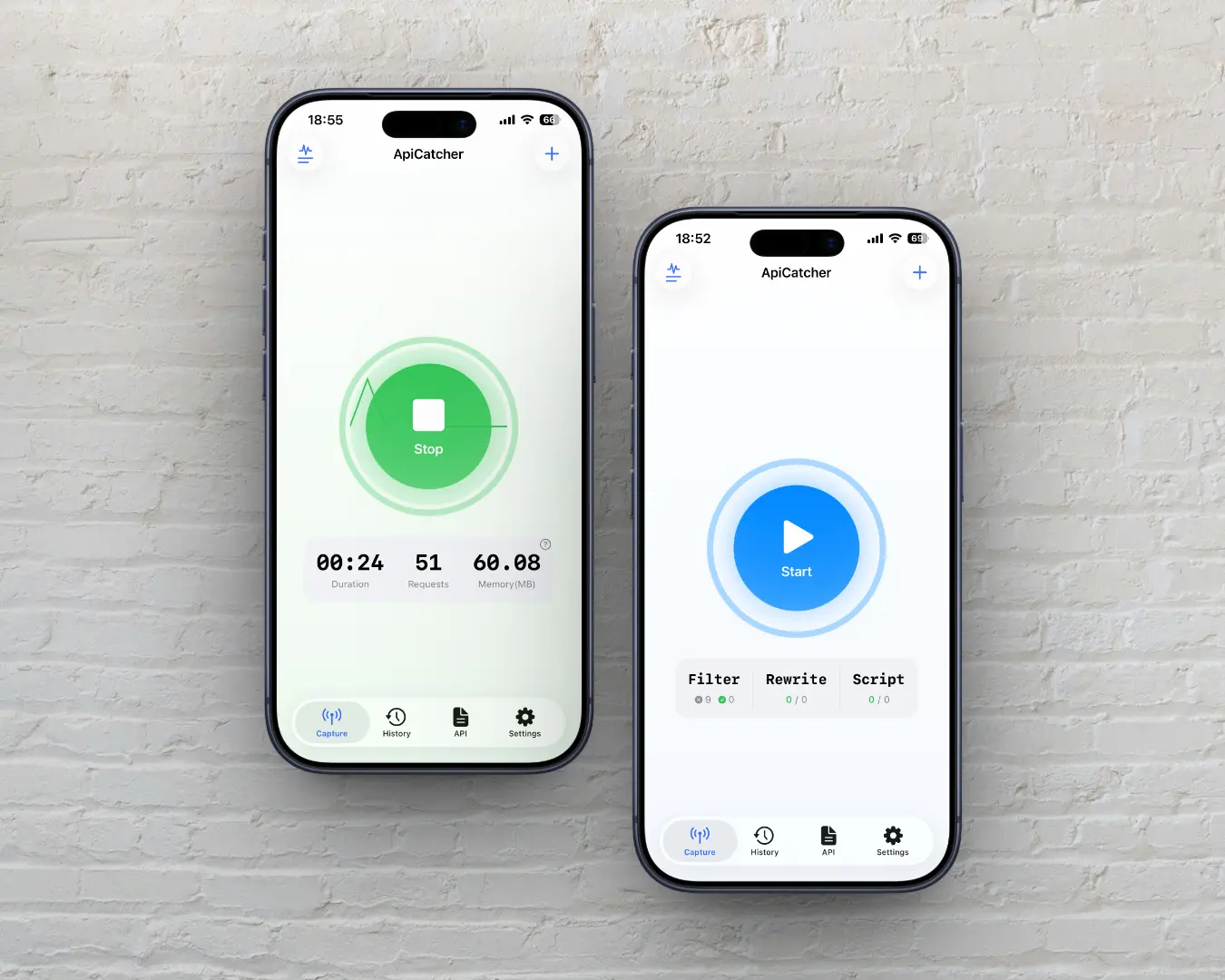
Core Features Overview
Covers the entire chain from capture and filtering to debugging and export. Suitable for development debugging, troubleshooting, and API investigation.
Core Features Showcase
From capture, filtering, and debugging to export, fully showcase ApiCatcher's capabilities on iOS.
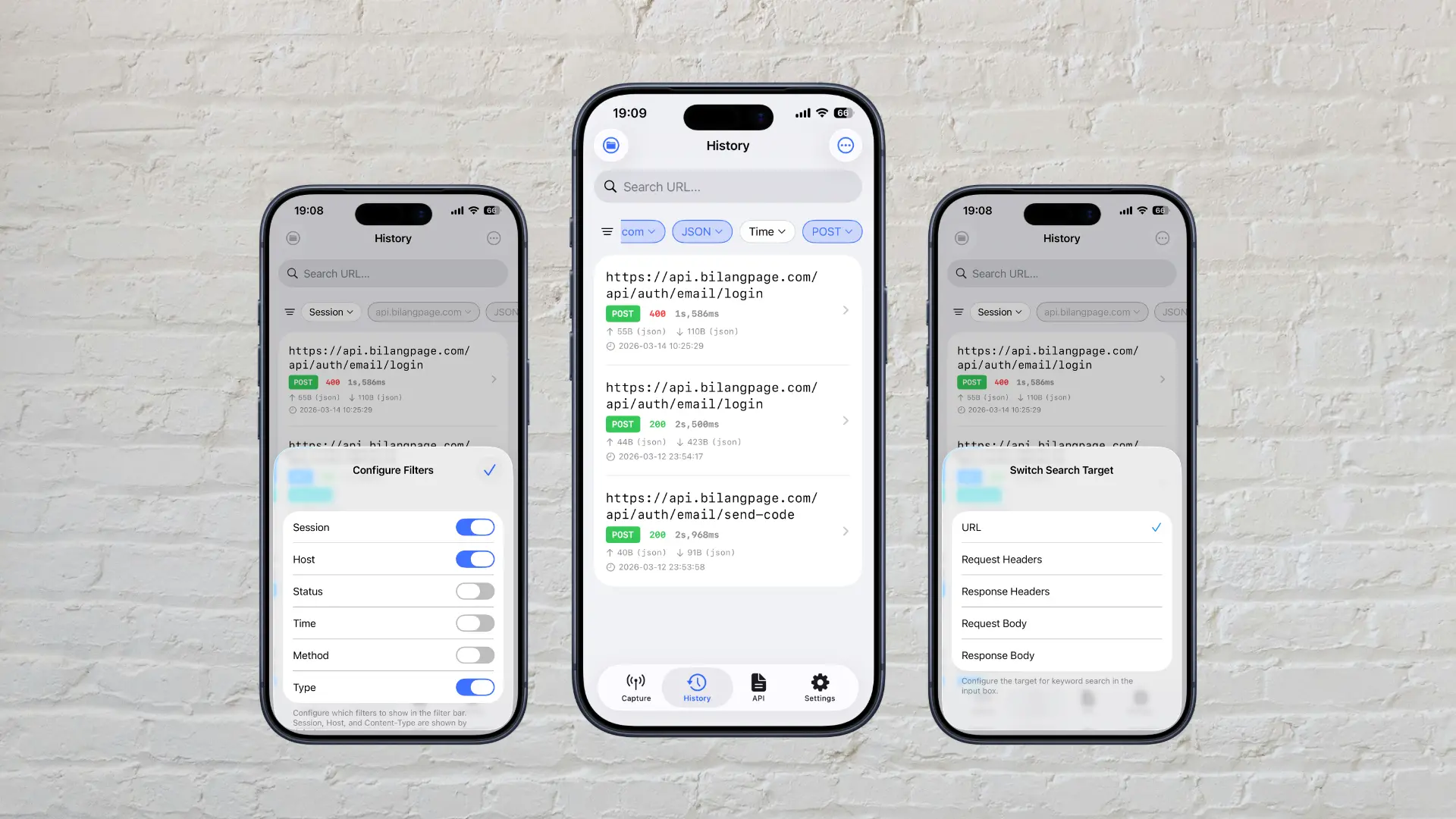
Powerful Query and Filtering
All capture records are aggregated with rich filtering conditions. Supports fuzzy search for URL, request/response headers, and body. Supports filtering by Session, Content-Type, status code, time, method, and Host.
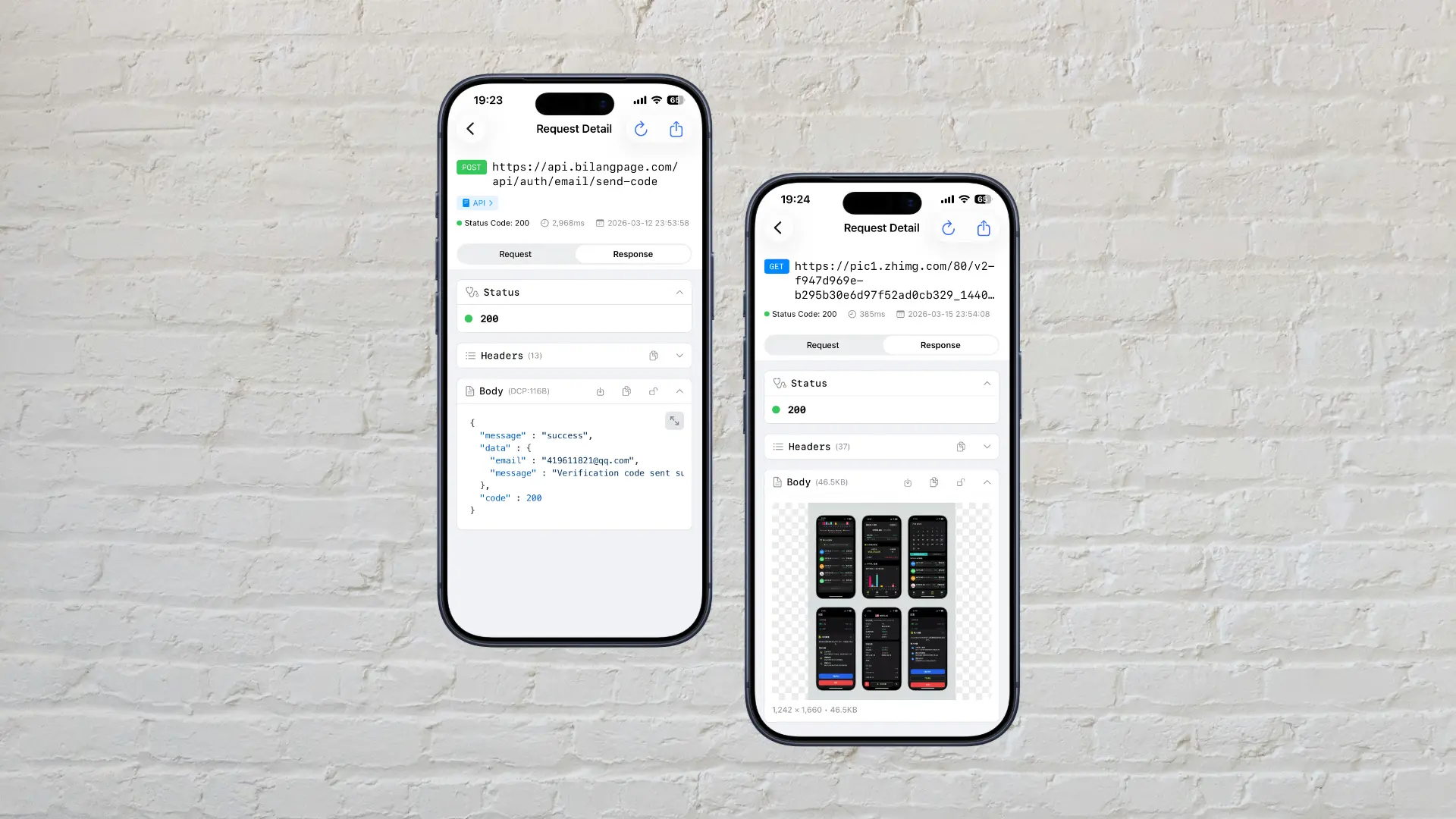
Focused Request Details
Request details are consolidated in one view for better focus—no more switching between multiple tabs. Body supports syntax highlighting for JSON, XML, HTML, and rendering for HTML, SVG, and images.
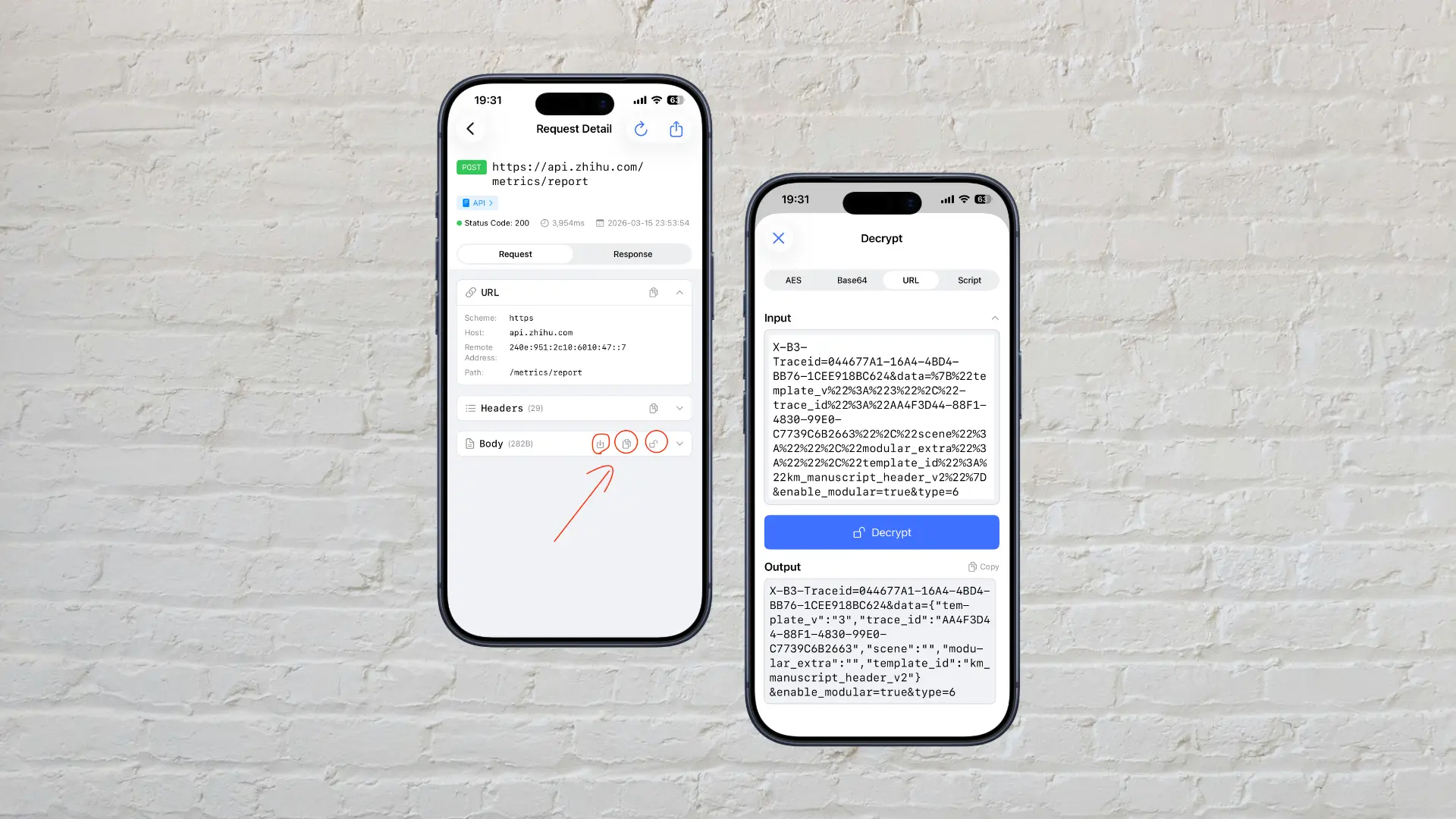
Body Copy, Decryption, and Export Made Easy
Quickly copy Headers and Body with one tap, or select specific text to copy. Supports exporting binary Body as a file, and rapid decoding of Body including Base64, URL, AES, or custom decryption via JS scripts.
File Export & Automatic Merging of Segmented Data
File Management: Automatically recognizes and extracts image, video, and audio requests. Merges Range requests (segmented downloads) into a single complete file. Supports batch export based on filters.

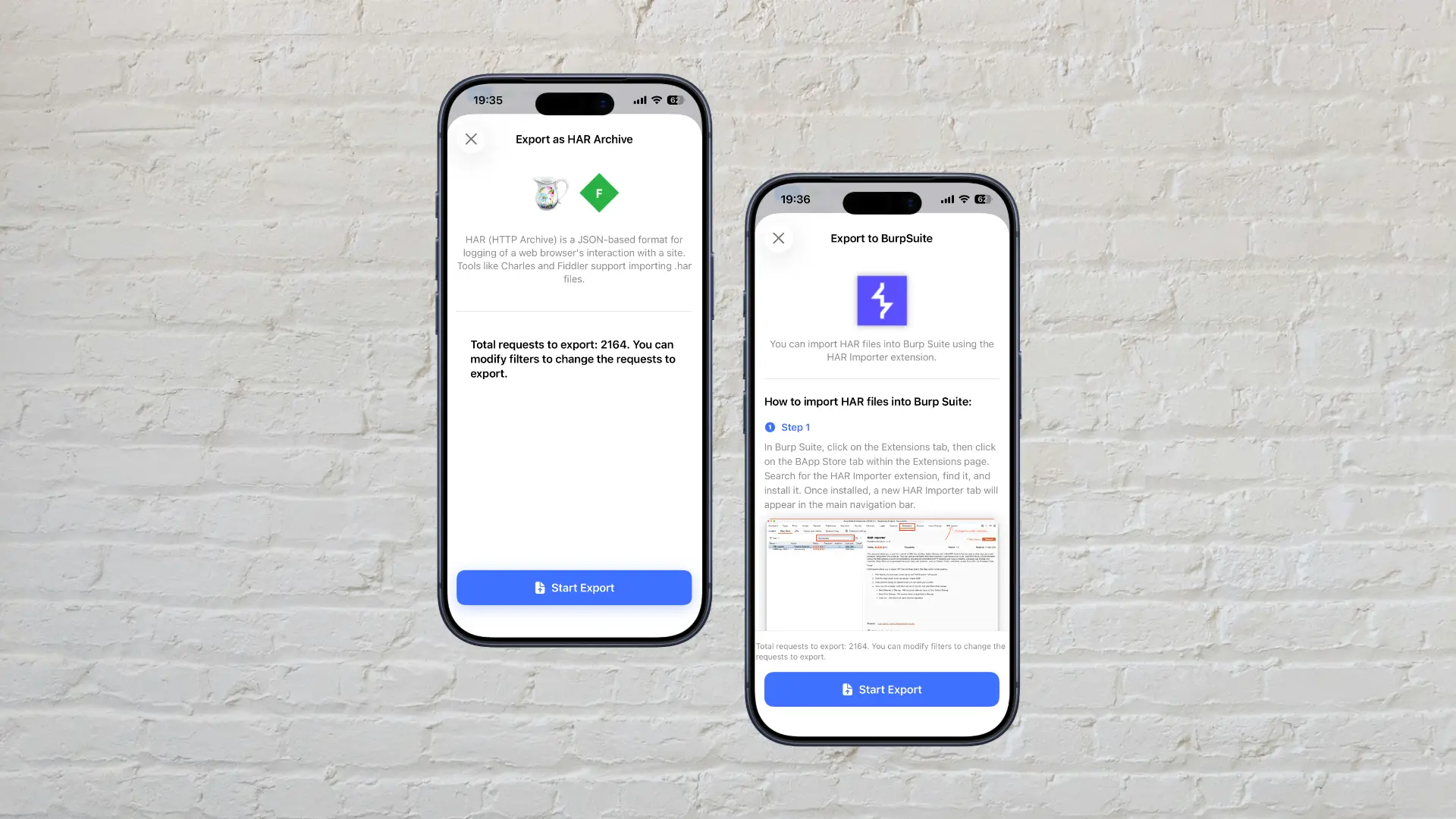
Batch Export as HAR Files
Capture logs can be exported in HAR format for further analysis in external tools like Burp, Fiddler, Charles, etc.
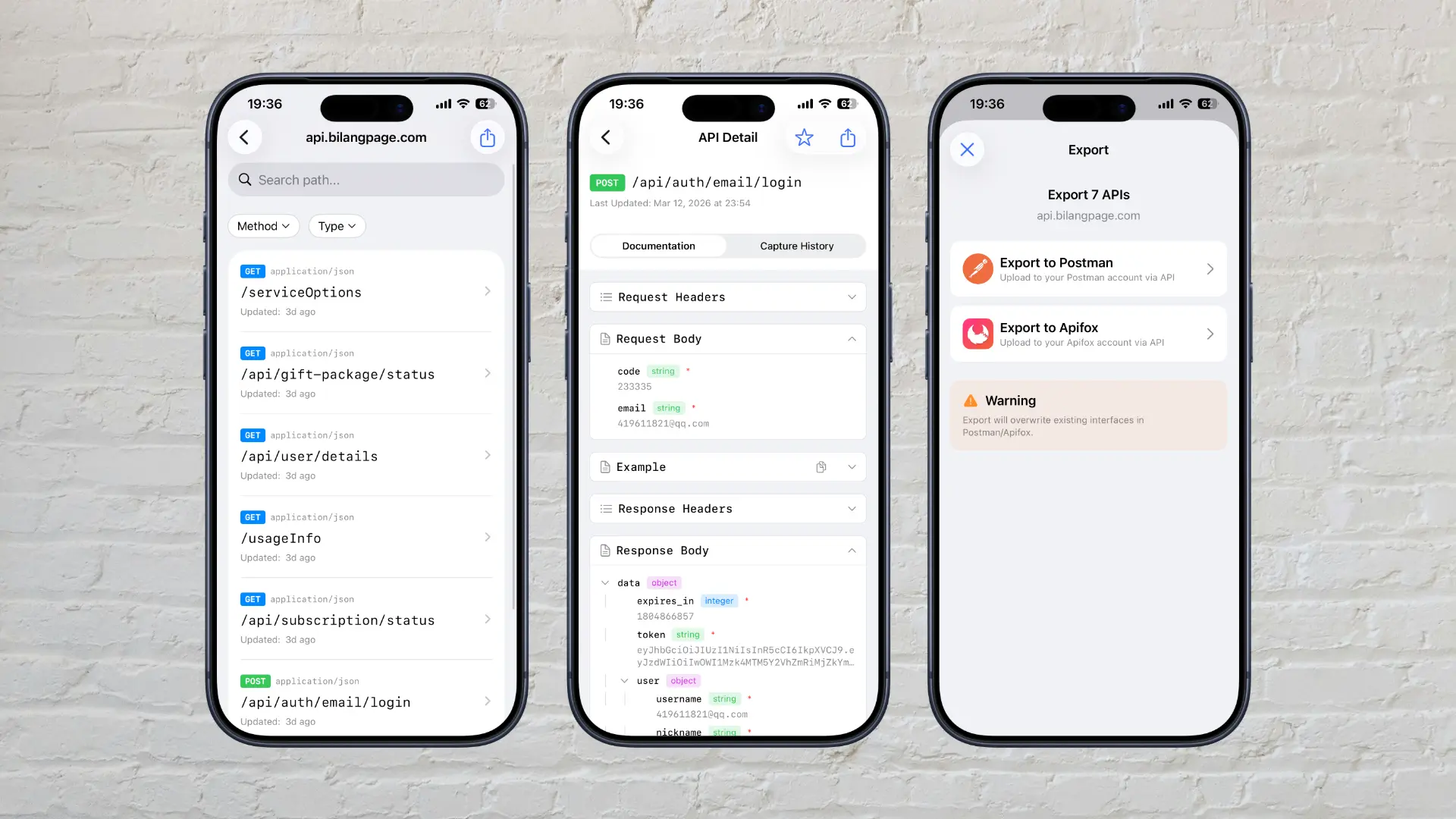
Export API to Postman and Apifox
Automatically generates API documentation and supports transferring to Postman or Apifox, improving investigation and development efficiency.
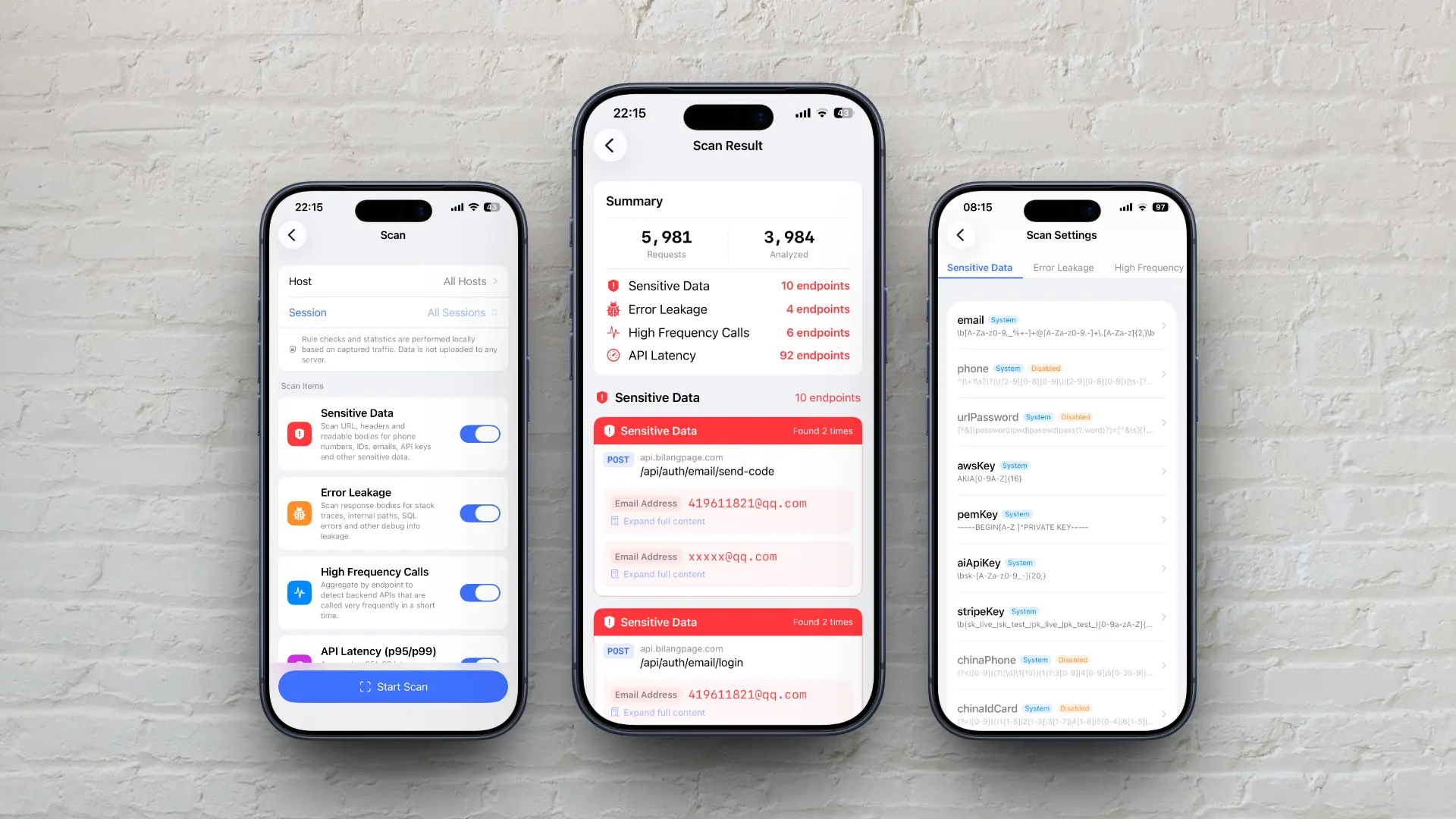
API Scanning & Sensitive Info Detection
Local rule-based detection and traffic statistics. Detect sensitive information and error message leaks. Track silent API calls initiated in the background and investigate their calling frequency. Analyze P95 and P99 latency to identify slow APIs. Supports custom scanning rules and script extensions.
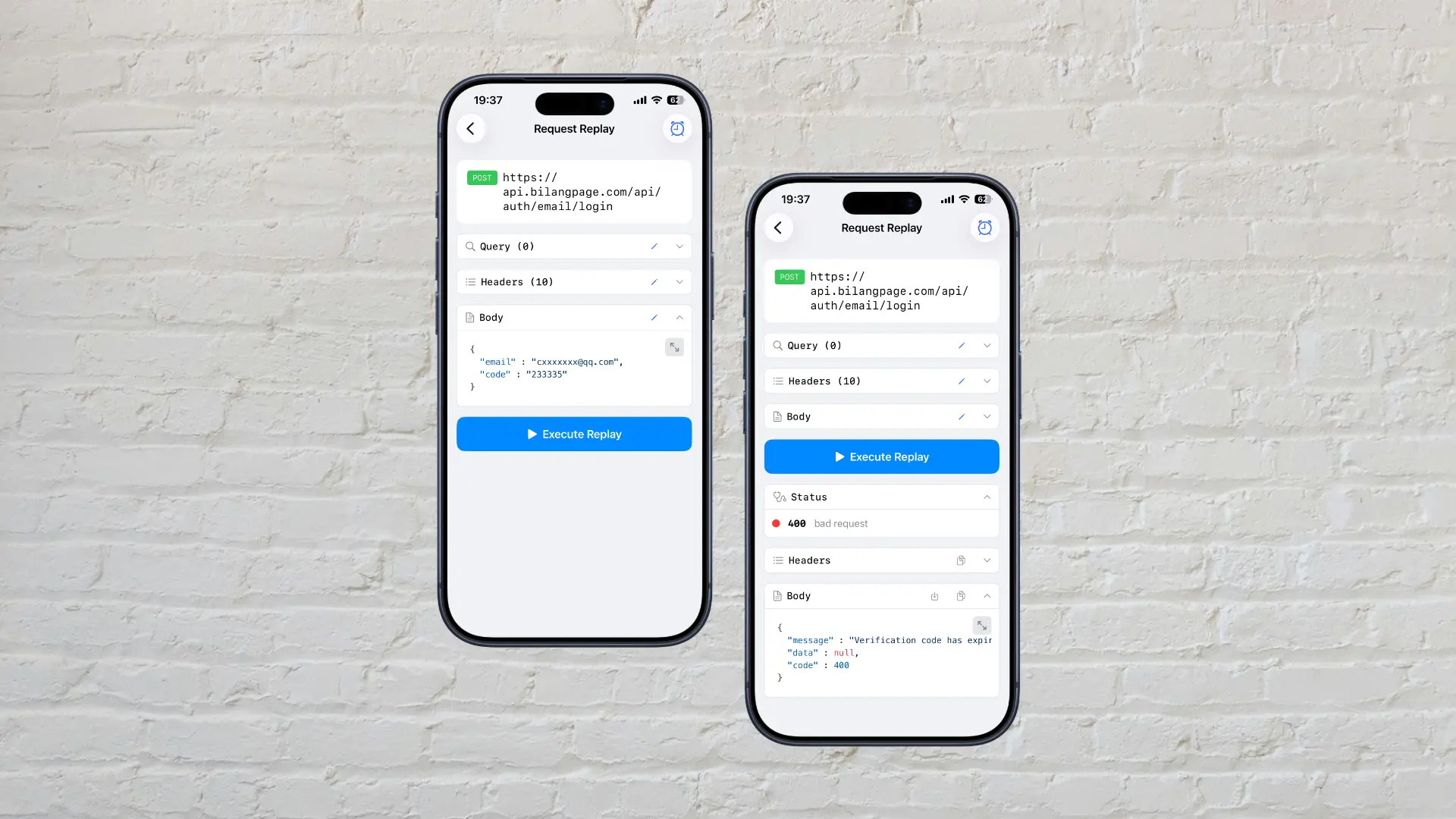
One-Tap Replay, Simple and Efficient
Supports quick request resubmission for testing interfaces during development or diagnosing production failures.
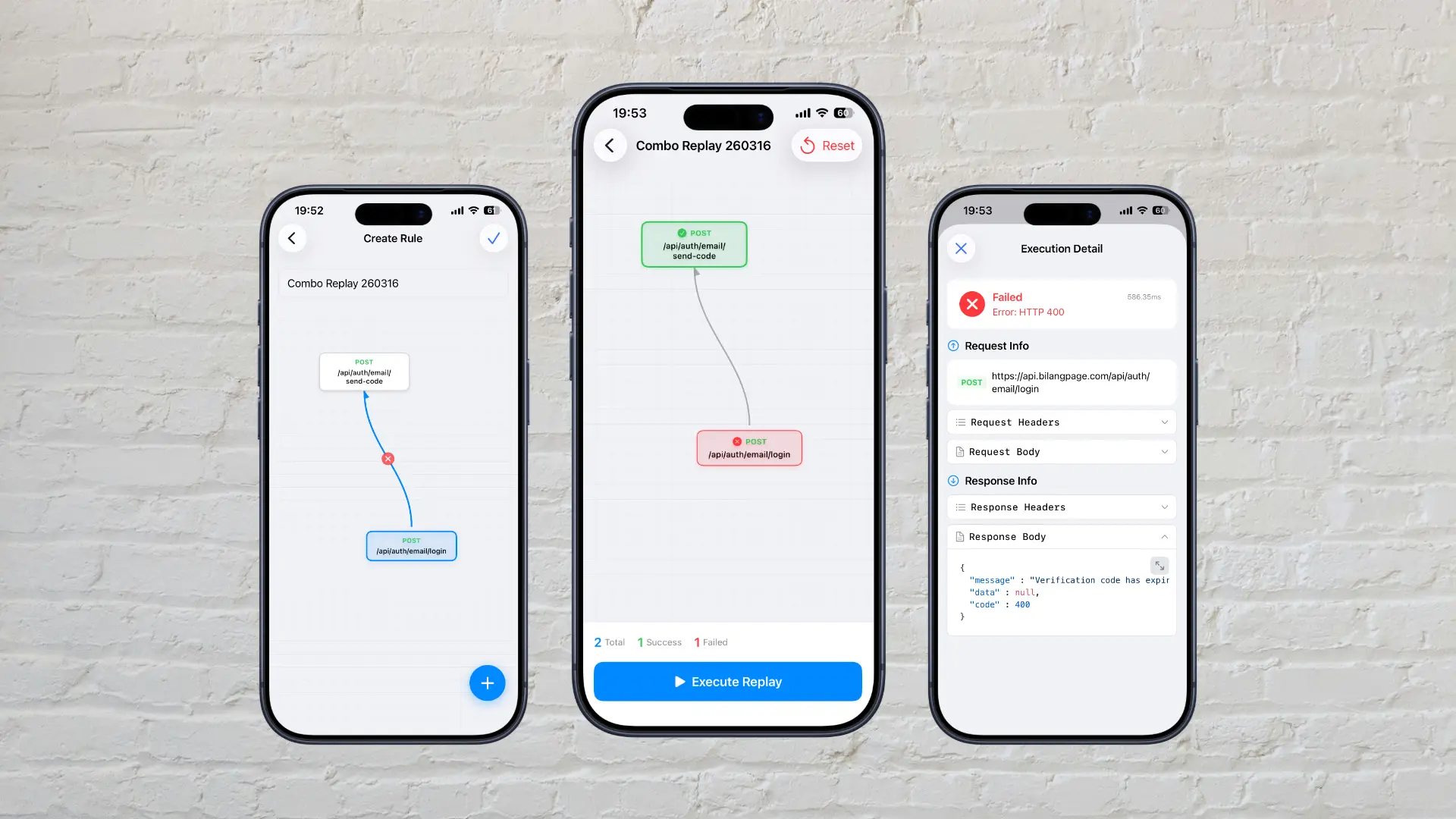
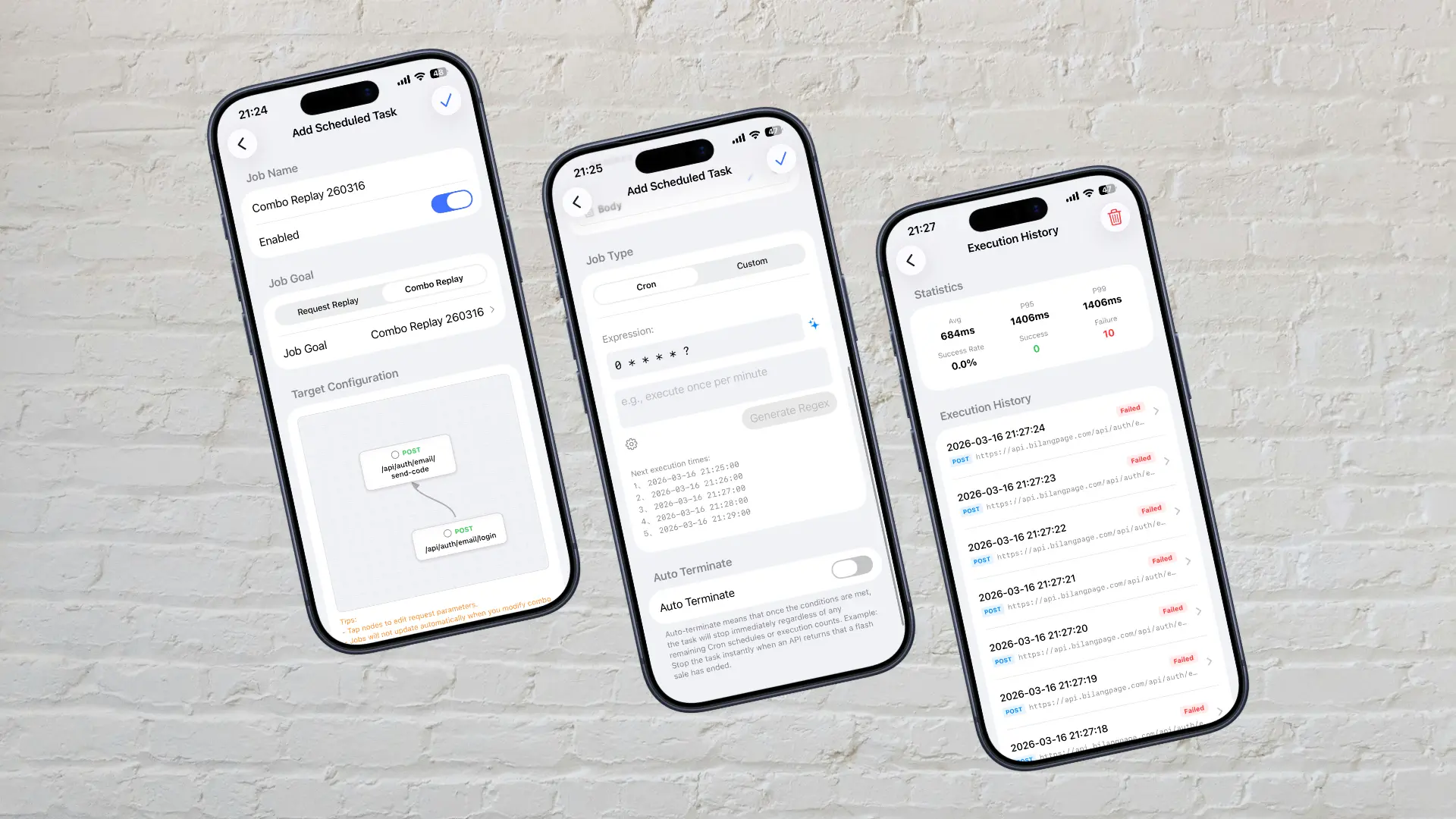
Visual Combined Replay Editor
An easy-to-use combined replay feature that boosts efficiency when managing complex API dependencies. Just drag and drop to chain multiple requests. Supports dependent parameter injection and sequential execution with auto-stop on failure. You can edit request parameters and check execution results at each node.
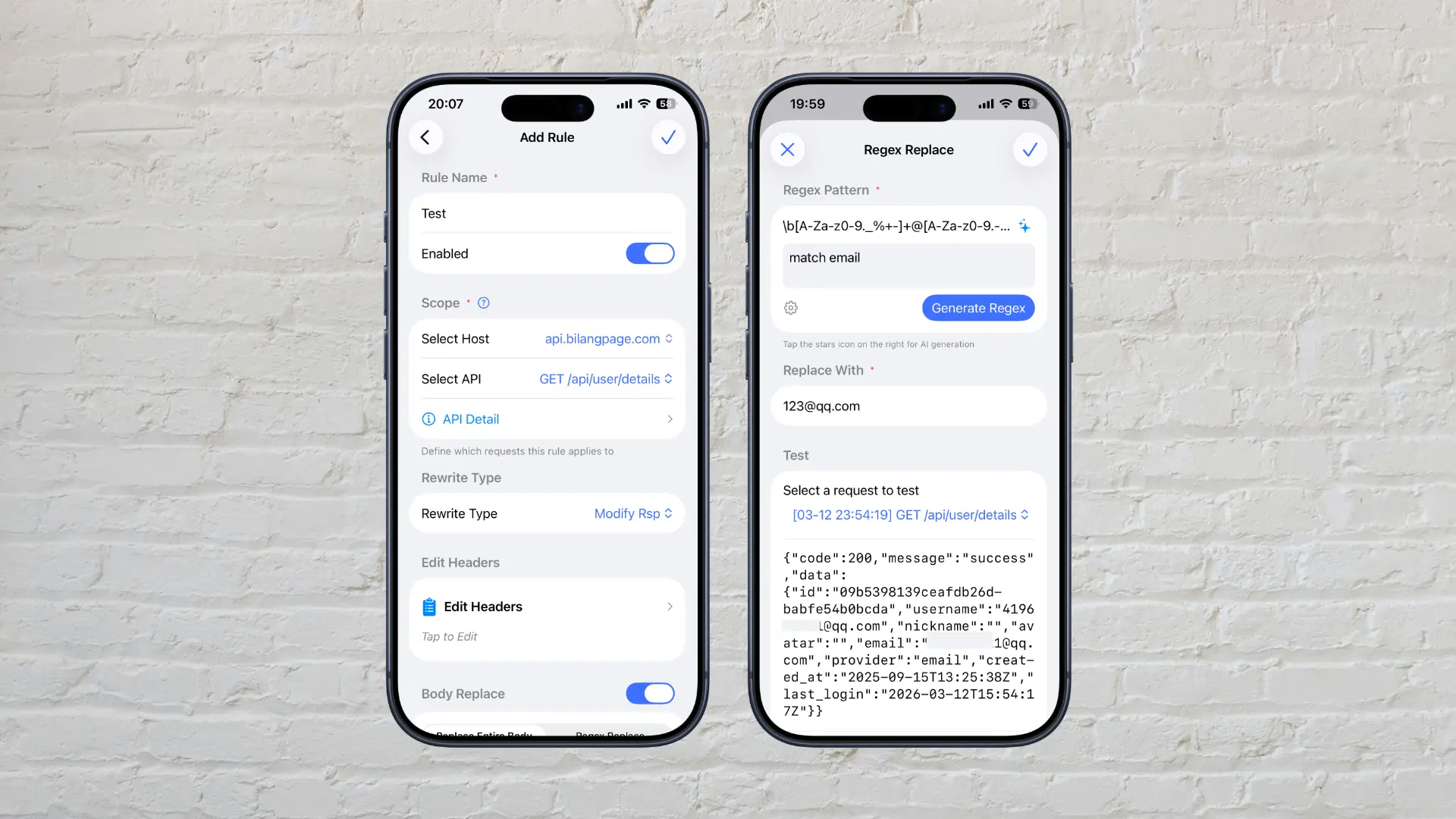
Easier Rewrite Rules
Rules are composed of Scope and Rewrite Action. Quickly select an auto-generated API as your scope. Supports Mocking, modifying, or dropping for both requests and responses. AI assists in writing Regex replacement rules, which can be instantly tested using historical capture logs.
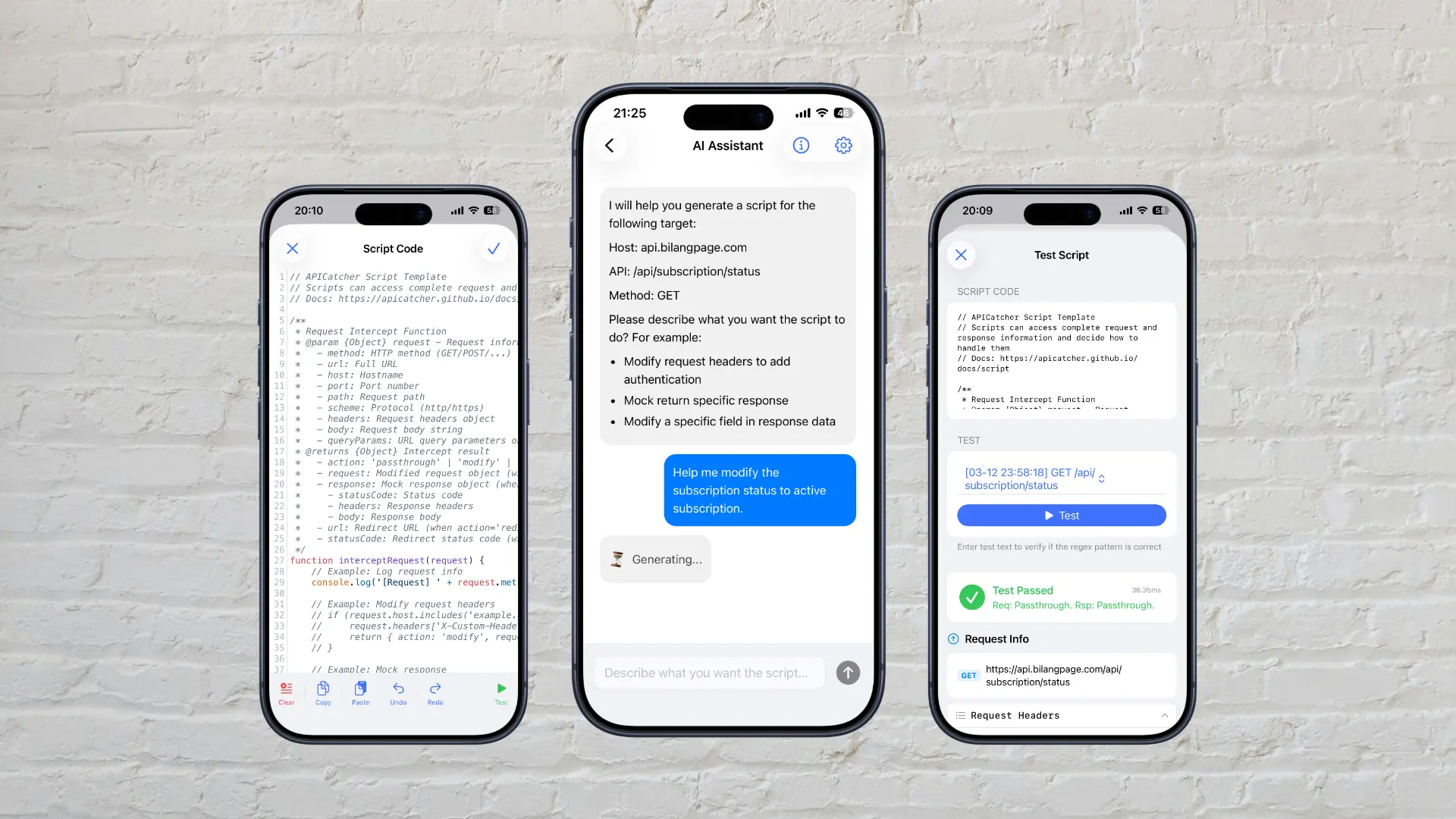
Efficient Scripting with AI
Scripting supports complex rewrite needs, internal encryption/decryption, and automated testing. ApiCatcher allows for manual coding, AI-generated scripts, and remote script loading. AI-generated code significantly boosts scripting efficiency on mobile, allowing you to implement and refine script functions through continuous dialogue. You can quickly select any captured request to test and verify the accuracy of your script logic.
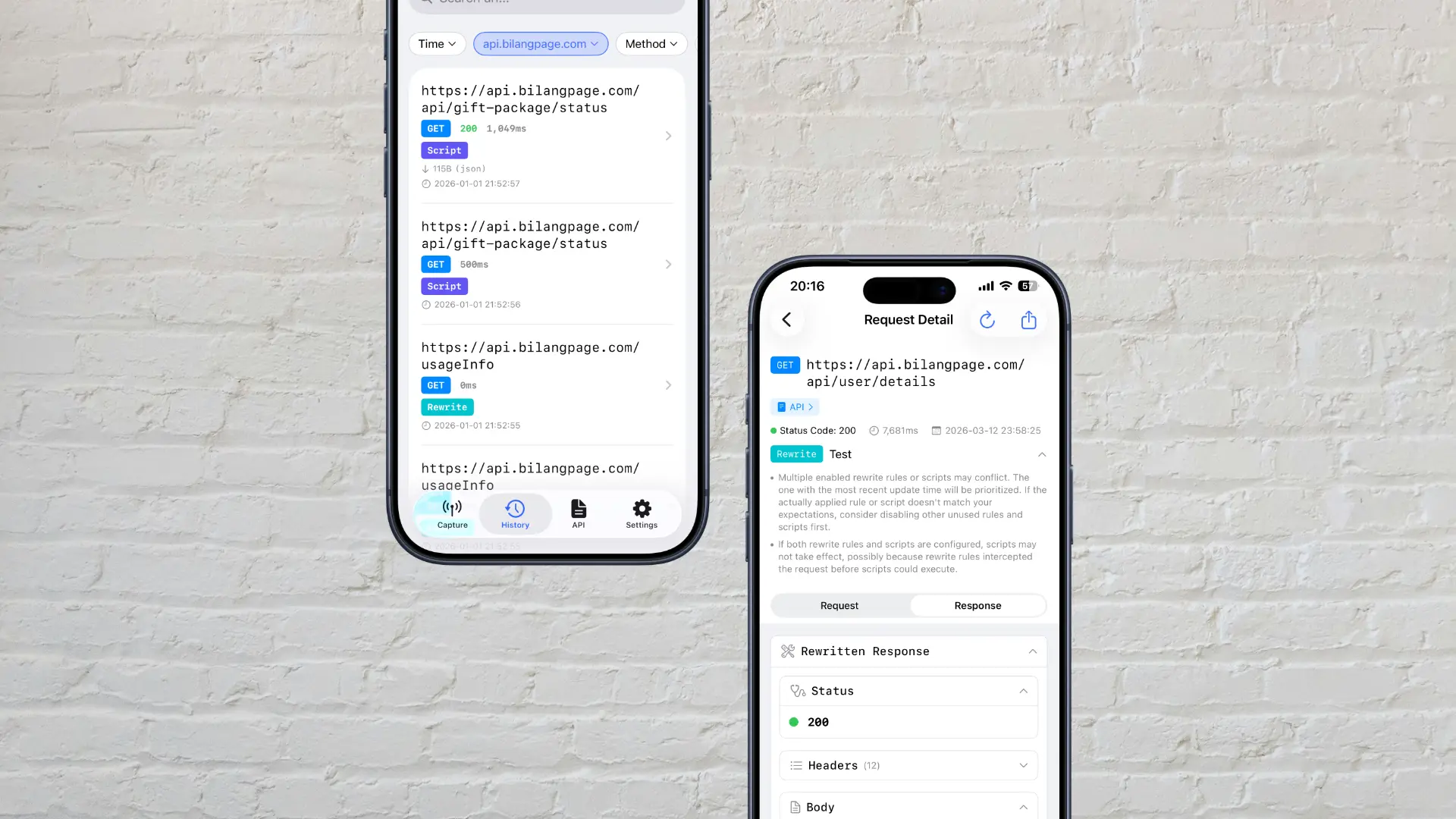
Compare Request Before and After Rewrite
Icons identify rewritten/scripted requests. The details page allows side-by-side comparison of results before and after rules are applied.
Timed Replay with Auto-Stop
Scheduled replay for single or combined requests via Cron or custom settings (start time, interval, count, duration). Can be set to auto-stop when conditions like body status='success' are met.
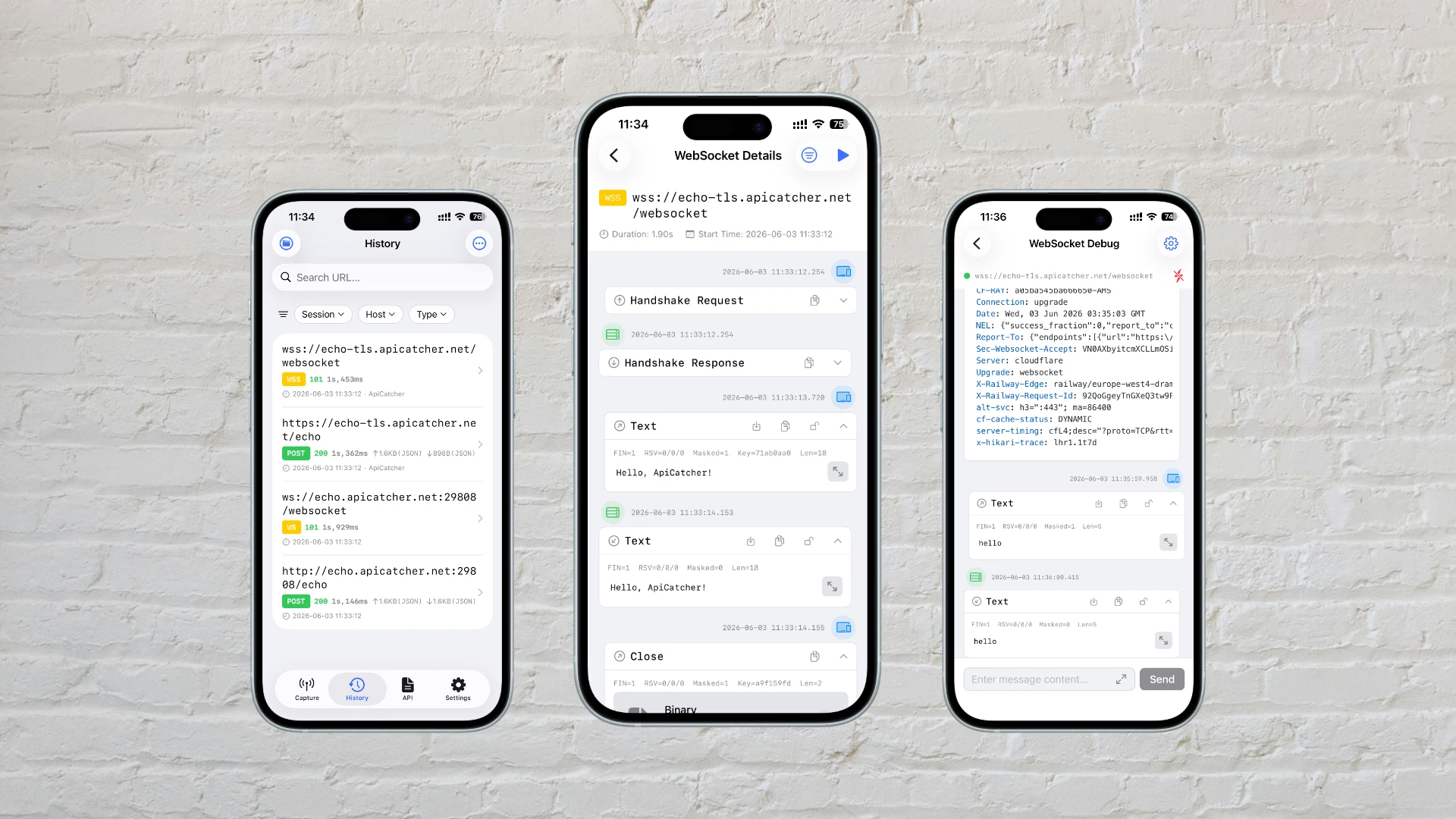
WebSocket Capture & Debugging
Support capturing WebSocket traffic, viewing data frames just like a chat history. Features Payload fuzzy search and automatic formatting & syntax highlighting for JSON strings in data frames. Conveniently establish connections with one click to send and receive messages for API debugging.
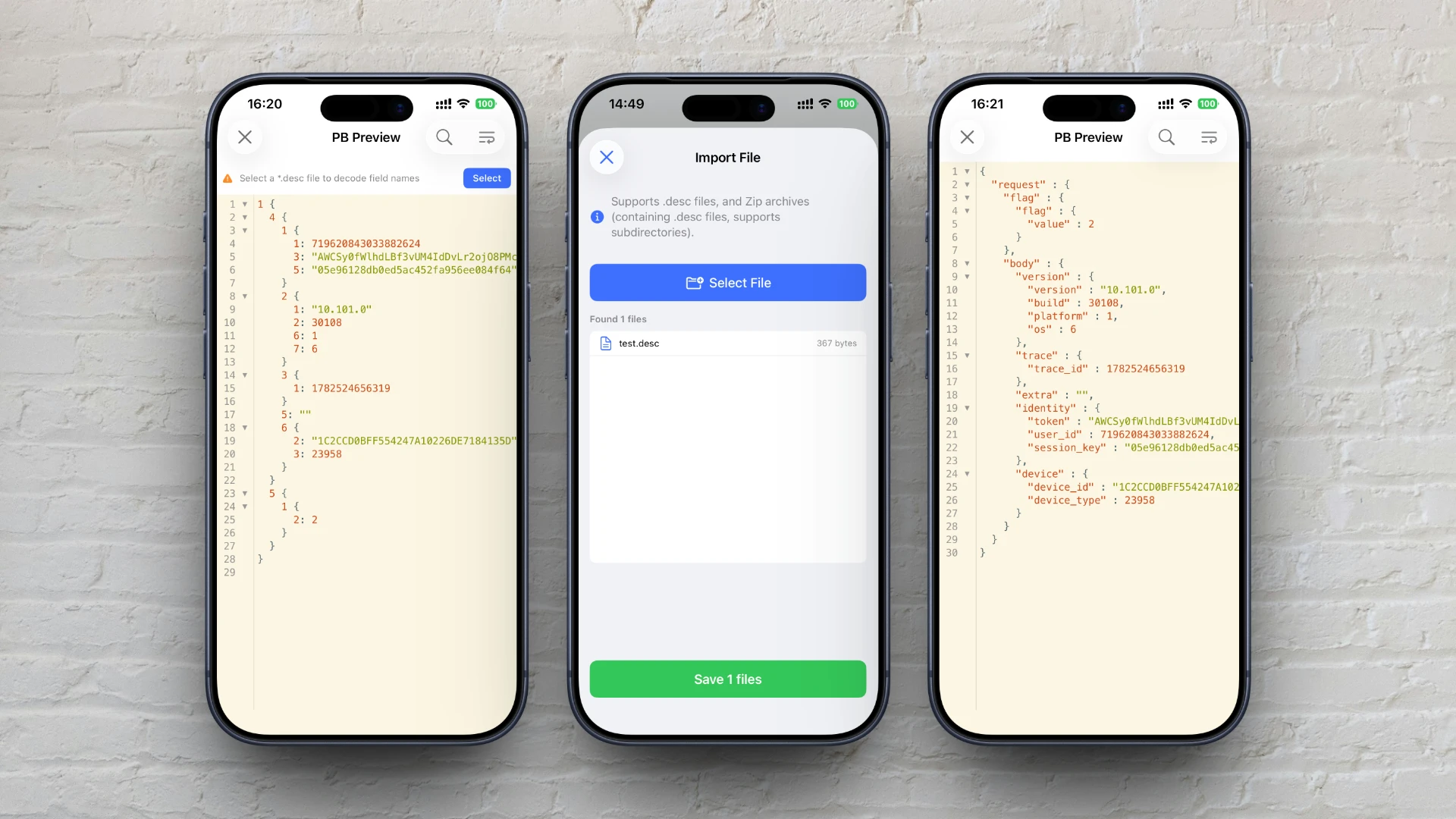
Protobuf Decode
Automatically decode Protobuf-encoded request or response Body. Without a descriptor file, decoded fields show no names, making it hard to read. Import *.desc descriptor files to display field names. Supports importing individual *.desc files or packing multiple *.desc files into a .zip archive for batch import.
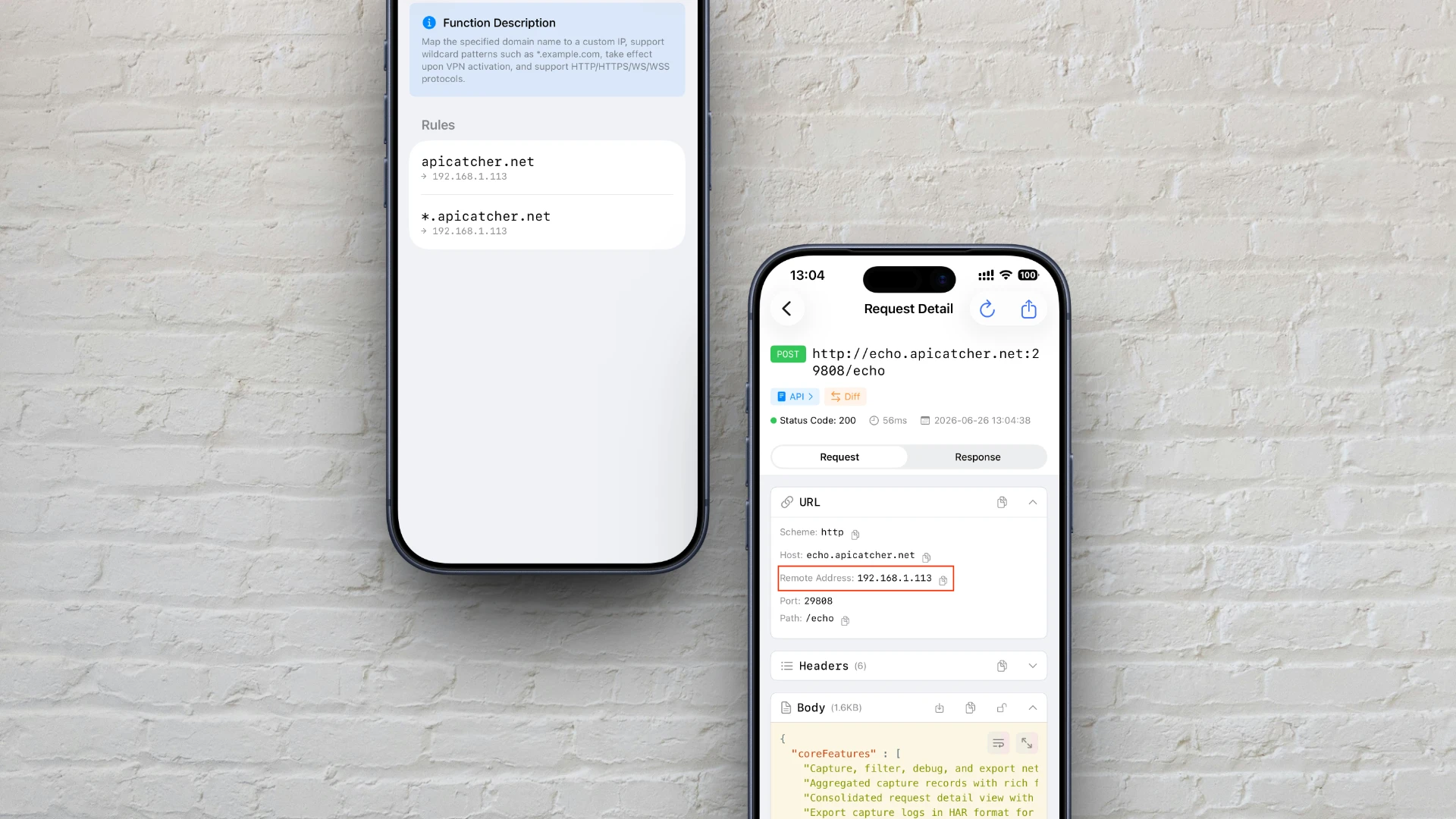
DNS Mapping
Map domain names to specific IP addresses to redirect production traffic to a test environment for debugging. No need to modify Wi-Fi or cellular DNS server settings, and no DNS caching issues.
More Feature Details
Refining every detail to provide you with the best possible user experience.
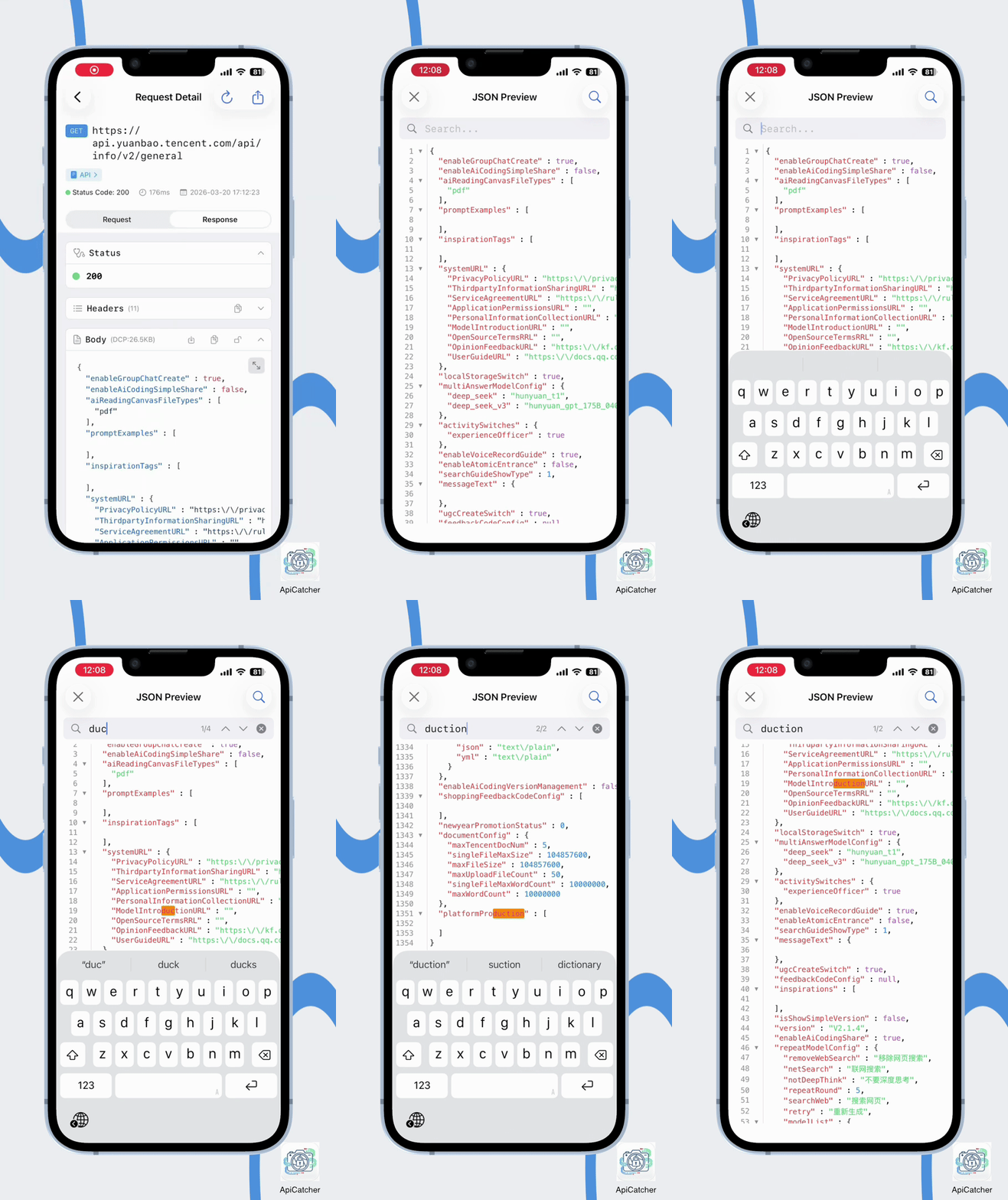
JSON/XML Search & Folding
Powerful data viewer supporting string fuzzy search, syntax highlighting, and rapid code block folding.
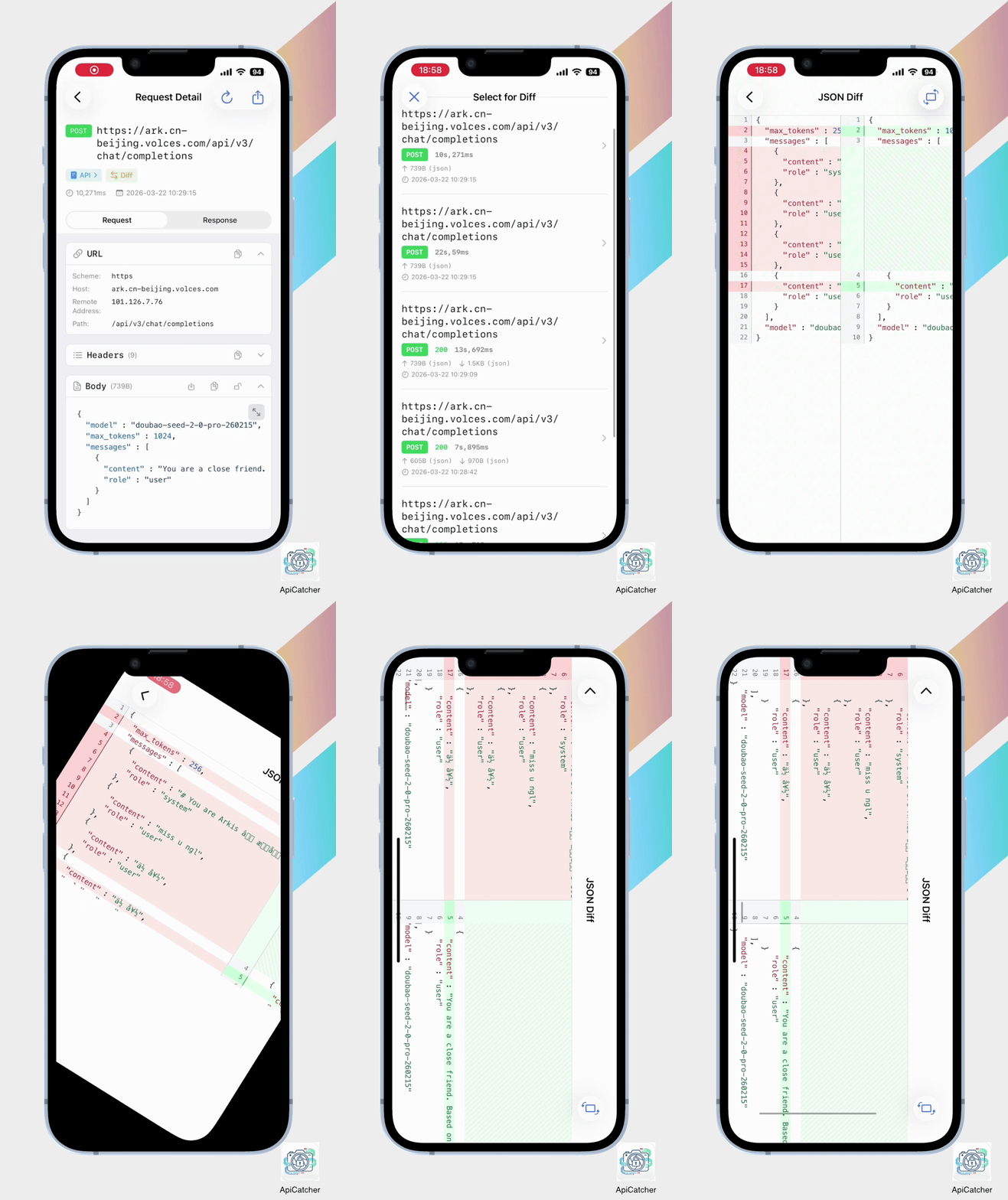
JSON Diff Comparison
Select two requests to quickly compare differences in their request/response bodies.
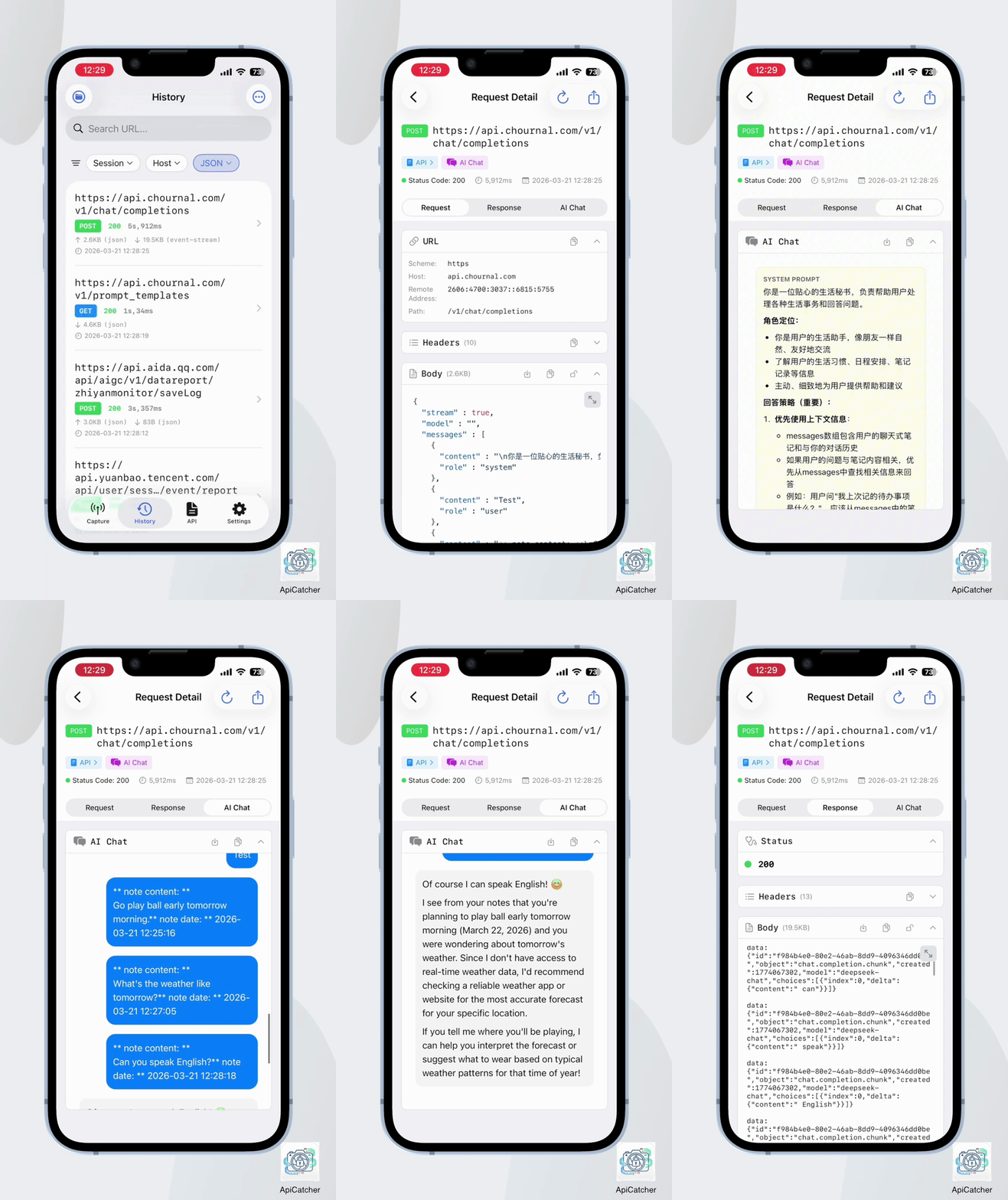
AI Chat Aggregation
Directly aggregate AI dialogue from Event Streams, eliminating manual searching for a more intuitive reading experience.
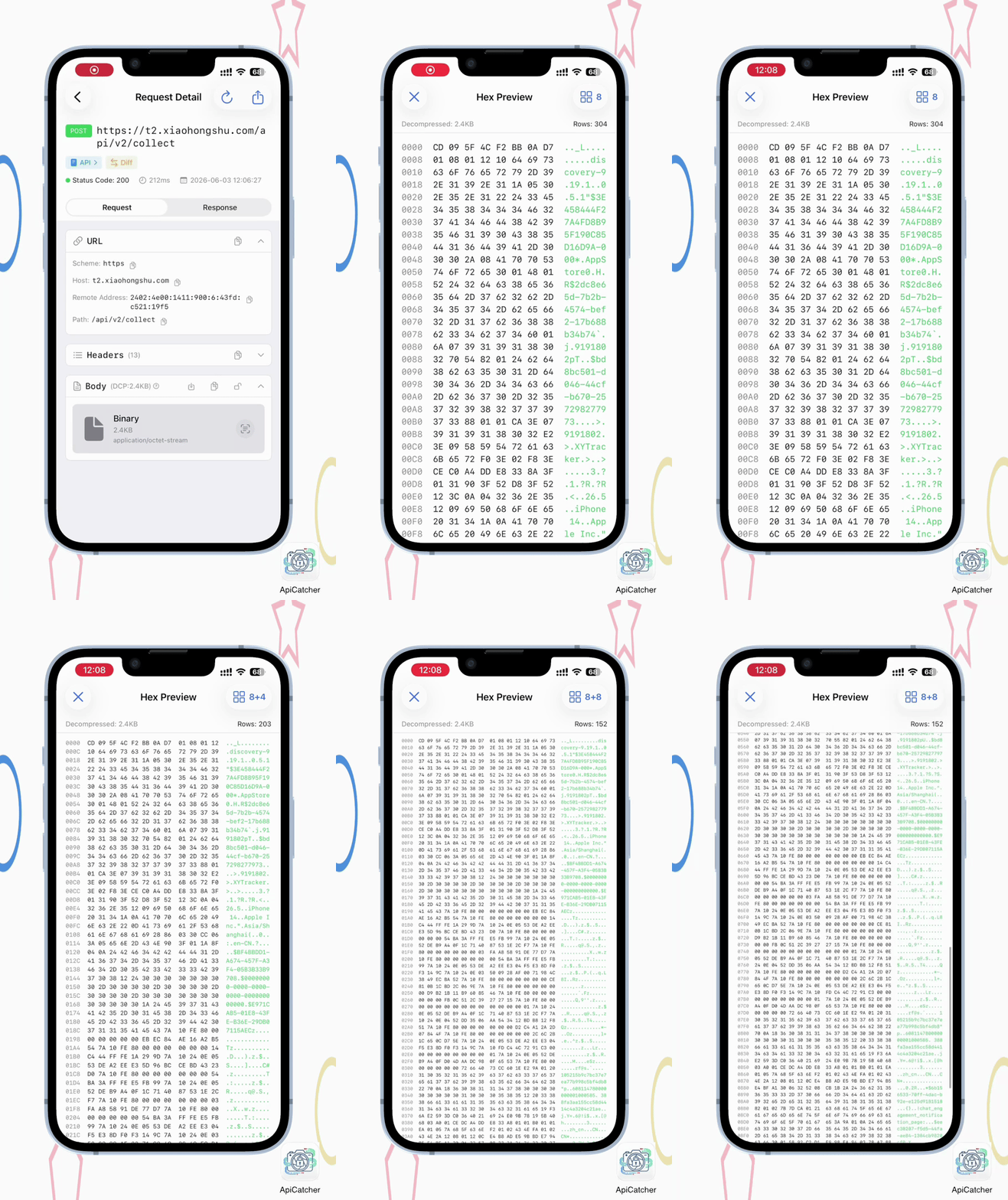
Hex View
Provide Hex view to preview the content for encrypted binary data.
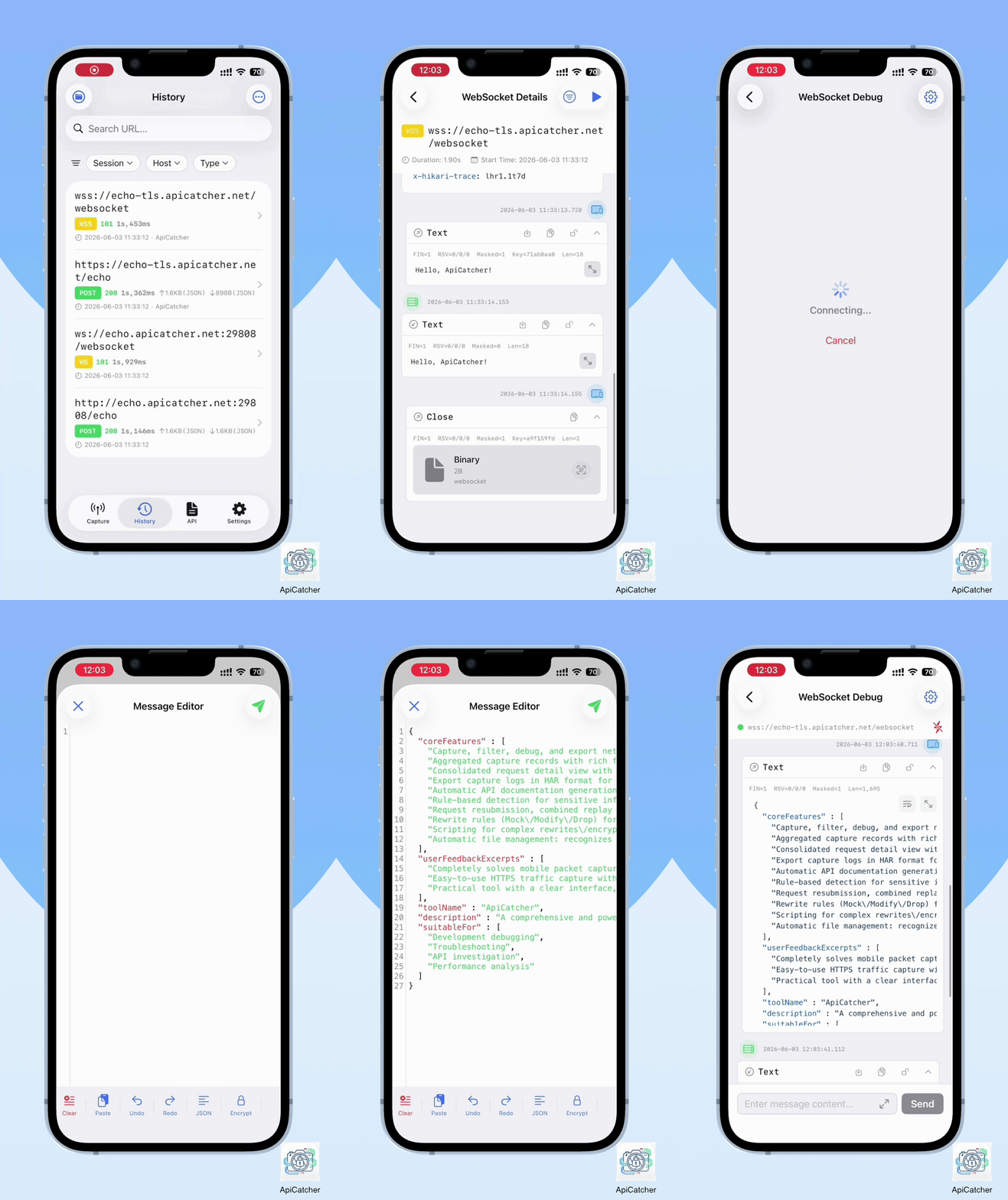
WebSocket Data Frame Preview & Debugging
View data frames like chat history, and debug WebSocket APIs just like chatting with a friend.
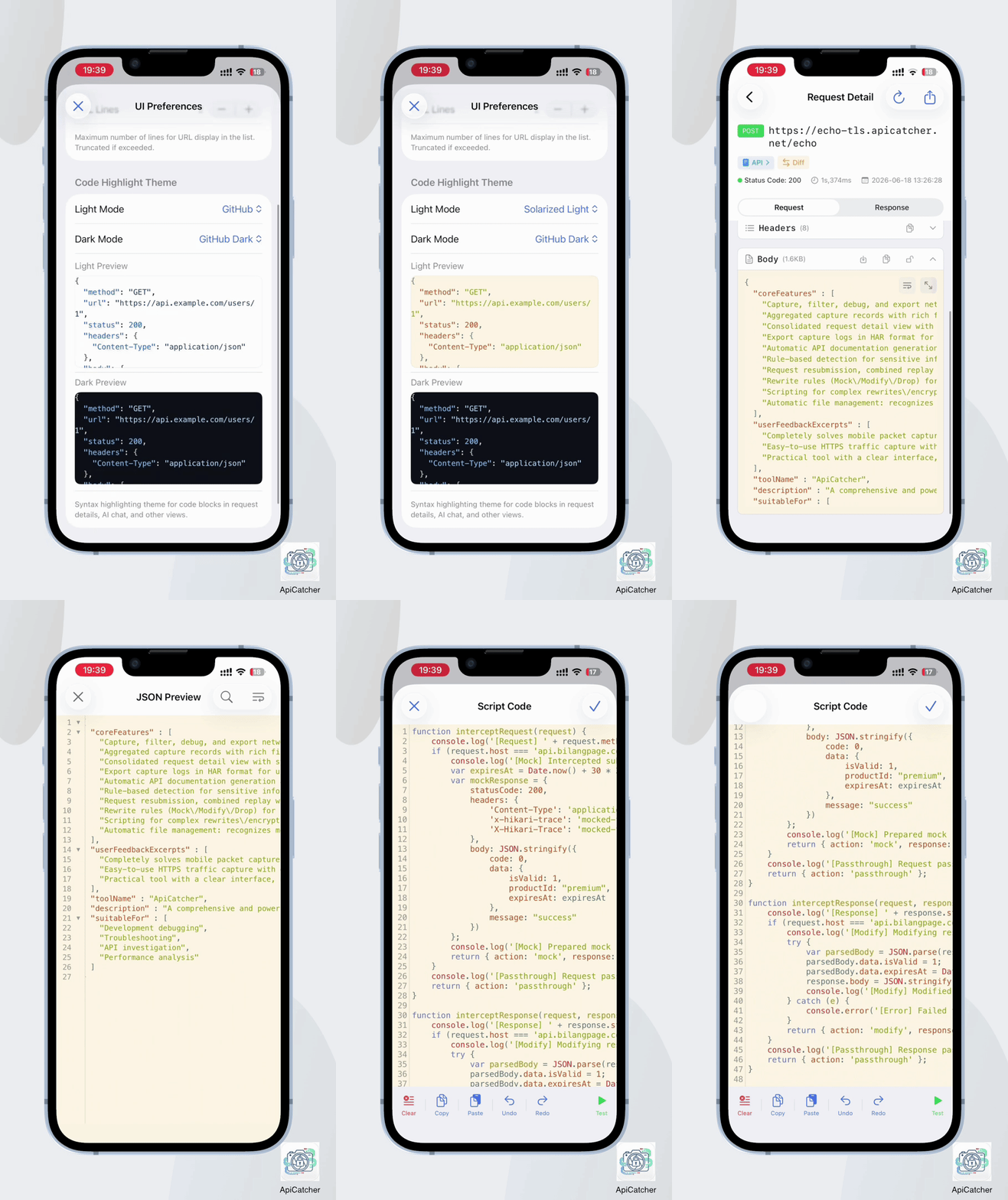
Code Highlighting Theme
Built-in multiple code highlighting themes, customizable to your preference.
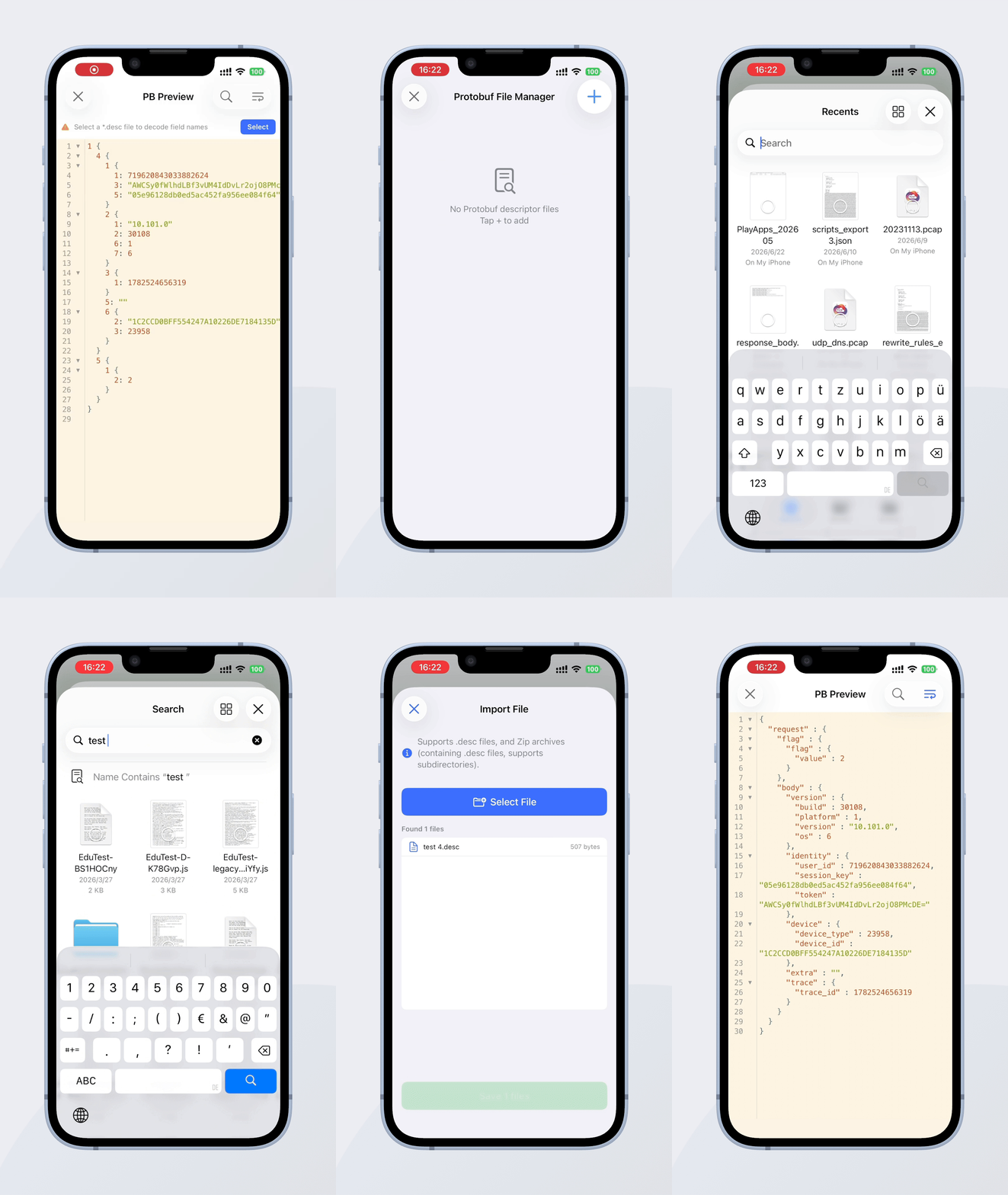
Protobuf Decode
Select *.desc descriptor file to decode field names.
User Reviews from App Store
Real experiences and feedback from our users.
ApiCatcher is absolutely amazing! It completely solves the pain points of mobile packet capture. The interface is clean, the operation is simple, yet the features are incredibly powerful – request replay, Mock responses, and especially encryption/decryption capabilities, everything you need is all in one place.
Just what I was looking for: an easy-to-use HTTPS traffic capture app with good filtering options and a powerful JSON viewer. Plus, the more advanced features are amazing: the auto-generated API documentation is very helpful. The developer is very responsive and no subscription!
FAQ
Can I use my own certificate?
Can I export captured requests in real-time?
ApiCatcher — iOS HTTP/HTTPS Capture & Debugging Tool
Focused on creating intuitive and easy-to-use HTTP/HTTPS capture and debugging tools for iOS. No PC proxy required, capture packets directly on your iPhone or iPad.