
ApiCatcher Blog: API Capture & Debugging Tutorials
Explore API capture, export, and debugging with ApiCatcher.
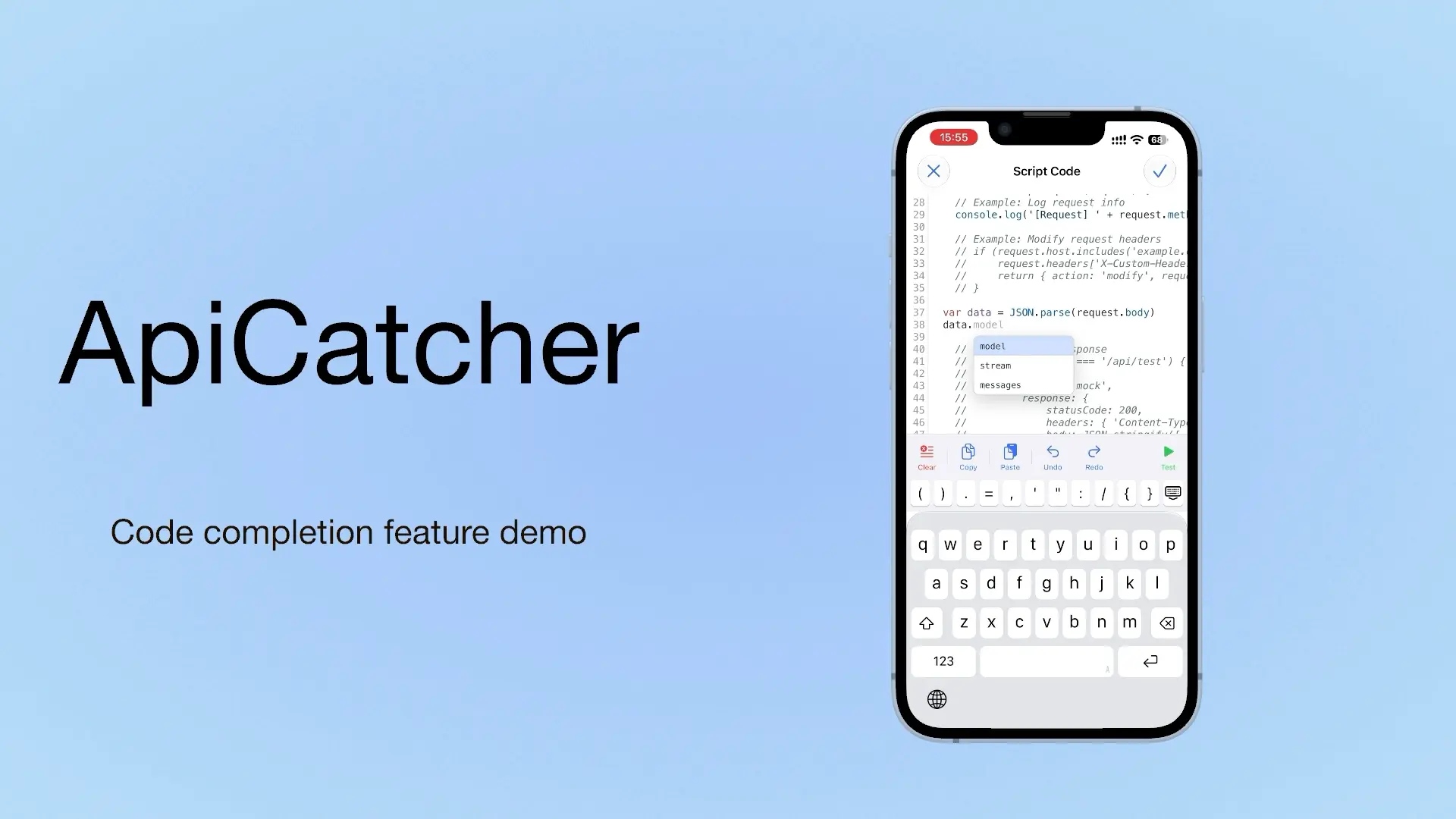
ApiCatcher: an HTTP Capture and Debugging Tool with Code Completion as You Write Script Code
If we can offer a choice, we offer a choice. If we can offer a completion hint, we offer a completion hint. If we can offer a template, we offer a template. Code completion is on iOS only for now. Update to 4.4 to use it.
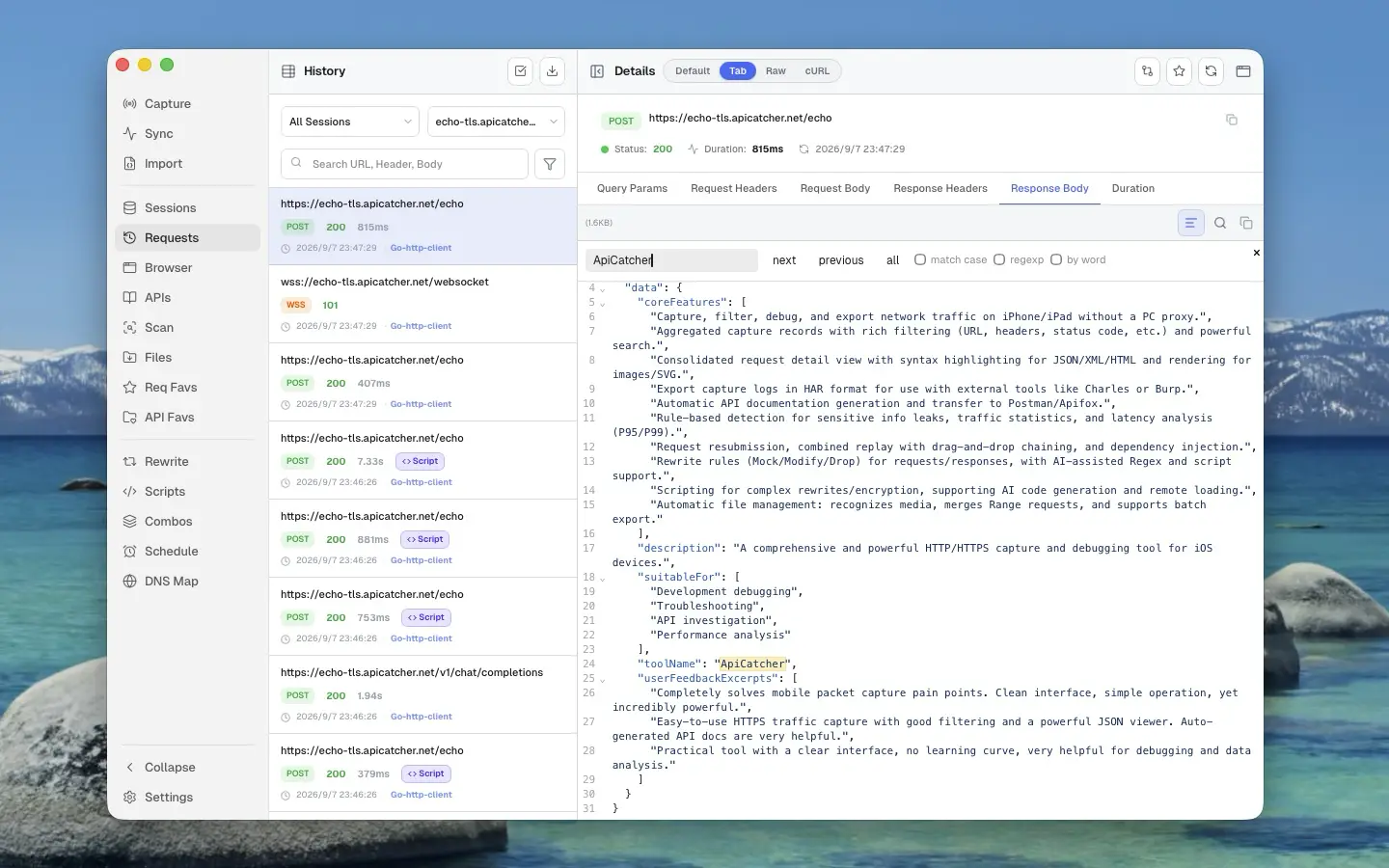
HTTP/HTTPS-Capture und Debugging: Charles Proxy, Proxyman und ApiCatcher
Charles Proxy, Proxyman und ApiCatcher im Vergleich: Plattformen, wie sich die Erfassung auf dem Handy anfühlt, und wo Breakpoints, Rewrite und Replay auseinandergehen.
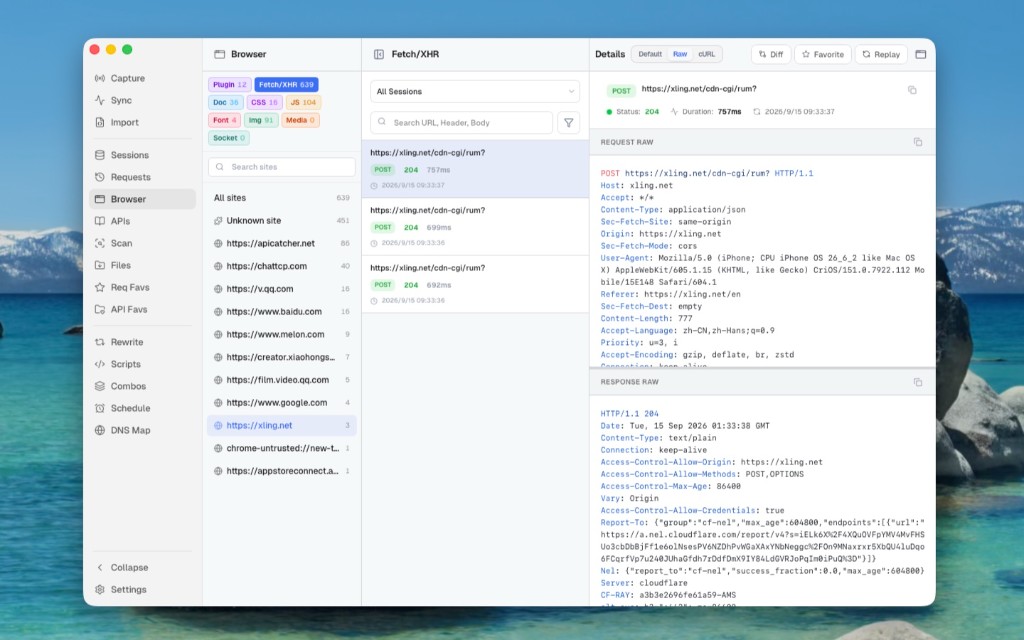
Use ApiCatcher Instead of the Browser’s Network Panel, Same Experience, but Those Requests the Network Panel Can’t See Are All Visible
The Network panel is awkward for login APIs and extension background requests, and a refresh clears the history. Desktop Browser view can show those requests Chrome does not keep.
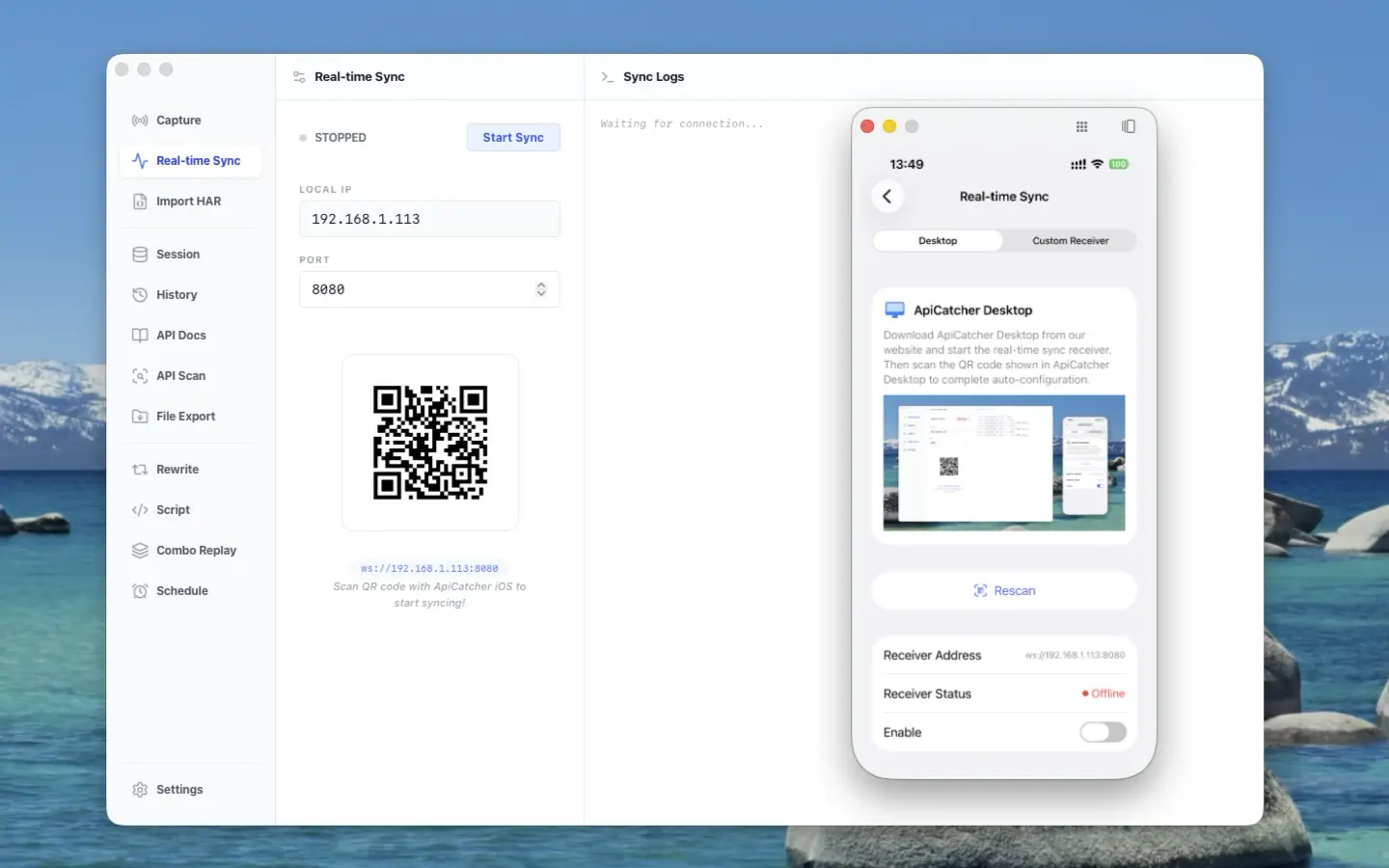
ApiCatcher opens its real-time sync protocol — stream HTTP traffic from iOS / Android to your receiver
ApiCatcher opens its real-time sync protocol: stream HTTP traffic captured on iOS and Android to your receiver, without exporting HAR by hand.
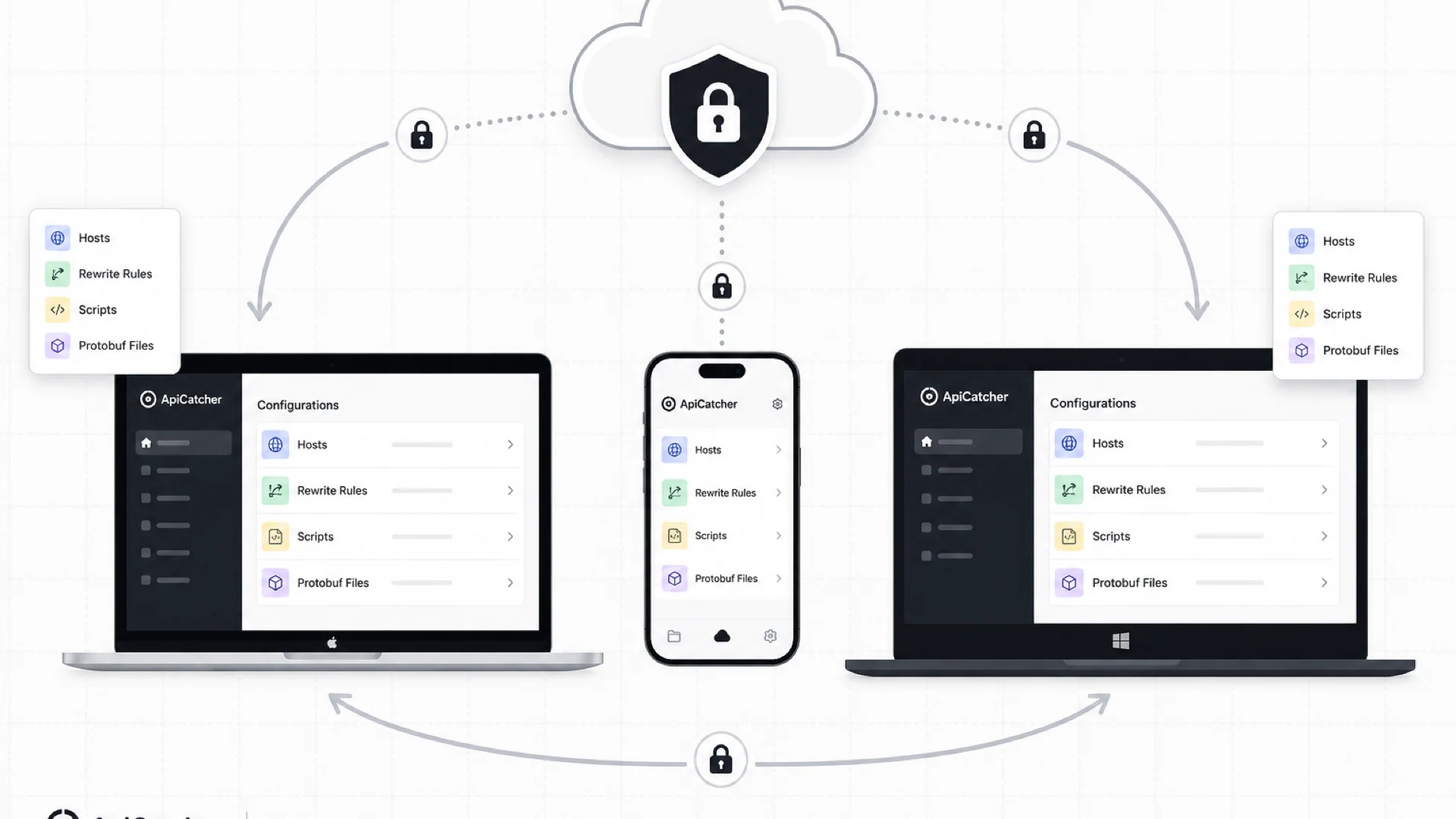
Cloud Sync: Keep Your Rewrite Rules, Scripts, and Config in Sync Across Devices
ApiCatcher Cloud Sync keeps host lists, rewrite rules, scripts, and other config in sync across desktop and mobile — with end-to-end encryption so the server never sees your plaintext data.
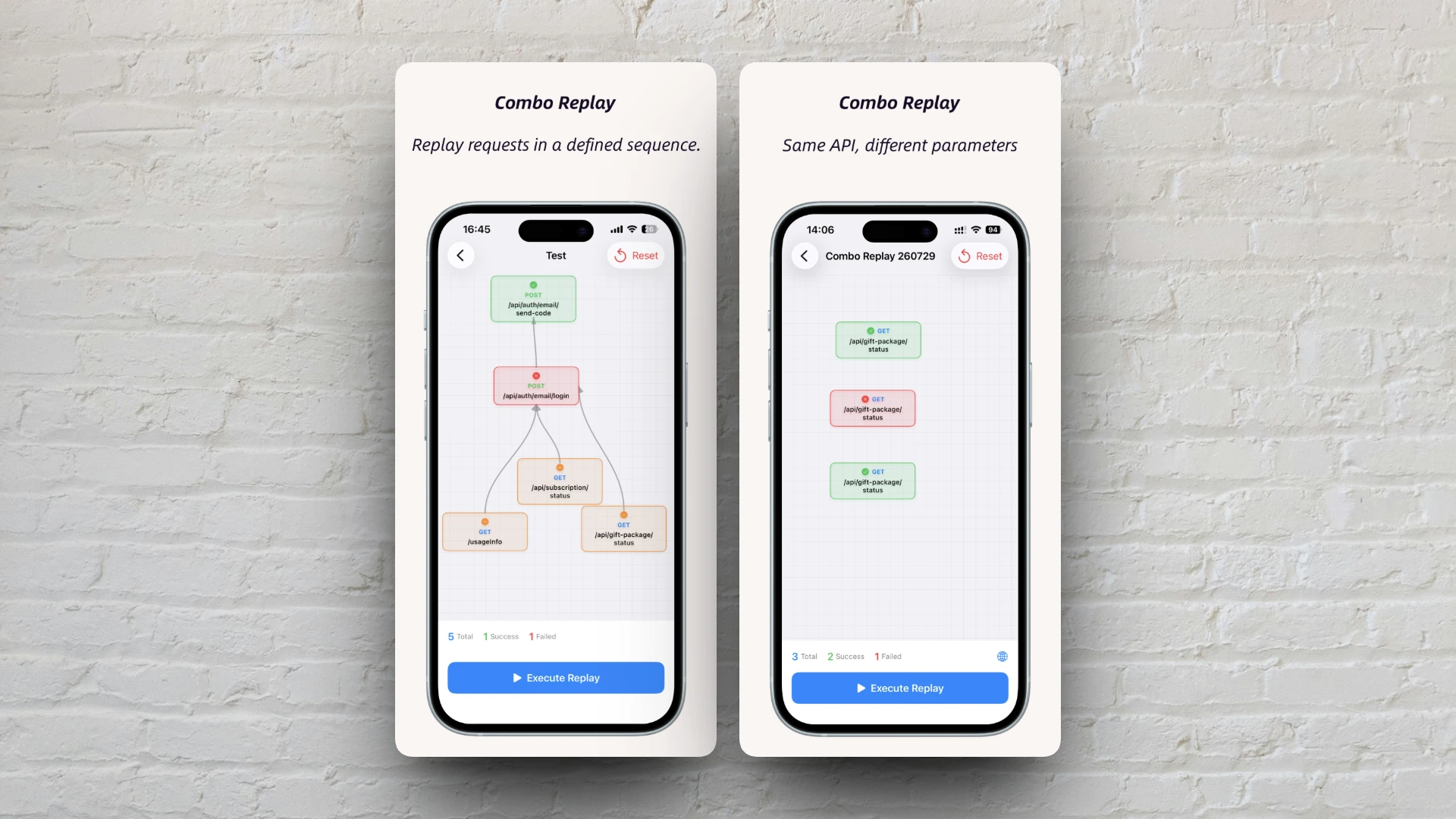
Combo Replay Upgrade: Batch-Test the Same API with Different Parameters
Combo Replay now supports multiple nodes for the same API, per-node preset parameters, and expression injection — run every business scenario and boundary case in one shot.
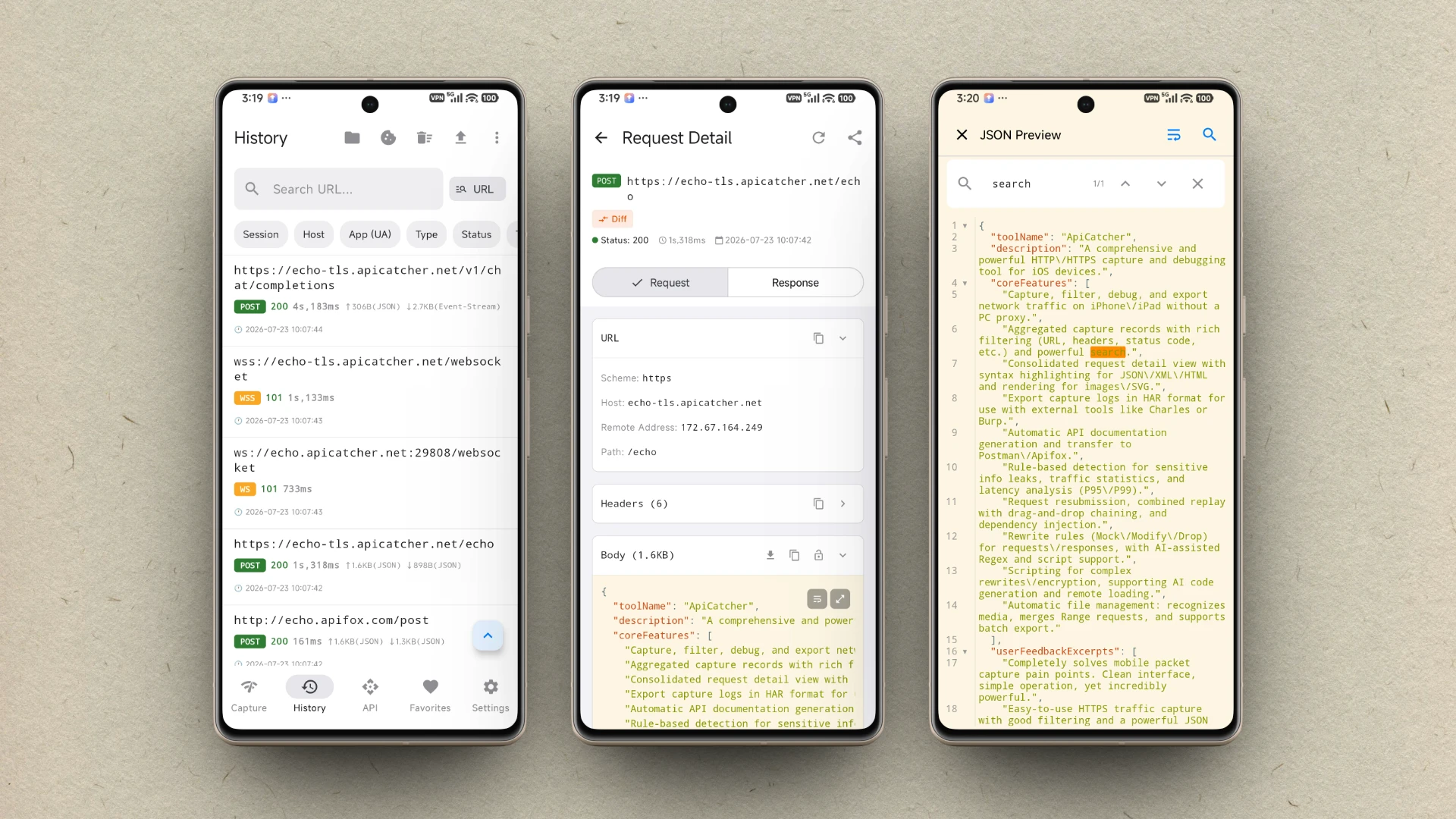
ApiCatcher ist jetzt für Android verfügbar
ApiCatcher for Android ist jetzt bei Google Play verfügbar. HTTP/HTTPS-Traffic mit einem Tipp erfassen — ohne Proxy-Konfiguration.
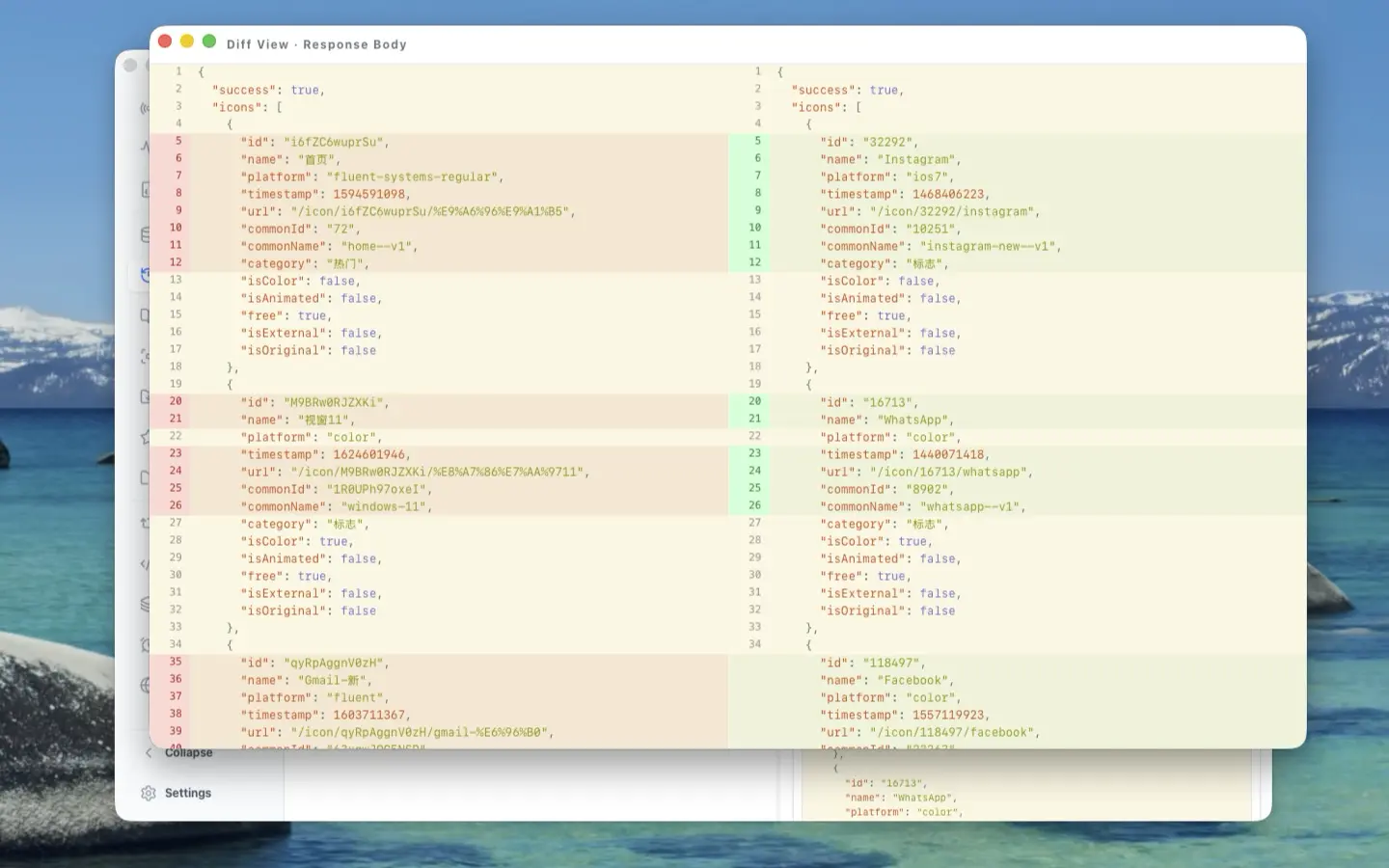
The Craft Behind the UI: A Deep Dive into ApiCatcher Desktop's UX Design
Side-by-side request-response layout, reusable components, full-screen body preview, detached windows for side-by-side comparison, and JSON Diff — here's the UX thinking that went into making ApiCatcher Desktop a joy to use for HTTP debugging.
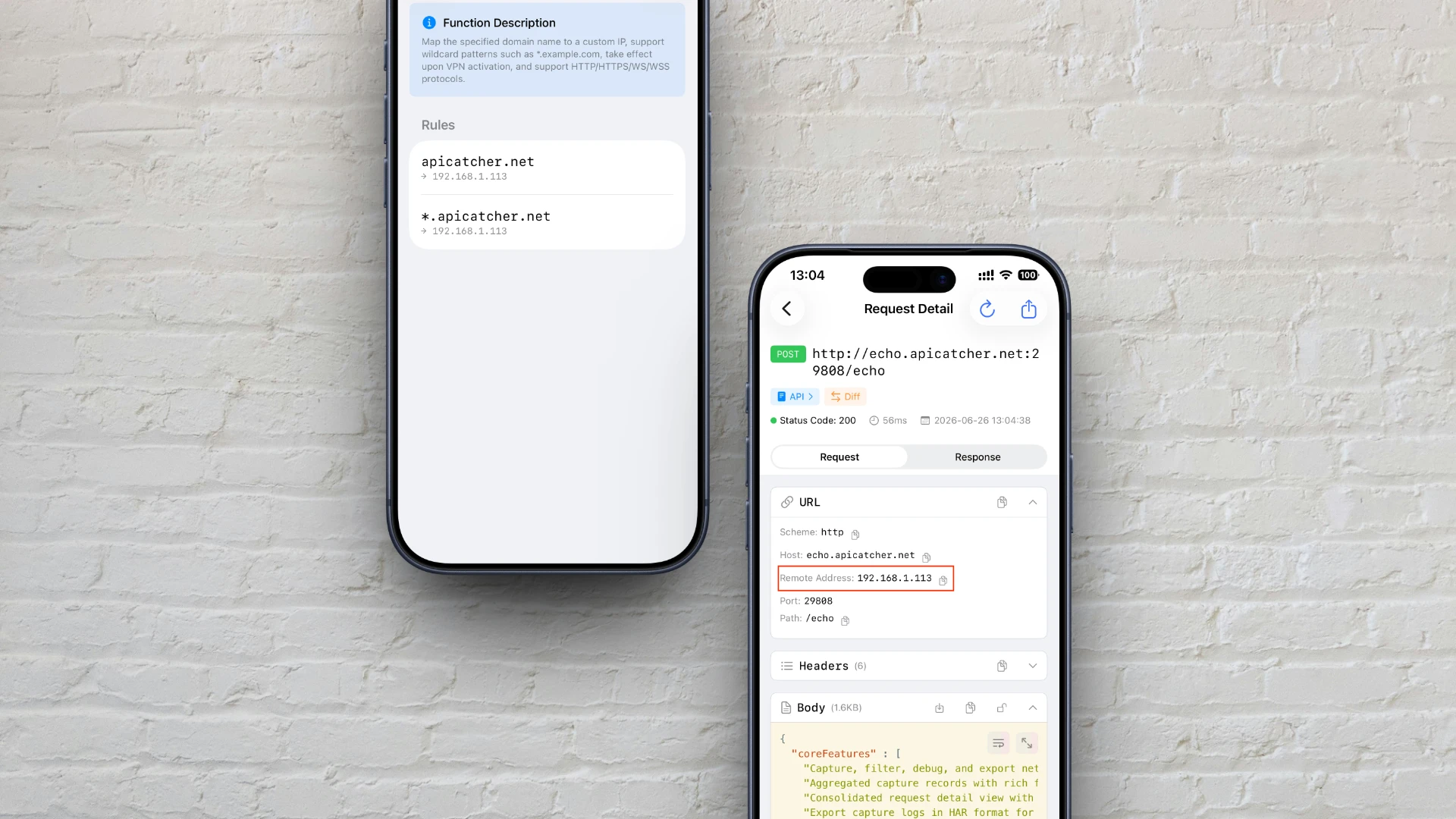
So passt du die DNS-Auflösung unter iOS an – ganz wie beim Bearbeiten der Hosts-Datei
So nutzt du ApiCatchers DNS-Mapping, um unter iOS eine hosts-ähnliche, benutzerdefinierte Domain-Auflösung zu erreichen – mit einem tiefen Einblick in den Mechanismus der Proxy-Interception und Traffic-Umleitung.

Wie ApiCatcher große Dateien über HTTP erfasst
Wie ApiCatcher die Speicherbegrenzung von iOS-Netzwerkerweiterungen umgeht, indem große Dateien direkt auf die Festplatte gestreamt werden — die Technik hinter der Erfassung großer HTTP-Payloads ohne Paketverlust.
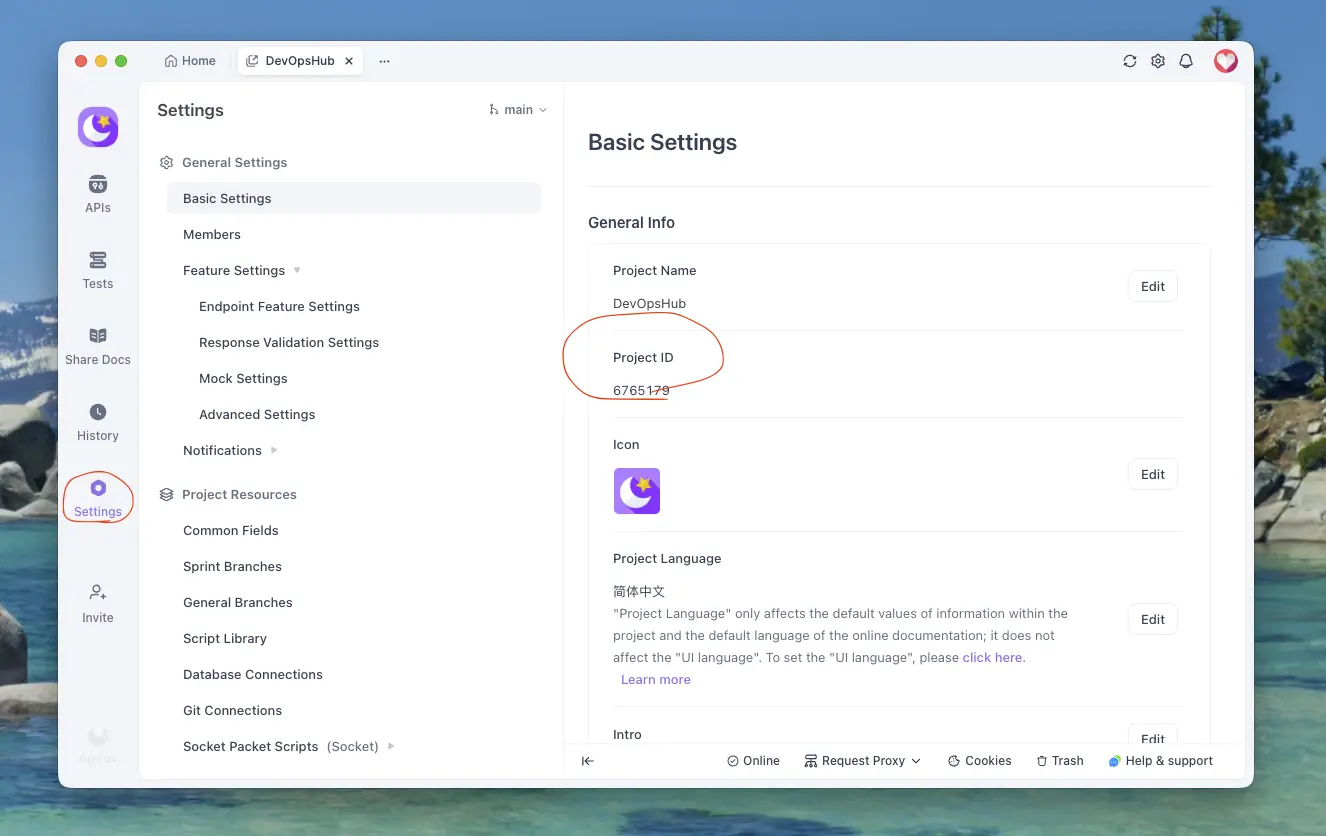
HTTPS-Requests nach Apifox exportieren
Anleitung zum Exportieren von in ApiCatcher erfassten HTTPS-Requests nach Apifox — in wenigen Schritten erledigt.
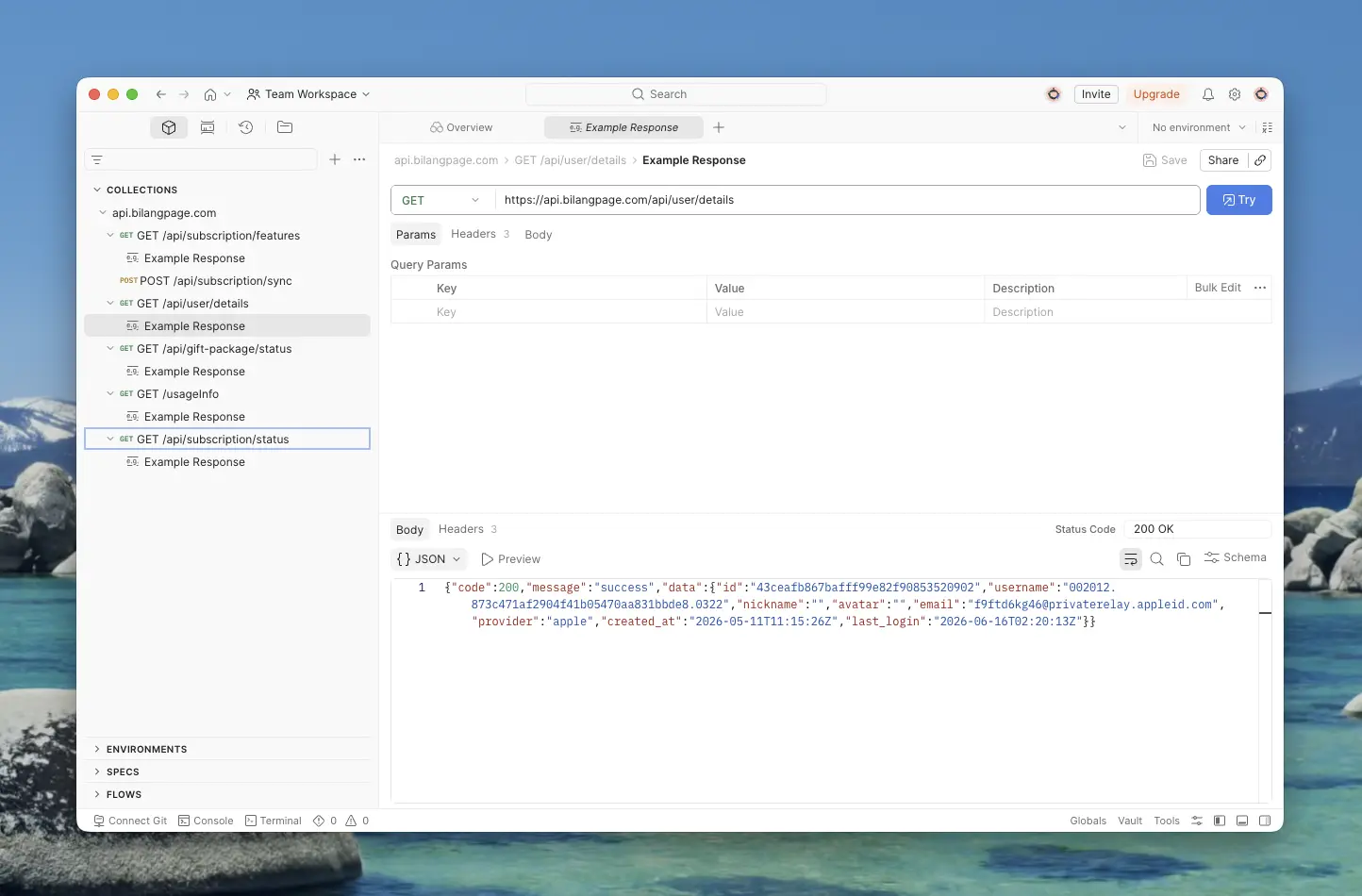
HTTPS-Requests nach Postman exportieren
Schritt-für-Schritt-Anleitung zum Exportieren von in ApiCatcher erfassten HTTPS-Requests nach Postman — inklusive API-Key, Workspace- und Collection-Auswahl.
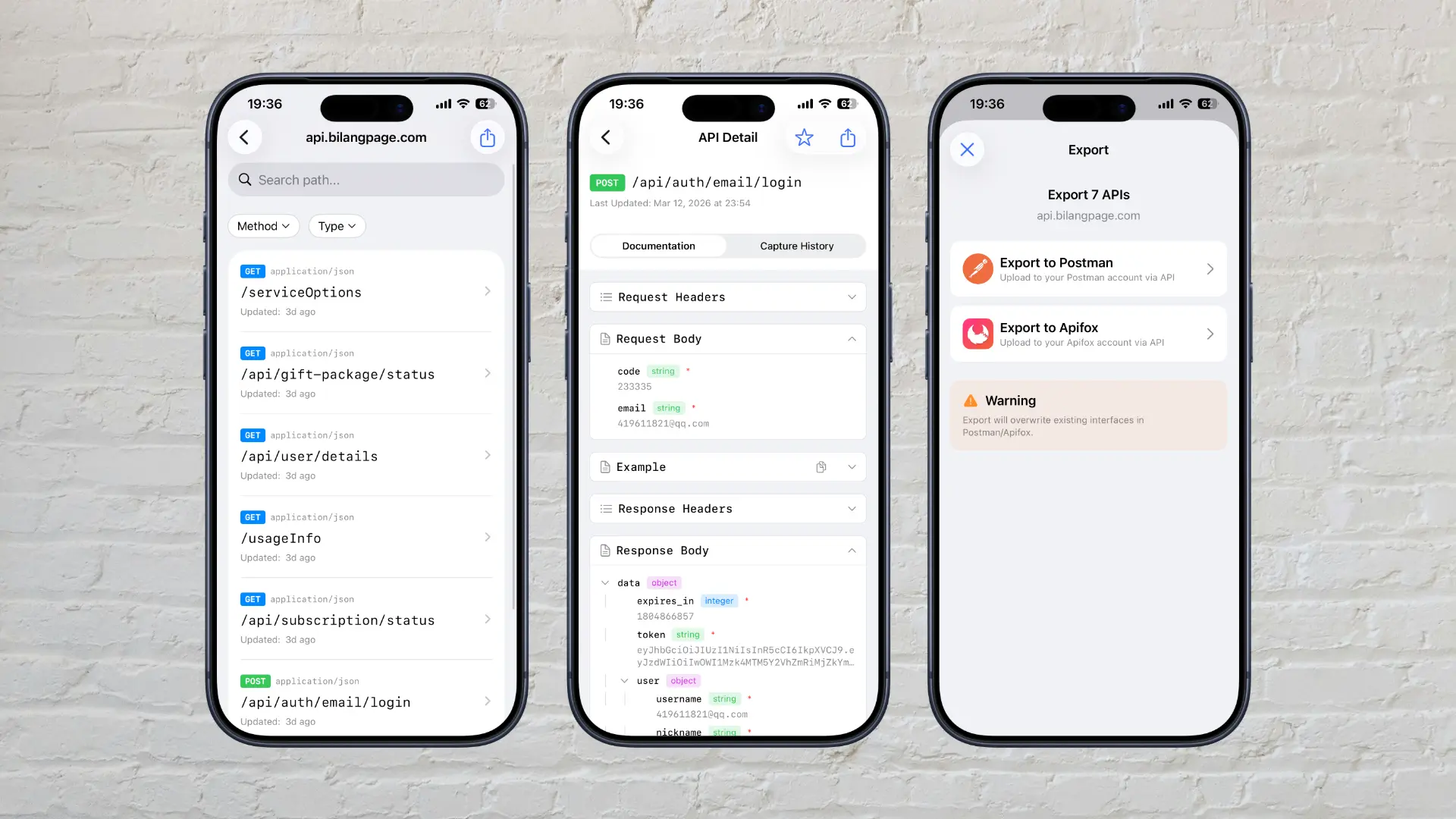
Why Did We Build ApiCatcher?
Why we built ApiCatcher — an HTTPS debugging proxy that automatically generates API documentation and solves the real-world pain of missing docs and difficult debugging.