
ApiCatcher Blog: API Capture & Debugging Tutorials
Explore API capture, export, and debugging with ApiCatcher.
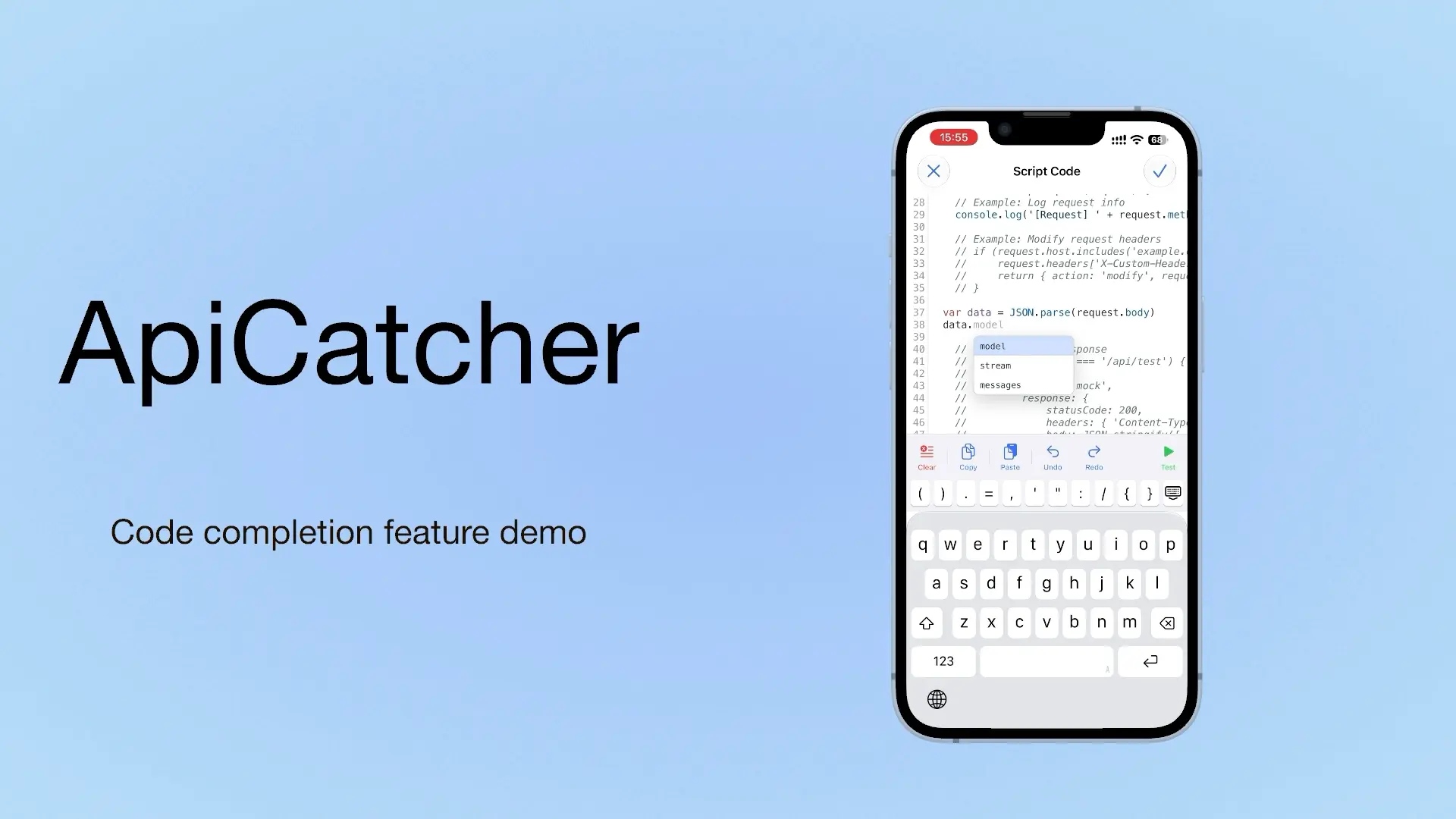
ApiCatcher: an HTTP Capture and Debugging Tool with Code Completion as You Write Script Code
If we can offer a choice, we offer a choice. If we can offer a completion hint, we offer a completion hint. If we can offer a template, we offer a template. Code completion is on iOS only for now. Update to 4.4 to use it.
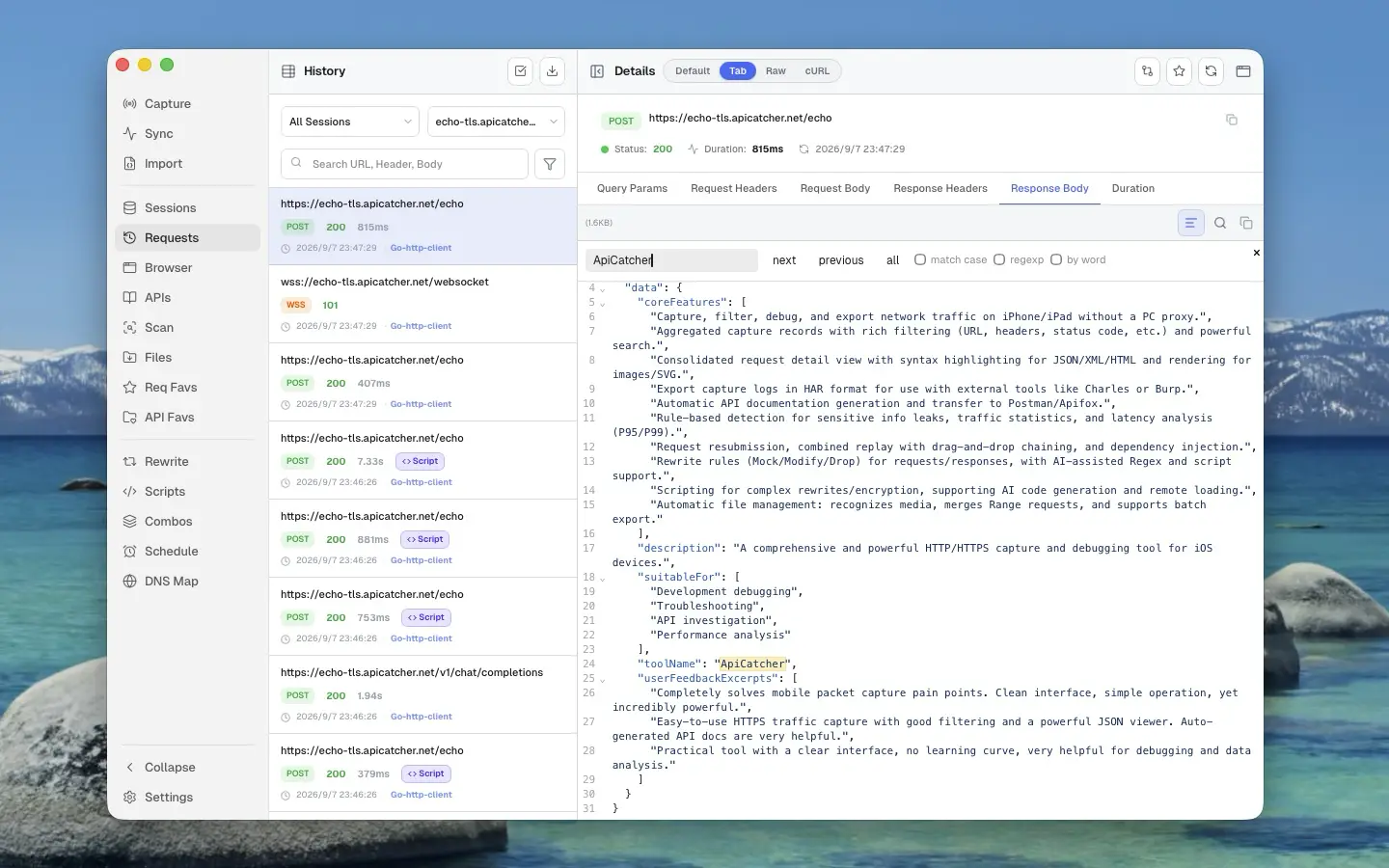
HTTP/HTTPSのキャプチャとデバッグツール:Charles Proxy、Proxyman、ApiCatcher
Charles Proxy、Proxyman、ApiCatcherを並べて比較。対応プラットフォーム、スマホ単体でキャプチャできるか、ブレークポイントやリライト、リプレイの違いを整理します。
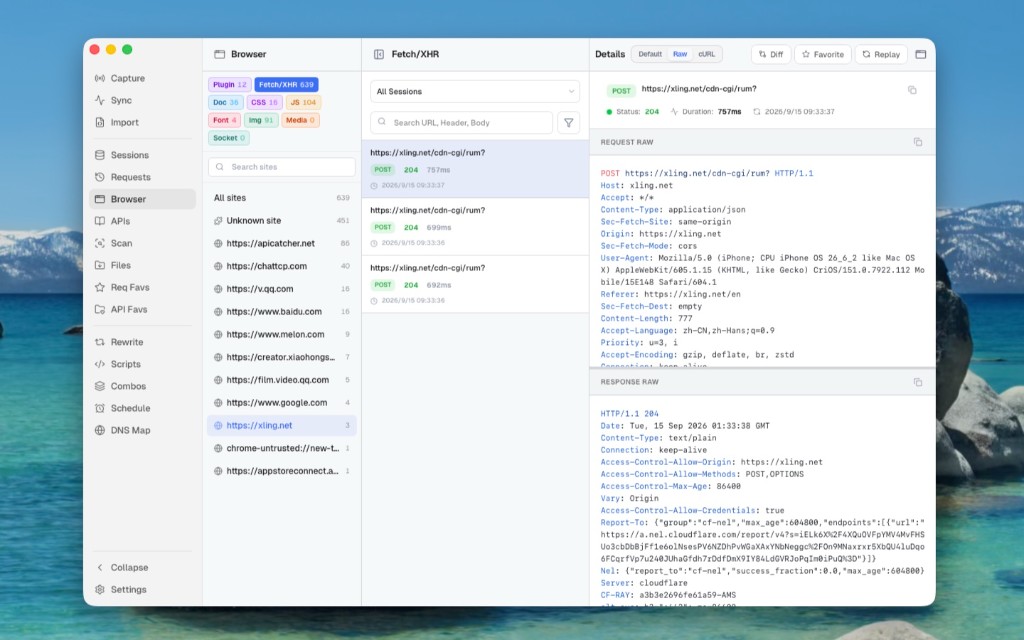
Use ApiCatcher Instead of the Browser’s Network Panel, Same Experience, but Those Requests the Network Panel Can’t See Are All Visible
The Network panel is awkward for login APIs and extension background requests, and a refresh clears the history. Desktop Browser view can show those requests Chrome does not keep.
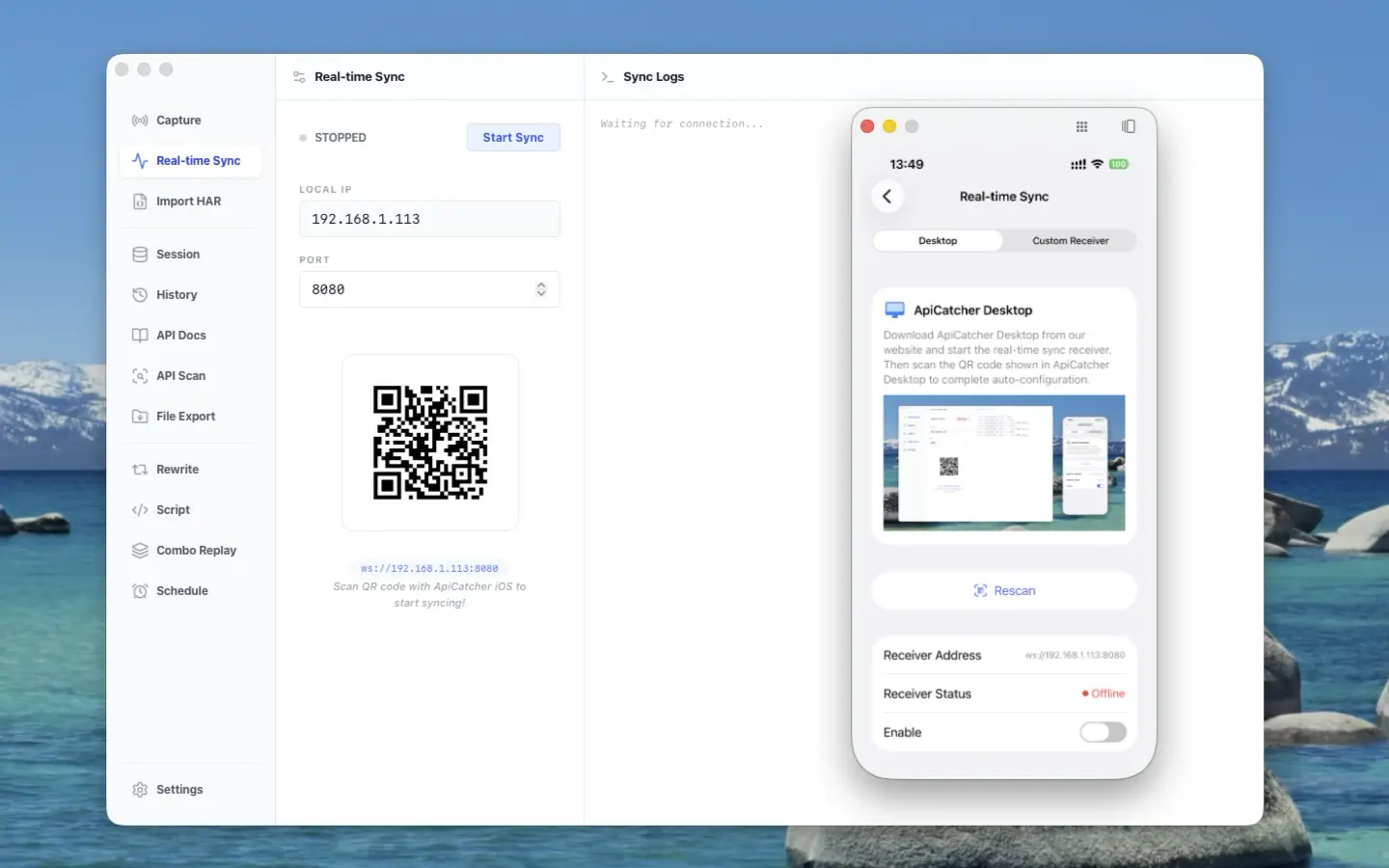
ApiCatcher opens its real-time sync protocol — stream HTTP traffic from iOS / Android to your receiver
ApiCatcher opens its real-time sync protocol: stream HTTP traffic captured on iOS and Android to your receiver, without exporting HAR by hand.
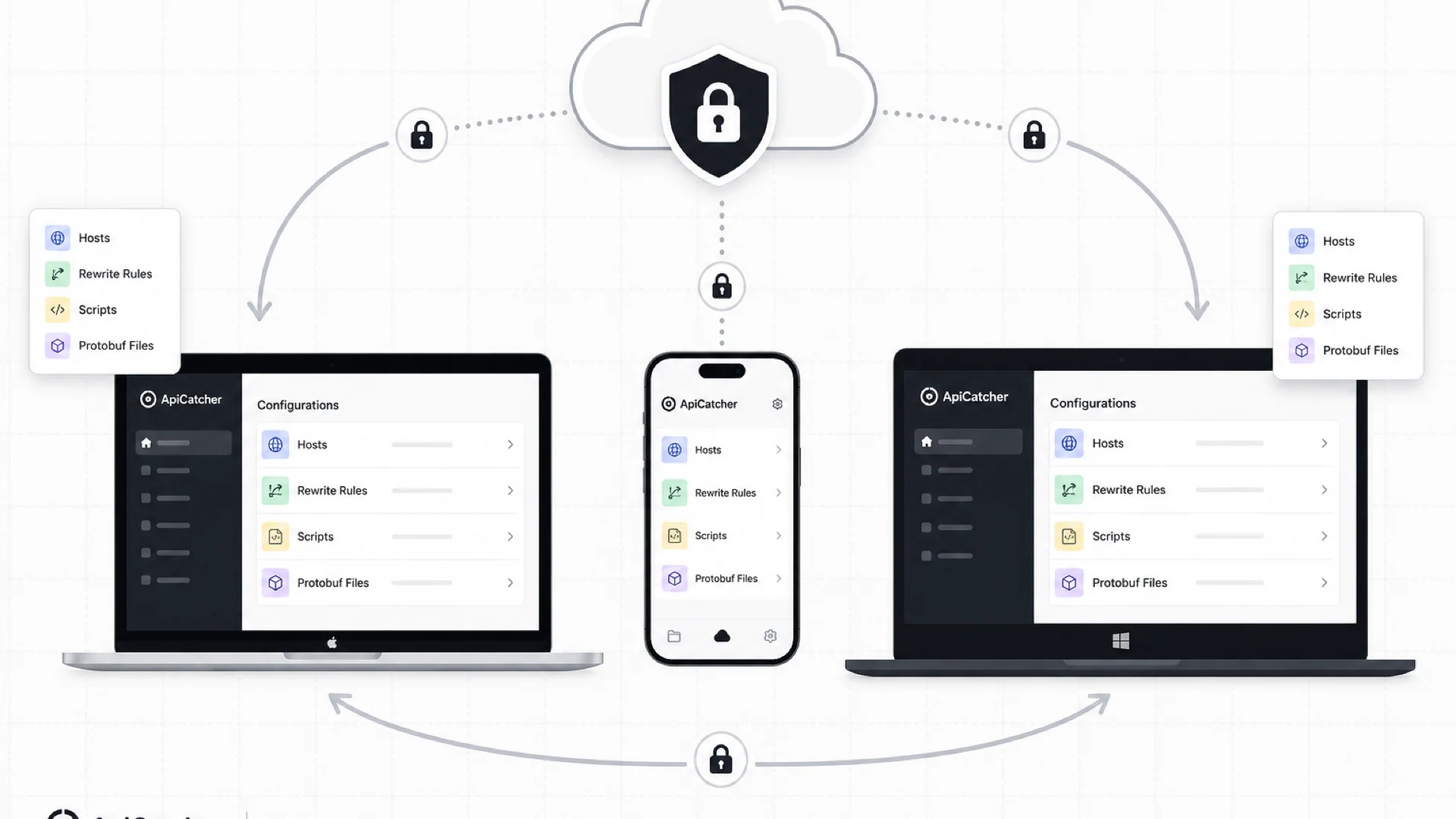
Cloud Sync: Keep Your Rewrite Rules, Scripts, and Config in Sync Across Devices
ApiCatcher Cloud Sync keeps host lists, rewrite rules, scripts, and other config in sync across desktop and mobile — with end-to-end encryption so the server never sees your plaintext data.
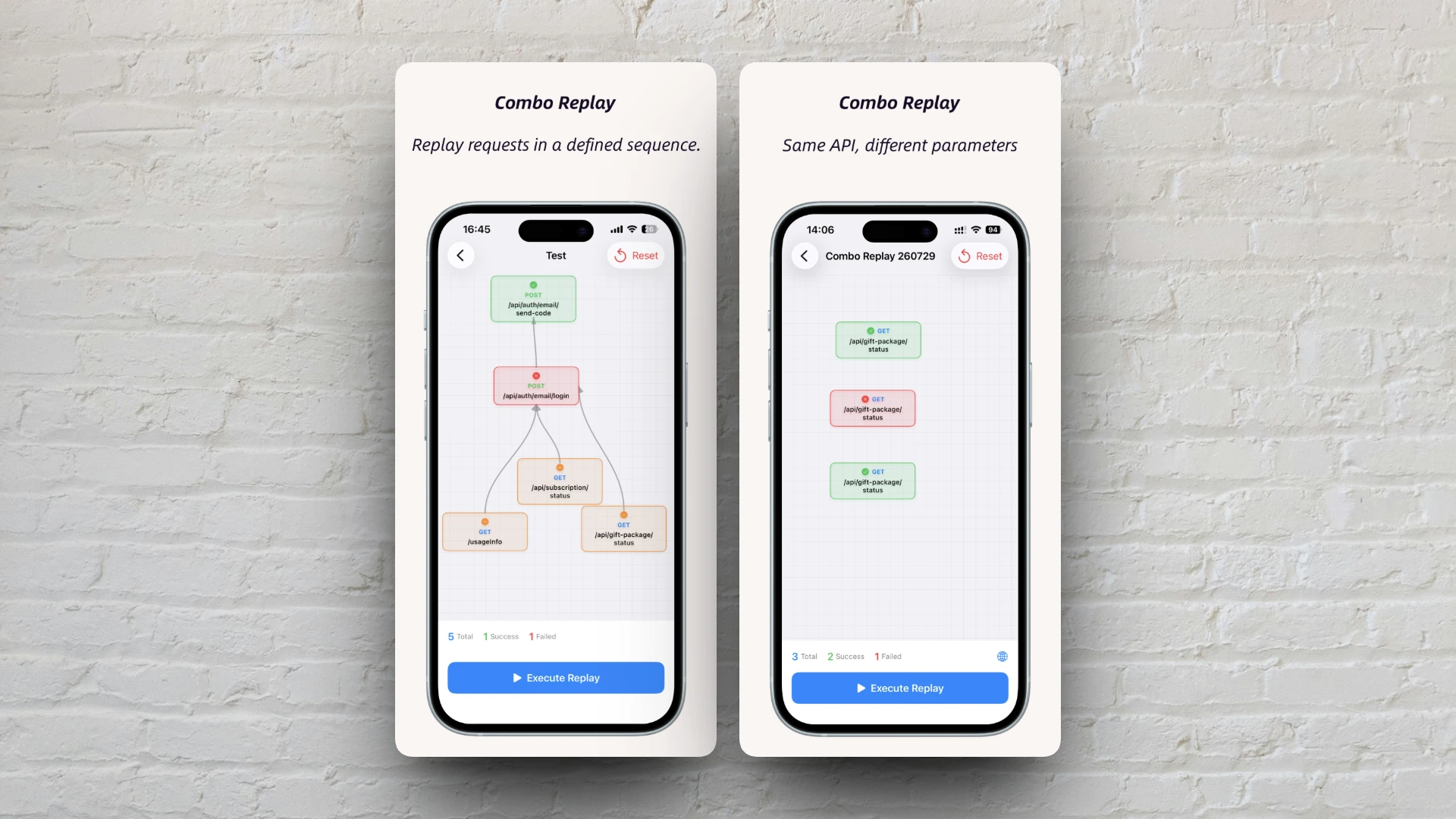
Combo Replay Upgrade: Batch-Test the Same API with Different Parameters
Combo Replay now supports multiple nodes for the same API, per-node preset parameters, and expression injection — run every business scenario and boundary case in one shot.
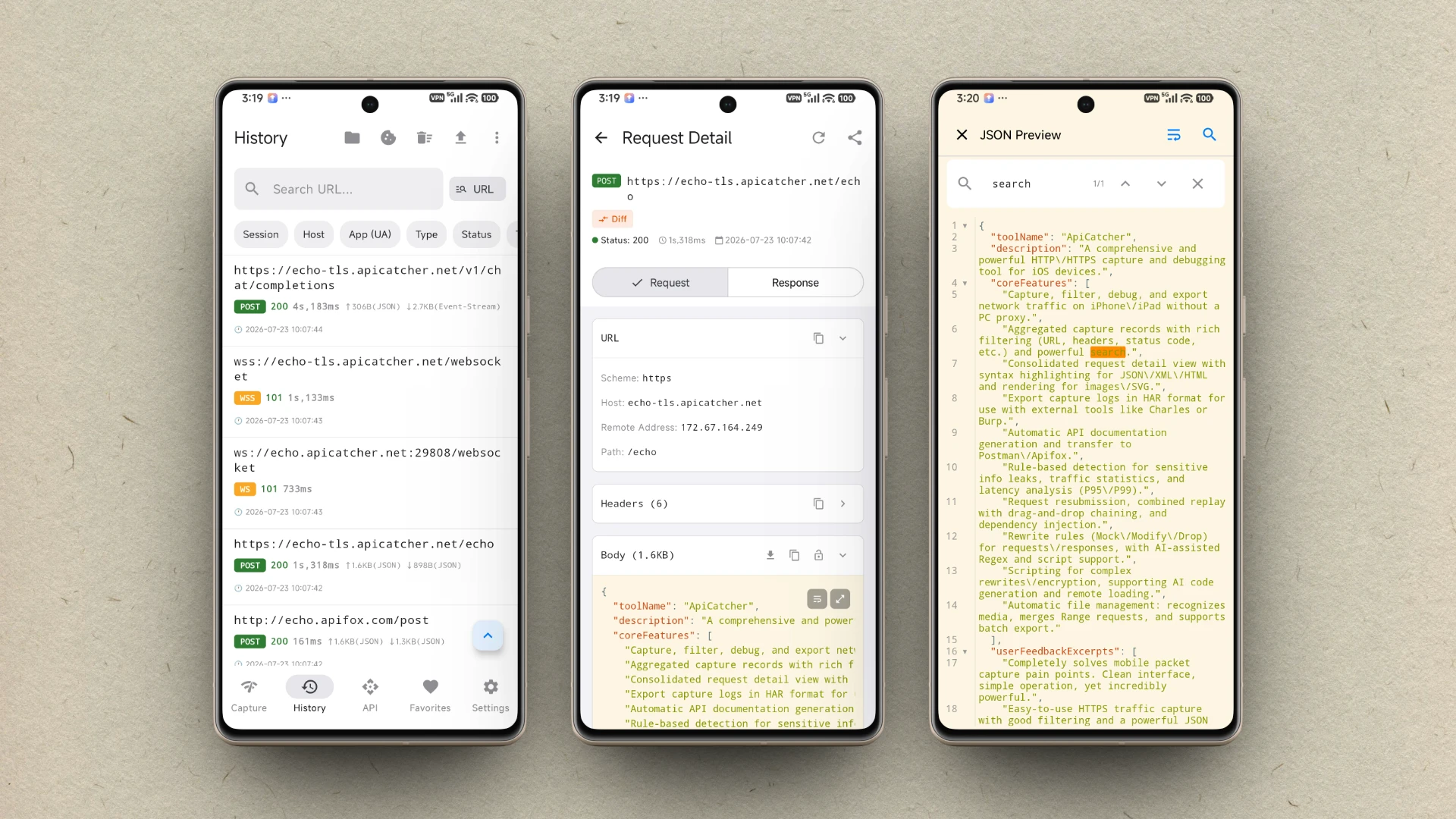
ApiCatcher が Android で利用可能になりました
ApiCatcher for Android が Google Play で公開されました。アプリ内ワンタップで HTTP/HTTPS トラフィックをキャプチャ。プロキシ設定は不要です。
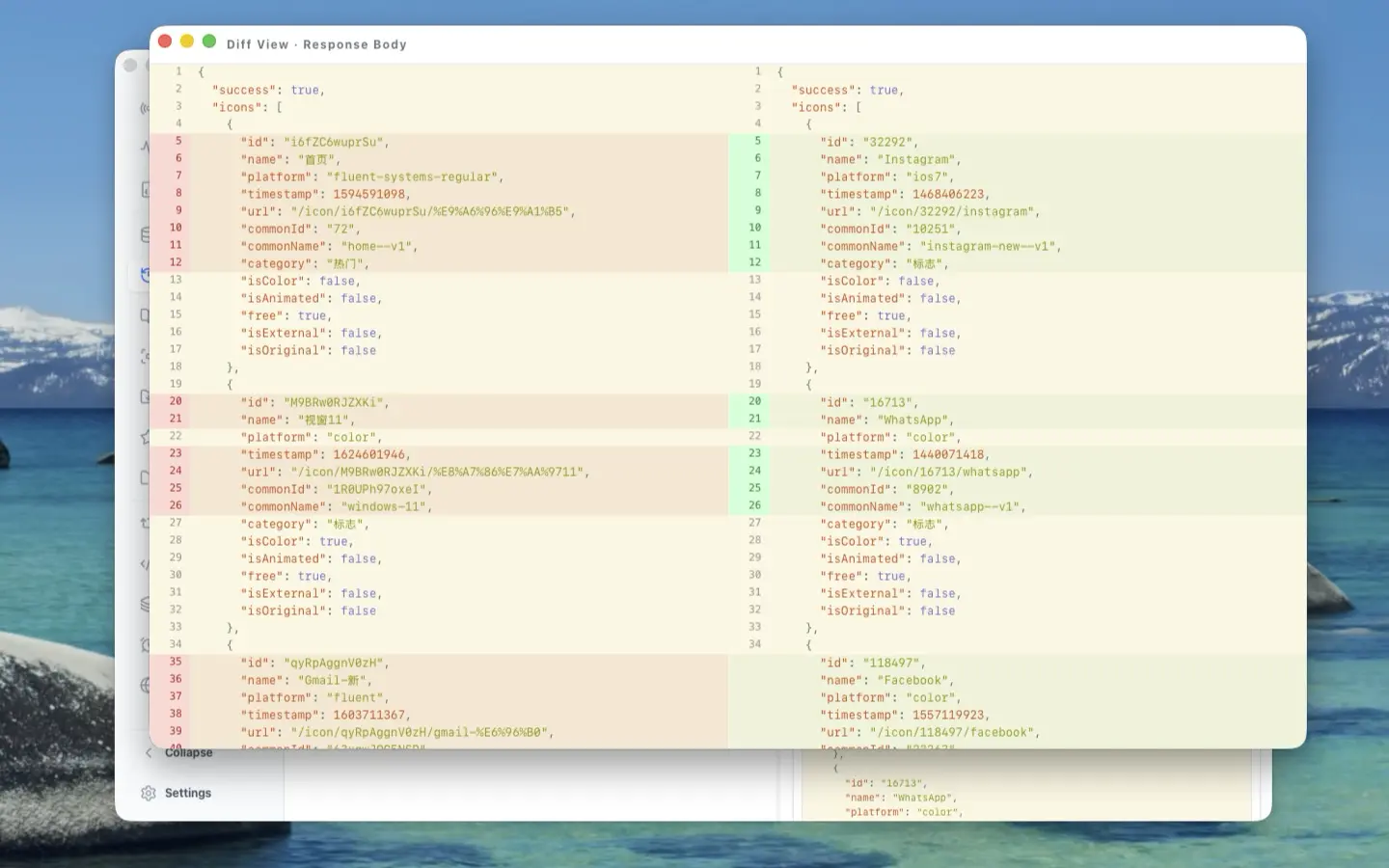
The Craft Behind the UI: A Deep Dive into ApiCatcher Desktop's UX Design
Side-by-side request-response layout, reusable components, full-screen body preview, detached windows for side-by-side comparison, and JSON Diff — here's the UX thinking that went into making ApiCatcher Desktop a joy to use for HTTP debugging.
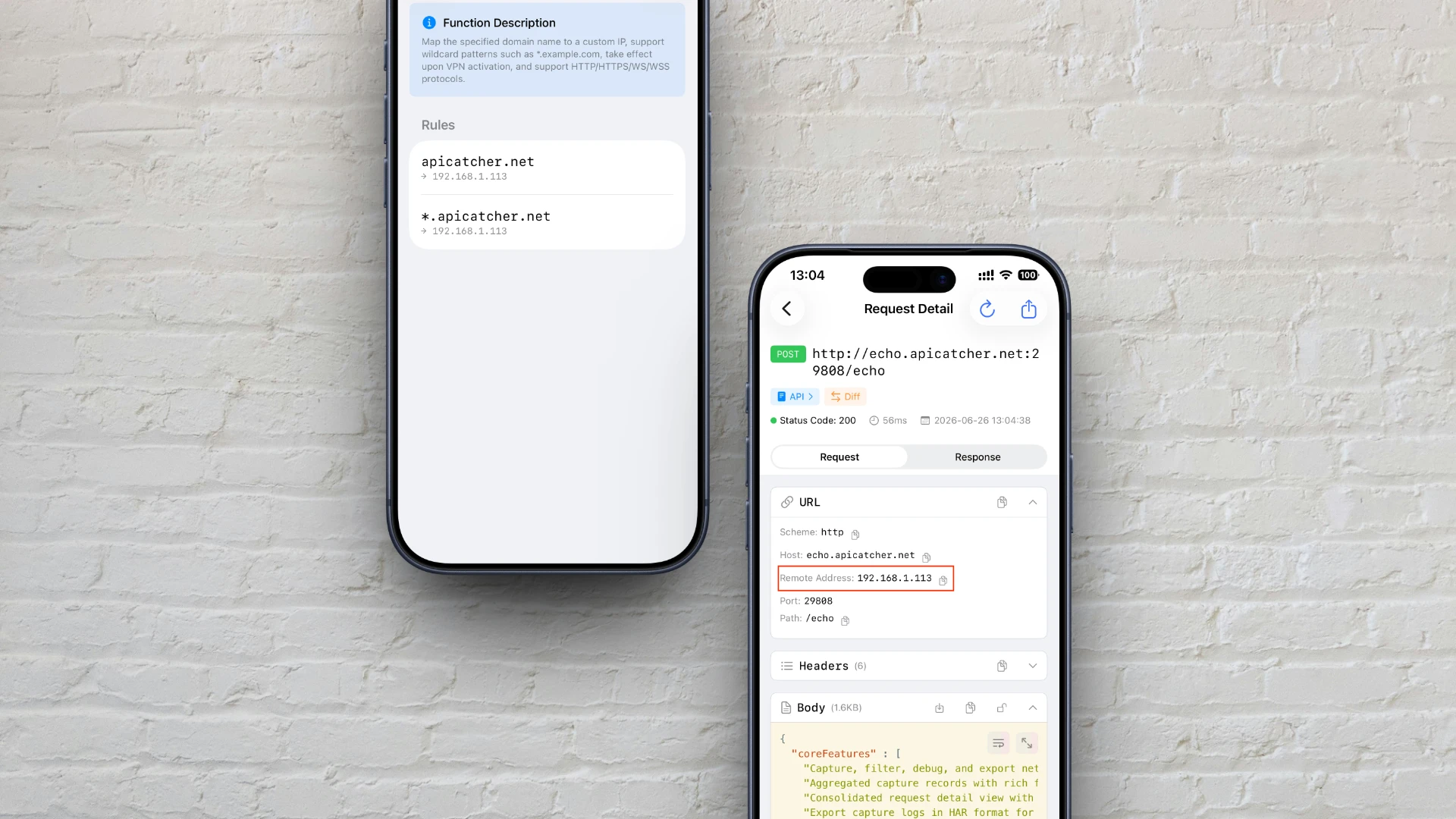
iOSでhostsファイルを編集するようにDNS解決をカスタマイズする方法
iOSでhostsファイルを編集するのと同じように、ApiCatcherのDNSマッピング機能を使ってドメイン解決をカスタマイズする方法と、プロキシ層でのインターセプトとリダイレクトの仕組みを解説します。
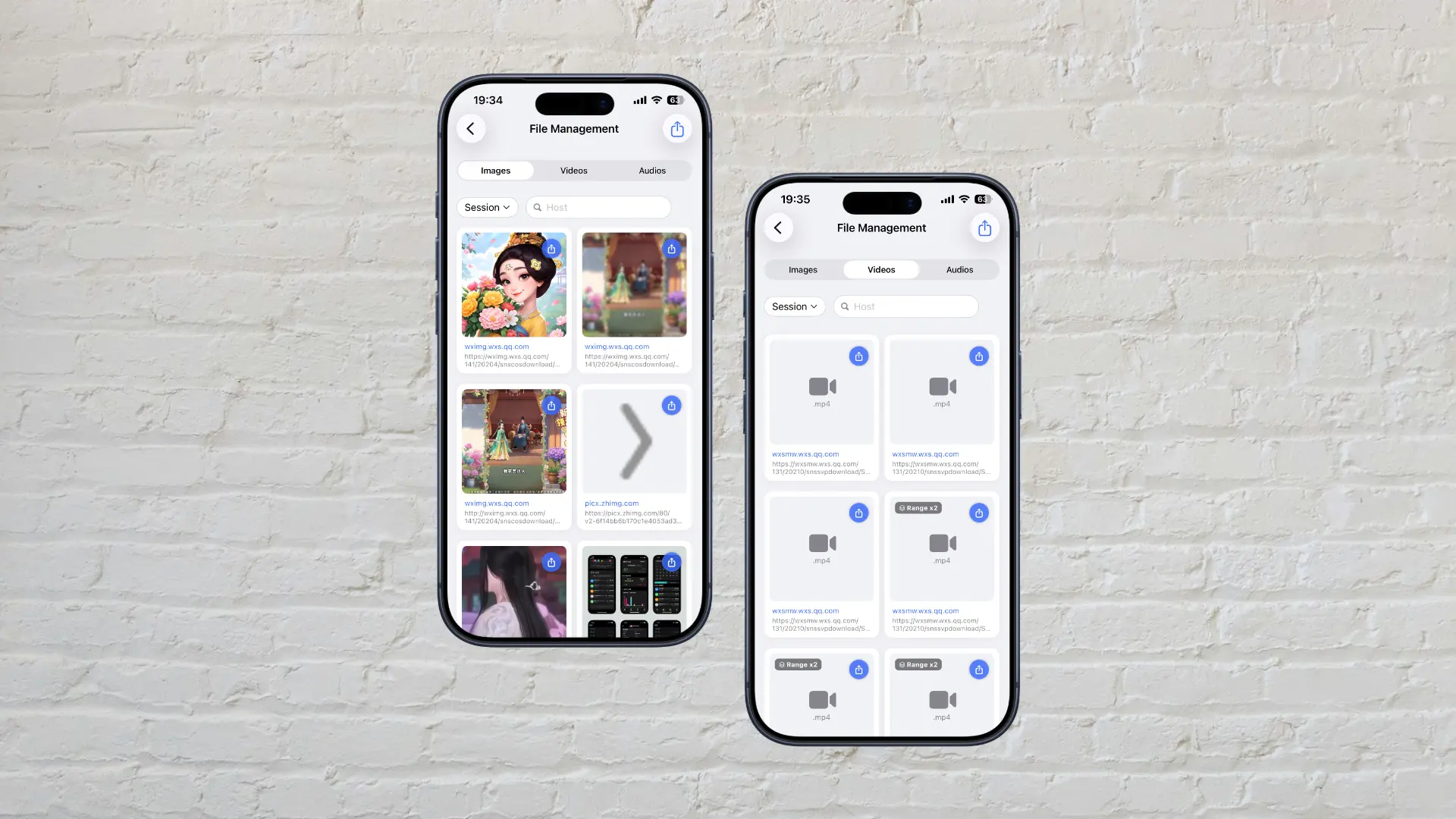
HTTP経由の大容量ファイルをApiCatcherがキャプチャする仕組み
iOSのネットワーク拡張プロセスのメモリ制限を突破し、大容量ファイルをストリーミングで直接ディスクに書き込むApiCatcherの仕組みを解説。メモリ不足によるリクエスト破棄を回避する実装方法。
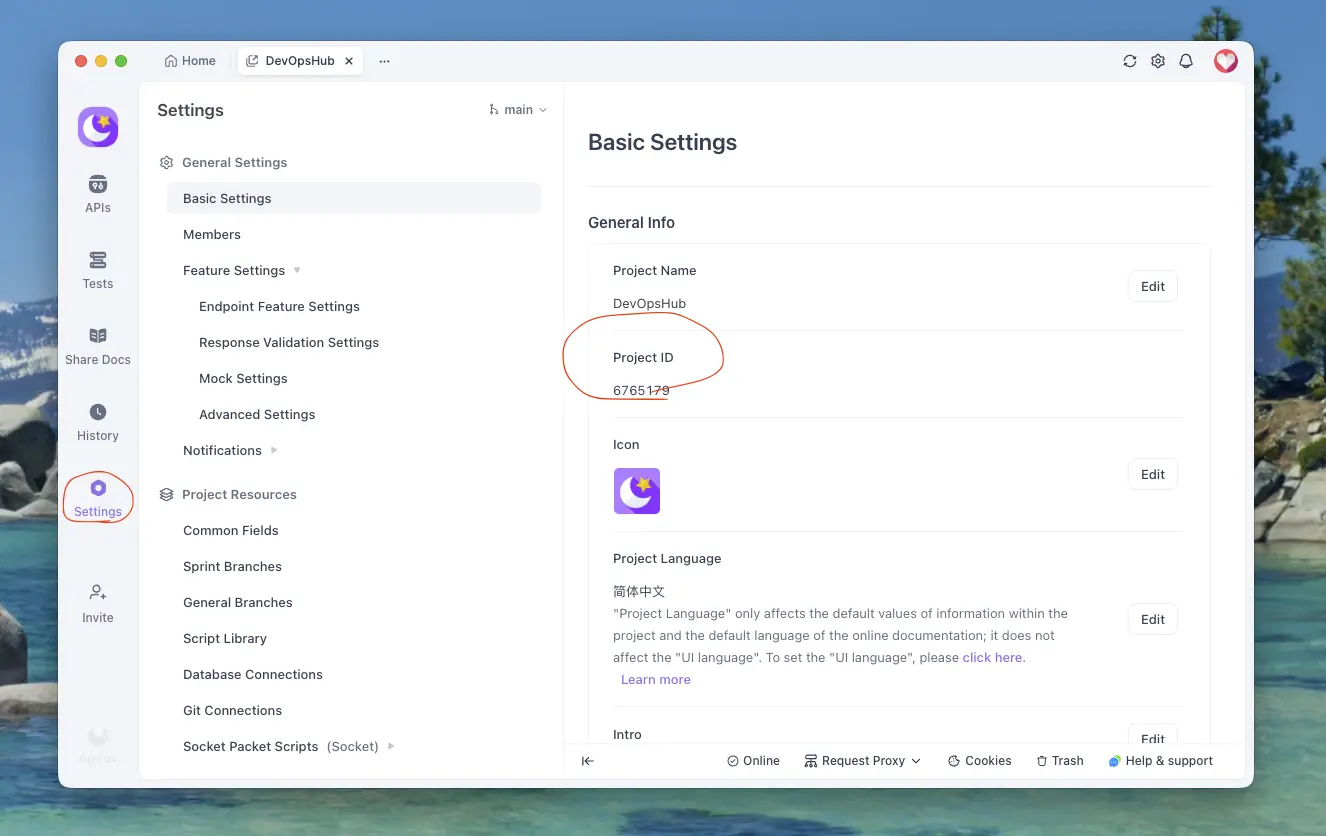
キャプチャしたHTTPSリクエストをApifoxにエクスポートする方法
ApiCatcherでキャプチャしたHTTPSリクエストをApifoxにエクスポートする手順 — わずか数ステップで完了します。
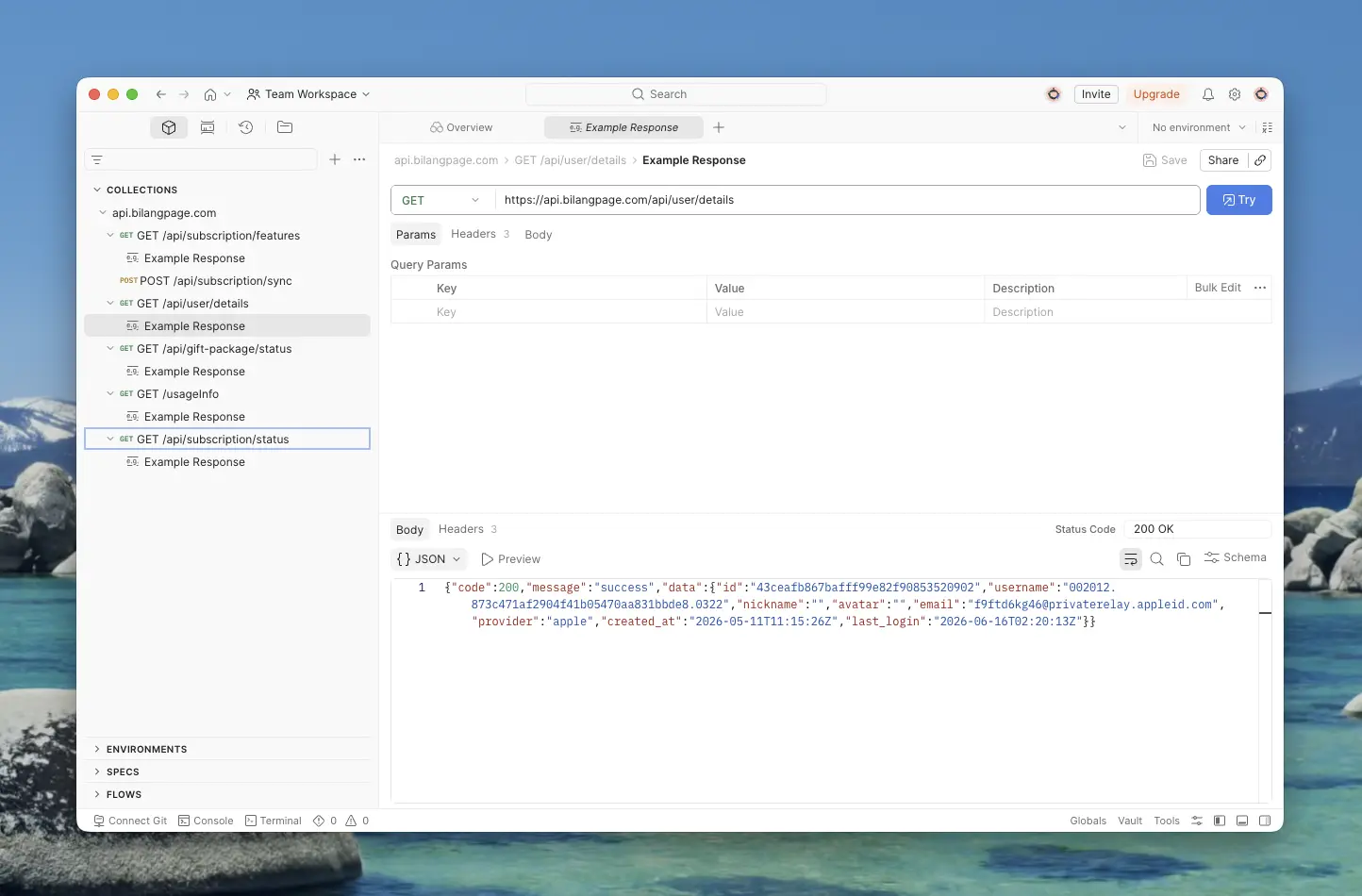
キャプチャしたHTTPSリクエストをPostmanにエクスポートする方法
ApiCatcherでキャプチャしたHTTPSリクエストをPostmanにエクスポートする手順 — API Keyの取得、WorkspaceとCollectionの選択方法を詳しく解説します。
Why Did We Build ApiCatcher?
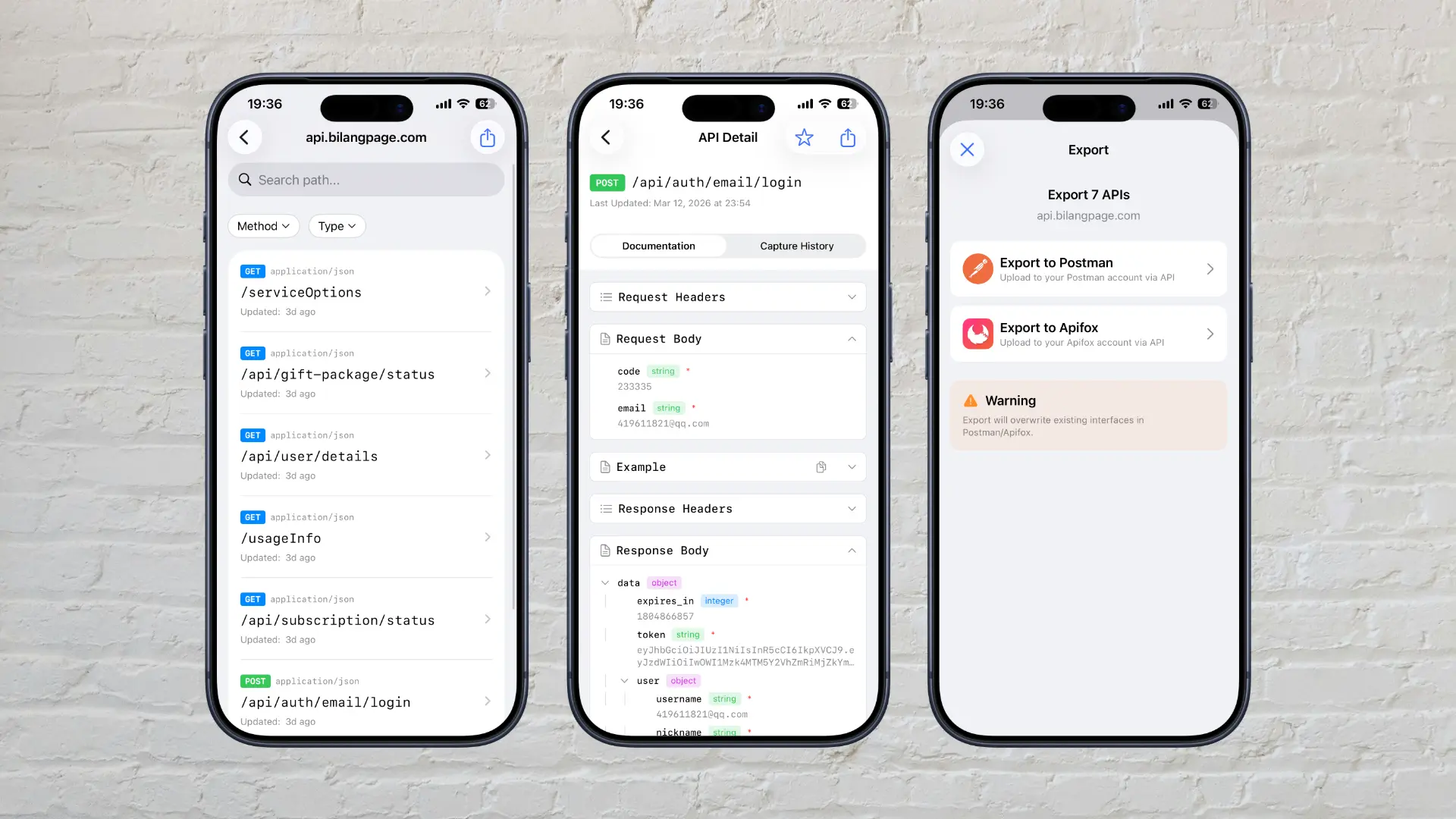
Why we built ApiCatcher — an HTTPS debugging proxy that automatically generates API documentation and solves the real-world pain of missing docs and difficult debugging.