
ApiCatcher Now Has a Command-Line
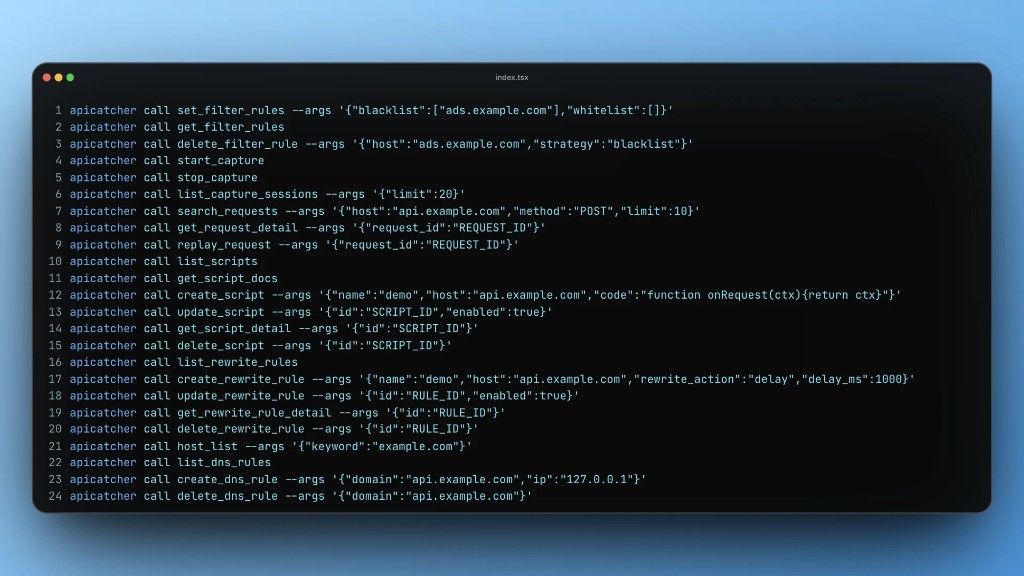
ApiCatcher desktop 1.0.33 includes a CLI, so an AI agent can use ApiCatcher to capture HTTP traffic, then analyze and debug those requests for you.
How to use the ApiCatcher CLI: see the usage guide.
How it works
The ApiCatcher CLI is a command-line tool. It only turns a command into a cross-process HTTP call that uses the ApiCatcher app. It does not reimplement that logic inside the CLI.
When the ApiCatcher app starts, it starts a local HTTP service and exposes endpoints for the CLI to call. To use the CLI, start the app first.
How this differs from the built-in AI assistant
Anything an external AI agent can do with the ApiCatcher CLI, the built-in AI assistant can do as well.
We simply provide a corresponding command for each tool the built-in AI assistant can call, so an external AI agent can call these tools directly from the command line, or write a script to call them.