
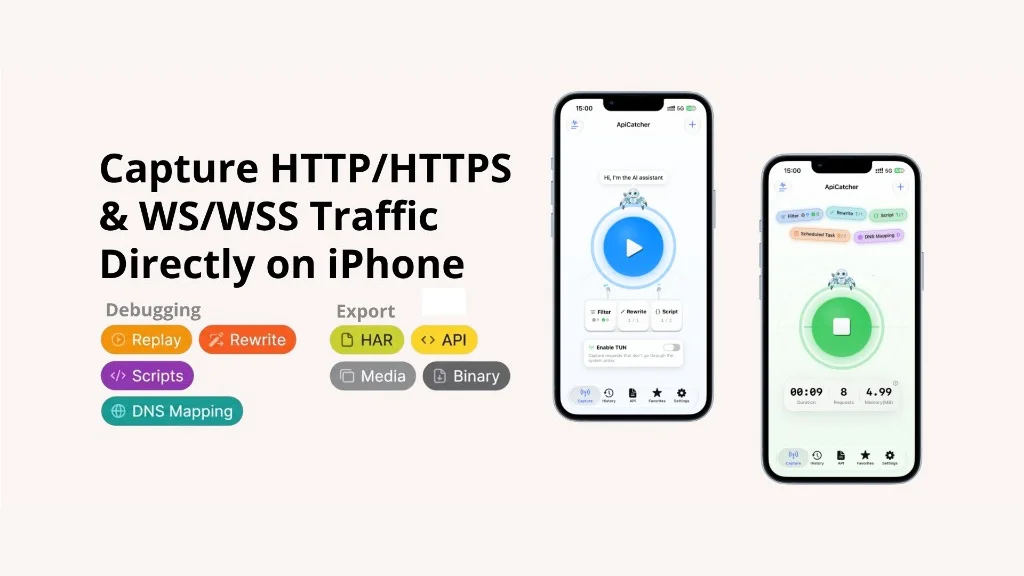
ApiCatcher core features — introduction and usage scenarios
ApiCatcher captures and debugs HTTP/HTTPS on iOS, Android, macOS, and Windows. On a phone it takes the traffic through a local VPN, so the device does not have to proxy through a computer. On the desktop you switch between the system proxy and TUN. TUN is for apps that ignore the system proxy.
The “Api” in the name is the original problem: a captured request should not just sit in the history. It should become an API you can keep using. The eight capabilities below each come with the problem they solve, and the usage scenarios they are meant for.
Capture
Capture is where everything else starts. Once it is on, HTTP/HTTPS from apps and browsers goes through the local proxy. Trust the CA certificate and you can read HTTPS in the clear. WebSocket handshakes and frames are kept too. Frames are listed like a chat, JSON is highlighted, and you can search the payload.
What you use alongside it:
- Allow and deny lists filter by host. If the allow list is not empty, only matching hosts are kept. Hosts on the deny list are dropped.
*works, as in*.example-api.com. - Sessions are one start-to-stop capture. History can be limited to that session, or the whole session can be deleted.
- Search covers the URL, request headers, response headers, request body, and response body. You can also filter by method, protocol, content type, status code, and time range.
- Export writes one call as Raw, cURL, or Markdown, or a batch as HAR. Images, video, and audio are grouped on their own. Range fragments are merged before export.
Scenario: Troubleshooting API issues. Reproduce the action once, open that call in history, and compare the URL, headers, and body the client actually sent with the status and body the server returned. A bad request means the client. A good request with a bad response means the server. Settle that before you dig further.
Scenario: Finding which APIs a feature uses. Run through that feature once for each business scenario. History then shows which APIs it hit, and how the parameters differ from one scenario to the next.
Auto-generated API
Matching HTTP/HTTPS calls are turned into API docs grouped by host. An operation is identified by method + host + path. Later captures of the same operation only add fields that have not appeared yet. They do not overwrite fields already documented from earlier captures. The response example is updated only when the status is 200.
Export a whole host, a single API, or a favorites folder. The targets are Postman, Apifox, or a Bruno zip.
Scenario: Exporting to your API tool. Once the docs exist, export the host, one API, or a favorites folder to Postman, Apifox, or Bruno, and maintain and share them there.
Unlike generating APIs by exporting a HAR and importing it into Postman or similar tools, ApiCatcher’s API docs grow more complete as your captures cover more business scenarios—the more scenarios you hit, the more fields appear on the doc.
Request replay
Replay is ApiCatcher acting as the client again. It takes one HTTP/HTTPS call from history, optionally edits the query, headers, or body, sends it, and shows the status and response on the replay page. The app does not refresh because of that call. For WebSocket you reconnect here, send a frame, and read what comes back.
While capture is running, replay goes through the local proxy, so rewrite rules and scripts apply, and the call shows up in history again.
Scenario: API integration. After the backend changes the API, or adds logs to trace a problem, replay the captured request with one tap. That single replay tells you whether the bug is gone, and it also sends the call through the new logs so the investigation can continue.
Combo Replay
Combo Replay puts several HTTP/HTTPS calls on a canvas and runs them by dependency. Nodes that do not depend on each other run in parallel. Nodes that do run in order: the next layer starts only after the previous one has all succeeded.
Four edits you use all the time:
| Action | What it does |
|---|---|
| Preset parameters | Set the query, headers, and body on a node ahead of time |
| Set dependency | A line means the downstream node waits for the upstream one |
| Dependency injection | Take a value from the upstream response and put it on the next request’s headers, query, or body |
| Expressions | ${method.timestamp()} and ${method.uuid()} are filled in when the run starts. Globals such as ${token} are filled on the run page |
Scenario: Chained API debugging. Later calls need something from an earlier response. Set the dependency, inject the upstream response into the downstream request, and let them run in that order. For example, GET /user depends on POST /login, and POST /order depends on GET /user. Inject the token into Authorization on the last two, and the run is login, then the user profile, then the order.
Scenario: Testing one API with different inputs. Add that request more than once. If they must run one after another, chain the nodes with dependencies only — do not configure injection. Preset a different body on each node, then compare the results. For example, add the login request three times: a valid account, a wrong password, and an empty password.
Rewrite
Rewrite changes traffic before the request reaches the server, or before the response reaches the app. A rule is a scope plus an action. The scope is a host, plus an optional path and method.
Actions:
- Redirect sends a production host to your machine or to staging.
- Mock returns a preset status, headers, and body without a real request.
- Drop request / drop response simulates a call that never leaves, or a server that never answers.
- Delay holds the response so you can check loading and timeout UI on a slow network.
- Modify edits headers, replaces a body, or regex-replaces inside a body. AI can draft the regex from a plain description.
Scenario: Mocking an API. The backend is not ready, or the client has to land in a particular state. Return a preset status and body instead of calling the server. For example, mock an order list with unpaid and completed orders, finish the screens, and turn the rule off when the API exists.
Scenario: Rewriting a response. Edit a few fields and see what the client does next, without touching server data. For example, regex-replace "balance": 100 with "balance": 0 and watch the button when the balance is gone.
Scripts
When a value is different on every call, a fixed rule is not enough. Use JavaScript. A matching request enters interceptRequest, and the response enters interceptResponse. Write it yourself, let AI draft it, or point at a script URL on the LAN that the team shares.
Available in the script:
cryptofor MD5, SHA, HMAC, and Base64, for signatures and for encrypting or decrypting a body.localStoreto keep a token or other state across requests.httpClientto make another HTTP call from the script, for example logging in again when a token has expired.
Scenario: Computing requests on the fly. A signature or timestamp changes on every call, so a fixed replacement cannot do it. Compute it from this request, then let the call continue. For example, when replay keeps returning 401, HMAC the current time and body and set X-Timestamp and X-Signature. Capture has to be running before you replay, or the script never runs on that call.
Scenario: Body encryption and decryption. Internal apps often encrypt the body on top of HTTPS, so after TLS you still see ciphertext. The script encrypts the body before the request goes out and decrypts it when the response comes back, so you can read and edit the plaintext. For example, decrypt the response body in interceptResponse. On replay, encrypt the edited plaintext again in interceptRequest before it is sent. Capture has to be running, or the script does not run.
DNS spoofing
In the product this is DNS mapping. It spoofs DNS in the proxy. It does not edit the system hosts file, and it does not change the Wi-Fi DNS. While capture is on, a matching connection skips public DNS and opens TCP to the IP you entered. The HTTP Host header and the TLS SNI stay as the original name, so the app does not notice. Wildcards work, for example *.apicatcher.net.
Scenario: Same domain for test or staging. Test, staging, and production share one domain. You reach test or staging by pointing that domain at the right environment. Map it to the test or staging IP. It takes effect when capture starts, so you do not have to change the Wi-Fi DNS every time, and you do not fight the system DNS cache.
Scheduled tasks
A scheduled task runs one replay, or a whole combo replay, on a plan.
- Cron has six fields: second, minute, hour, day of month, month, day of week.
0 * * * * ?is second 0 of every minute. If you are unsure of the syntax, have AI write it from a sentence. - Custom repeats every N seconds, with an optional cap on count or on how many minutes it keeps going.
The task stops when an auto-stop condition matches. Run history shows how long each run took and how often it succeeded. On a phone the task runs only while capture is on. On the desktop it runs as long as the app is open.
Scenario: Scheduled submission. The window is short, and a manual click is easy to miss. Run one request, or a combo replay, on an interval, and stop from the response. For example, start a few seconds before a flash sale and submit the order every second. Stop when code is 200, or when the body says the purchase went through or the sale has ended.
Scenario: Scheduled health checks. Call the same API on a fixed rhythm and see whether it stays up and whether it gets slow. A health check with cron 0 * * * * ? runs once a minute. Leave auto-stop off and read P95 in the run history.
Scenario: Scheduled regression. Schedule a combo replay you already built, and see whether the results still match what you expect. Add the same API several times in Combo Replay and preset a different input on each node. Those nodes are the test cases. Run that combo once a week. If the calls need a login first, add one login request as the shared predecessor of every other request. Those other requests then run in parallel with each other, not in a chain.
The step-by-step docs: User manual, Rewrite, Scripts, Combo Replay, Scheduled tasks.
The features above are not everything ApiCatcher can do. Visit the official website to see the rest. The usage scenarios in this article are not the only situations where these features apply—they reflect the problems we built each capability to solve.