Protobuf 解碼
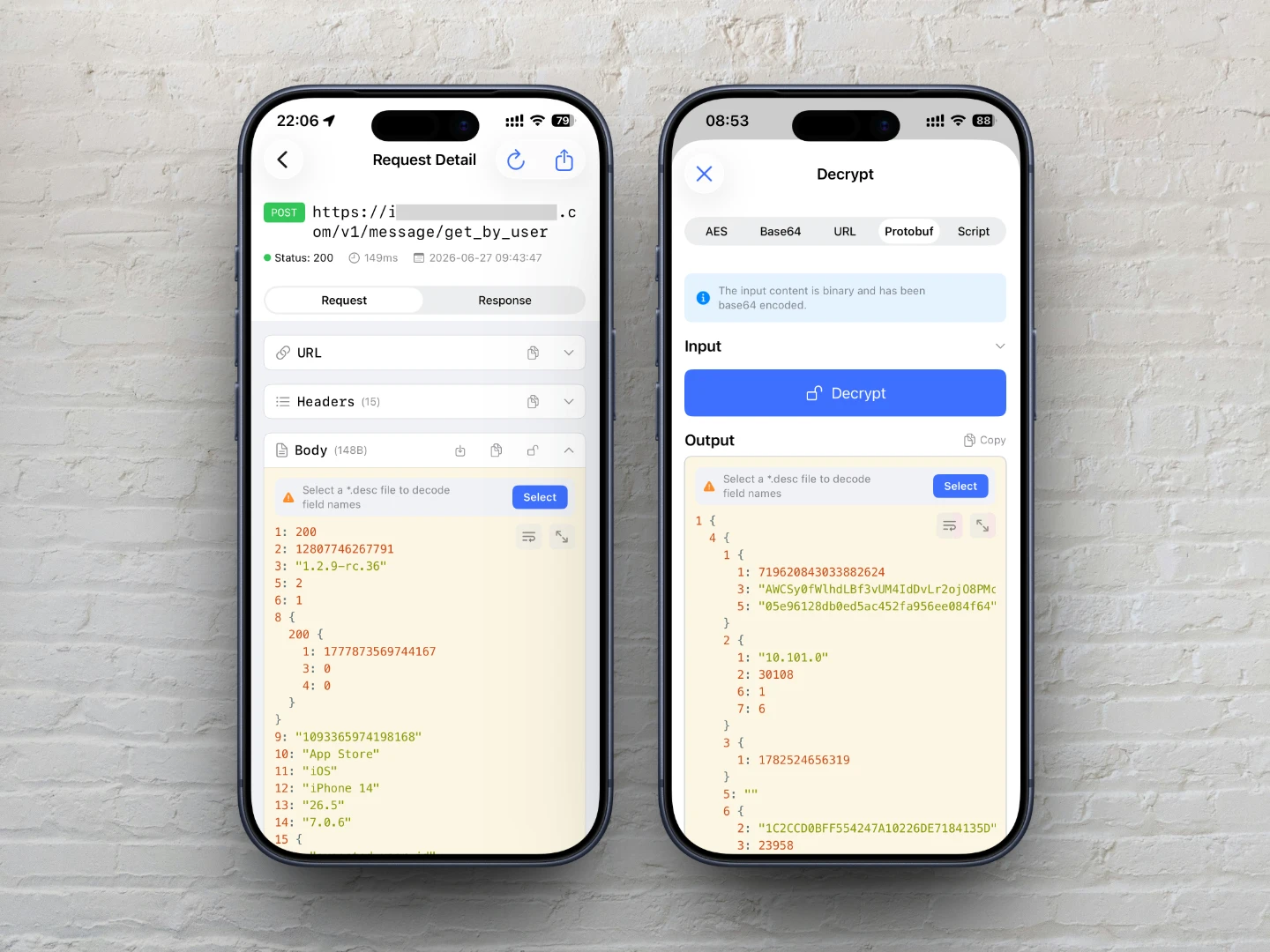
ApiCatcher 支援將HTTP/HTTPS請求/回應的 Protobuf 二進位資料解碼為純文字,以便於檢視和分析。
預設情況下,ApiCatcher 會自動檢測請求/回應的 Content-Type 標頭是否為 application/protobuf 或 application/x-protobuf 等常見的 Protobuf 內容類型,如果匹配,則會嘗試解碼。
private static func isProtobufContentType(_ contentType: String) -> Bool {
    let ct = contentType.lowercased().trimmingCharacters(in: .whitespacesAndNewlines)
    let mimeType = ct.components(separatedBy: ";").first?.trimmingCharacters(in: .whitespaces) ?? ct
    return mimeType == "application/protobuf"
        || mimeType == "application/x-protobuf"
        || mimeType == "application/x-google-protobuf"
        || mimeType == "application/grpc"
        || mimeType == "application/grpc+proto"
        || mimeType == "application/protobuf+json"
        || mimeType == "x-protobuf"
}
如果 Content-Type 不是以上的類型,ApiCatcher不會嘗試解碼,但您可以使用解碼工具來解碼, 點擊Body卡片上的「Unlock」圖示,切換到「Protobuf」,然後點擊「解碼」按鈕,即可解碼。
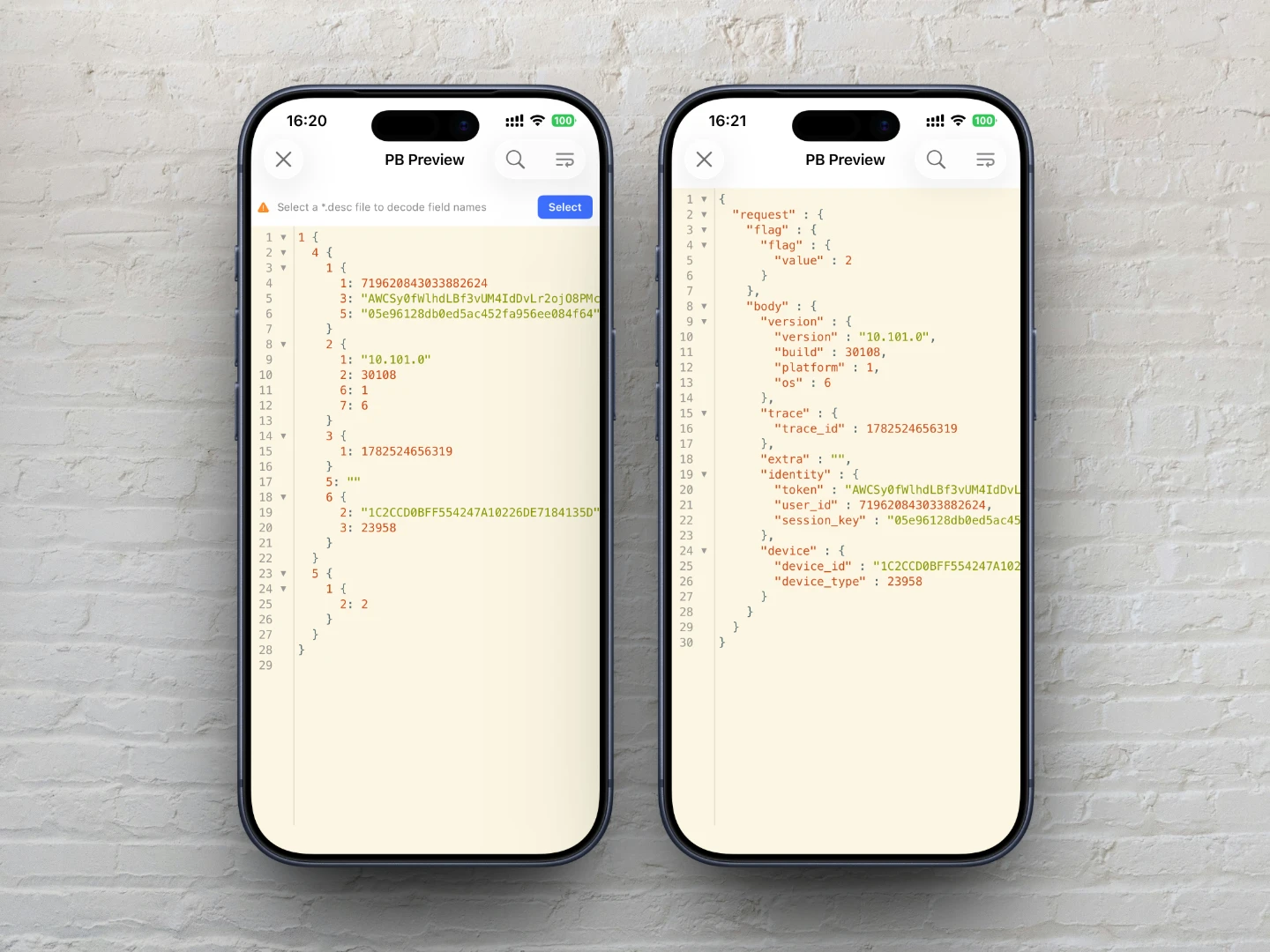
預設解碼結果可讀性差,因為沒有欄位名,如果您有 *.desc 檔案,可以匯入 *.desc 檔案,
以解碼出欄位名。如果 *.desc 檔案正確,解碼結果將轉成 JSON 格式,可讀性更強。
有無 *.desc 檔案的解碼結果對比如圖:
匯入 Protobuf 描述符檔案(*.desc)
什麼是 *.desc 檔案?
*.desc 檔案是 Protobuf 檔案描述符(File Descriptor) 的二進位序列化結果,包含了 Proto 檔案中定義的所有訊息結構、列舉、服務定義等元資訊。它是解析 Protobuf 二進位資料的必要檔案。
如果你手頭有的是 *.proto 檔案,需要先將其轉換為 *.desc 檔案才能用於 Protobuf 解碼。
如何產生 *.desc 檔案?
如果你有一批 *.proto 檔案,可以使用 protoc 命令列工具產生一個或多個 *.desc 檔案。步驟如下:
1. 安裝 protobuf 命令列工具:
brew install protobuf
2. 準備 proto 檔案:
建立一個 input 資料夾,將所有 *.proto 檔案複製到該資料夾內。
3. 執行產生命令:
protoc --descriptor_set_out=output.desc \
  --include_imports \
  -I=/path/to/input \
  /path/to/input/*.proto
參數說明:
| 參數 | 說明 |
|---|---|
--descriptor_set_out=output.desc | 指定輸出的描述符檔案路徑 |
--include_imports | 將所有依賴的 import 檔案也包含進去,確保匯入後即可直接使用,無需額外引入依賴 |
-I=/path/to/input | 指定 proto 檔案的搜尋路徑(import 路徑的前綴) |
/path/to/input/*.proto | 要編譯的 proto 檔案(支援萬用字元) |
執行完畢後,會在目前目錄產生 output.desc 檔案,將其傳到手機上,再在ApiCatcher中匯入以備用。
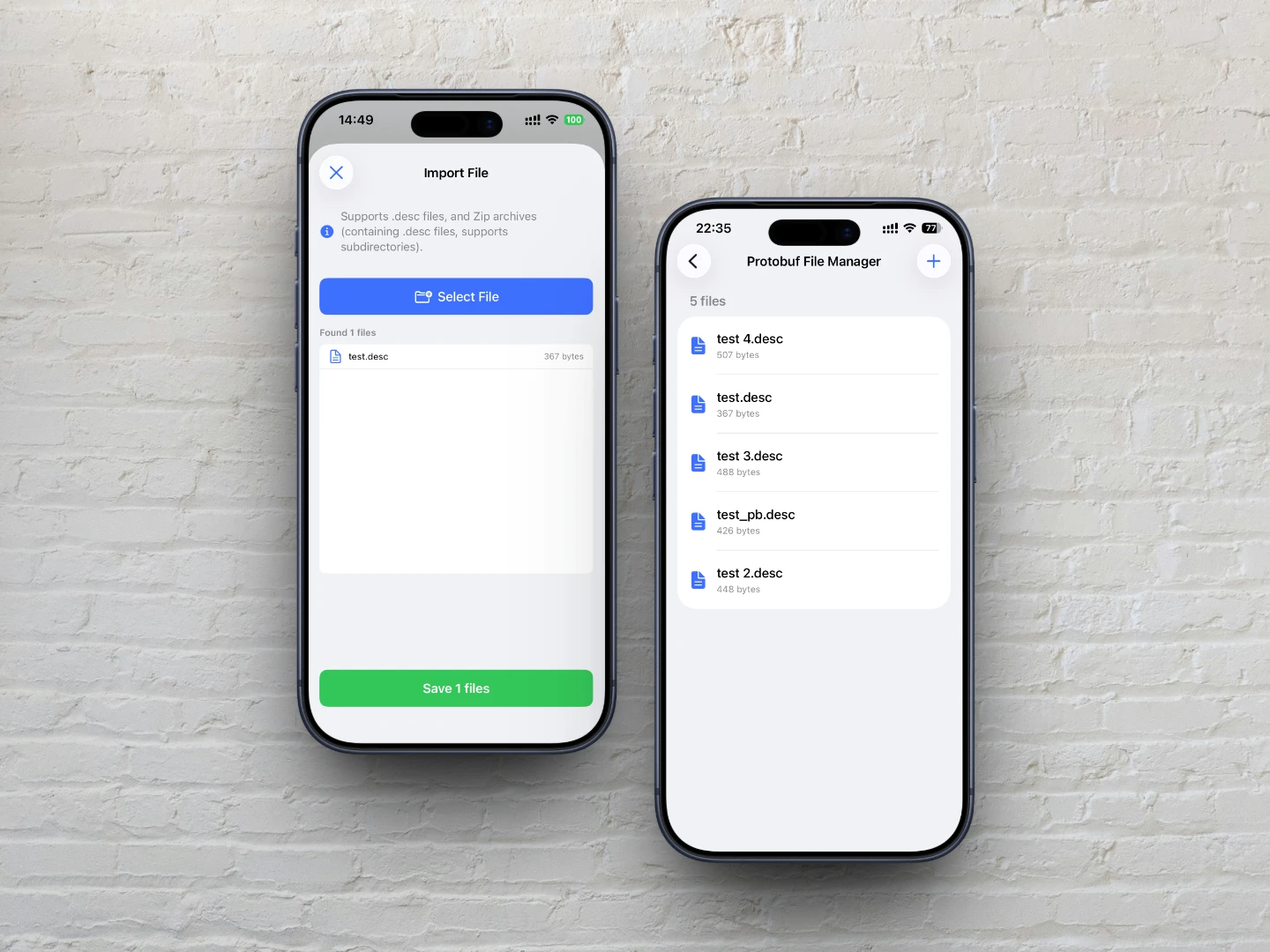
當請求Body能Protobuf解碼時,卡片會顯示提示:「選擇一個*.desc檔案解碼欄位名」,並提供一個選擇按鈕,
點擊選擇按鈕選擇已經匯入的 *.desc 檔案,即可解碼出欄位名。當然,也可以此時再匯入檔案,
檔案匯入後會快取到本地,可以在「設定->Protobuf檔案管理」管理已匯入的檔案。